
how_to_playbook
Can AI Crawlers Read Your Site? A 5-Minute GPTBot Test
September 29, 2026 · 9 min read · Rithvik Koruturu
Can AI crawlers read your site? A 5-minute GPTBot test using raw HTML shows what bots actually see, where JavaScript hides content, and how to fix it.
Introduction
Your homepage can look polished, animated, and conversion-ready to humans while still reading like an empty shell to an AI crawler. The fastest way to check is simple: inspect the raw HTML, reload with JavaScript off, then confirm your crawler rules are not blocking access.
That matters now because AI crawler optimization is no longer a future project. According to Cloudflare’s 2025 crawling analysis, GPTBot traffic grew more than 3x (305%) between May 2024 and May 2025.
Key takeaways:
- Start with raw HTML using view-source and curl
- Disable JavaScript to find ghost content fast
- Check robots rules before assuming bots can crawl
- Fix source visibility first, then polish the experience
This playbook is built for builders with no time to sell. You can run the whole sequence this afternoon on one page and know whether your core message is actually visible to AI bots.
Your polished page may be a blank page
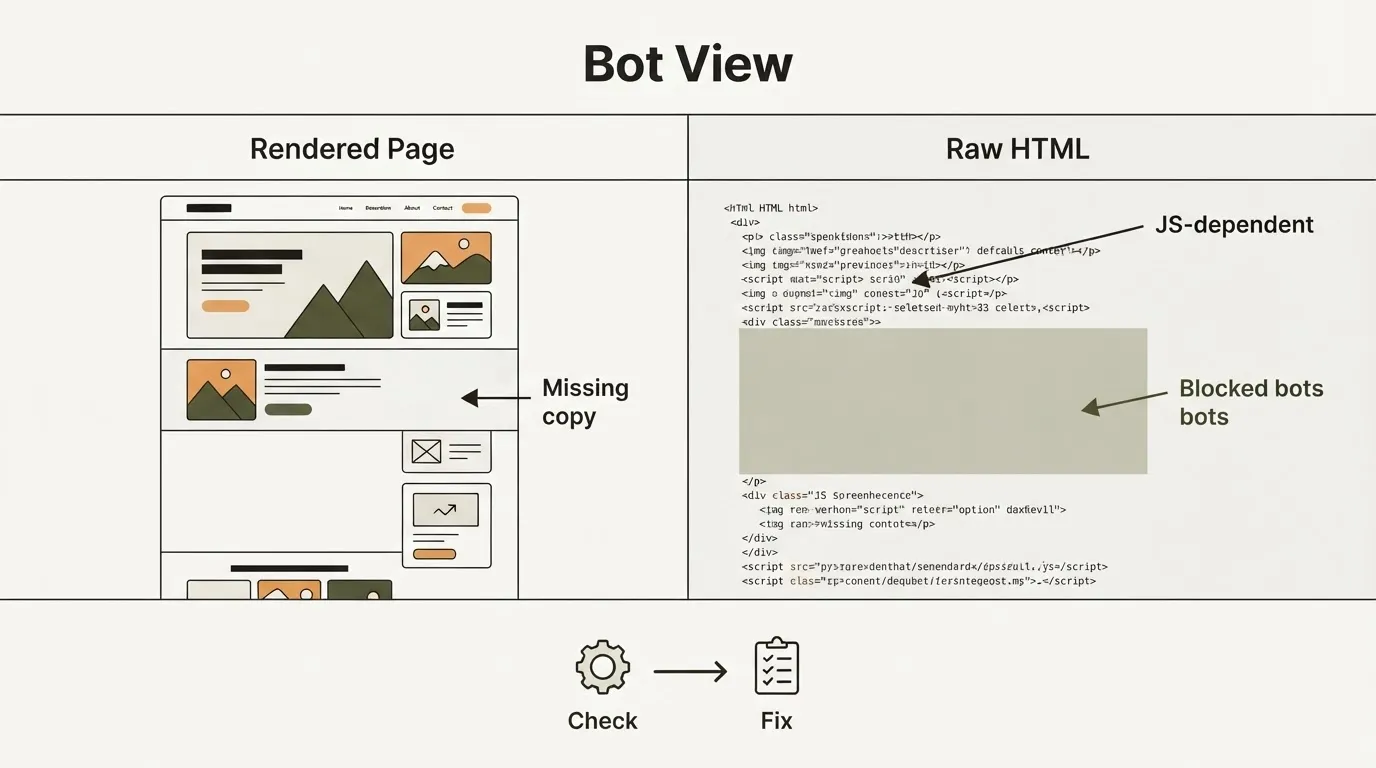
 And that brings us to the first uncomfortable shift: bots do not experience your site like your browser does. They often judge what is available in the source and what access rules allow before any polished front-end experience kicks in.
I keep coming back to the same workflow: start with view-source and curl because that is the closest raw reality a bot sees, then prove the important content is truly there before doing anything more sophisticated. Based on what we saw when treating raw HTML as the beginning of the audit, not the whole audit, client-side rendering kept showing up as the most common directional cause of invisibility to AI bots.
- Raw HTML is the starting point for how to check site for AI bots
- Client-side rendering often hides key copy from machine discovery
- Pretty design can mask a thin or empty source document
- This is a live issue now, not a theoretical SEO debate
According to Cloudflare’s report, GPTBot crawling surged more than 3x (305%) year over year. If your best page looks full in-browser but thin in source, that gap now has real traffic consequences.
Step 1: Run the 5-minute curl test
 So if the browser is not the truth, where do you start? Start with the raw response your server returns.
Open the page in view-source, then run curl against the same URL. You are not looking for perfection yet; you are looking for presence.
- Run curl first:
curl -L https://yoursite.com/page - Search the output for your product name and headline
- Look for core value props in the returned HTML
- Check pricing cues, proof, and CTA language
- Compare against view-source to spot missing sections quickly
A fast checklist helps:
- Headline present: the main promise appears in source
- Benefit statement present: what the product does is explicit
- Proof present: testimonials, logos, or stats exist in HTML
- CTA present: key action text is crawlable
- Internal links present: important paths are visible without scripts
According to HubSpot’s 2026 State of Marketing coverage, about 4 in 10 marketers (40.6%) say updating SEO for search changes is a top trend this year. This is the practical version of that shift: if your message is missing from the source, an AI crawler may never see it.
Step 2: Disable JavaScript and look for ghost content
 Once curl gives you the raw reality, push one step further. Break the page on purpose.
How do I see my website like a bot? Disable JavaScript in your browser, reload the page, and compare what remains against the source HTML and normal rendered view. If the page meaning disappears, you likely found a crawler visibility gap.
- Turn JavaScript off in DevTools and refresh
- Compare the hero section with the normal page load
- Watch feature blocks for missing text or cards
- Check FAQs and testimonials for vanished content
- Note broken navigation that hides crawl paths
This is where ghost content shows up. The layout still exists, but the actual meaning lives only in client-side rendering.
If the message vanishes when JavaScript is off, many bots may never see that message clearly.
Does GPTBot read my website's JavaScript? Maybe inconsistently, and you should not depend on it for critical content. GPTBot is a web crawler developed by OpenAI that systematically scans the internet to collect publicly available data. This information is utilized to train and improve the performance of large language models, including GPT-4 and subsequent iterations, by expanding the breadth and diversity of the datasets used for machine learning.
That is why this playbook assumes important content should exist in static HTML first. According to Imperva’s 2026 Bad Bot Report, automated traffic made up more than half of observed web traffic (53%) in 2025, while Adobe reported AI traffic to U.S. retail sites grew by nearly 4x (393%) year over year in Q1 2026 and converted 42% better than non-AI traffic in March 2026.
Step 3: Check robots.txt and bot-blocking tags
 Now assume the content is present. The next failure mode is access.
Sometimes the page is readable in source and still invisible because you blocked the crawler yourself in robots.txt, a meta tag, or a response header.
- Open
/robots.txtand review crawler-specific rules - Look for
User-agent: GPTBotand other AI crawler entries - Check for broad disallows on docs, blog, or product paths
- Inspect meta robots tags for
noindexornofollow - Review X-Robots-Tag headers on key templates and files
Audit more than the homepage. Pricing, docs, blog posts, and comparison pages often inherit different rules from different systems.
This matters because defensive bot controls are rising fast. According to Imperva’s 2026 report, daily blocked AI-driven bot requests jumped from 2 million to 25 million over the prior 12 months in 2025. Readable HTML is useless if the crawler never gets through the door.
Step 4: Fix the gaps in the source for AI crawler optimization, not the styling
 Once you know where the gap is, resist the urge to solve it with more front-end polish. The fix is usually simpler and less glamorous.
Move the page meaning into server-rendered or statically delivered HTML, then let JavaScript enhance the experience instead of carrying it.
- Prioritize critical content: headline, subhead, offer, and proof
- Keep primary links crawlable in plain HTML
- Render FAQs and product details before scripts execute
- Use progressive enhancement for tabs, sliders, and interactivity
- Re-run the audit after framework or CMS changes
This is the practical side of AI crawler optimization: make the source complete enough that a bot can understand the page before any script runs. That matters even more as production speeds up.
According to Adobe’s 2026 AI and Digital Trends report, about 3 in 4 respondents (76%) said generative AI improved content speed and volume. Salesforce’s 2026 State of Marketing found three-quarters of marketers (75%) already use AI, yet more than 8 in 10 (84%) still run generic campaigns. Faster output does not help if the core page is machine-readable only by accident.
Your next crawl check
 That brings us back to the opening problem: a beautiful page can still look blank to a bot. The win is not advanced tooling. It is disciplined inspection, one week, up close.
Key takeaways:
- Check raw HTML first with curl and view-source
- Disable JavaScript next to expose ghost content
- Verify crawler access rules on every critical page
- Repeat after releases because the streak is the strategy
Start with one page today: your homepage, pricing page, or highest-intent landing page. Run the checks in order: source HTML, JavaScript-off rendering, then robots and meta tags.
If the value prop, proof, and CTA are missing from source, fix that before redesigning anything else. If they are present but blocked, remove the rule conflict. If they vanish when scripts are off, move them into the HTML your server actually delivers.
This is the practical heart of AI crawler optimization. You do not need a giant audit to begin. You need one page, five minutes, and the discipline to see your site the way a crawler does.
For Scout7 readers, that mindset fits the whole product philosophy: organic marketing on loop only works when the source material is visible, clear, and reachable. Pick one high-value page this afternoon, run the sequence, document what disappears, and fix the source first. Your next release should make your site easier for both humans and machines to understand.
Frequently asked questions
How do I see my site the way GPTBot might?
Start with the raw HTML using view-source and curl, then reload the page with JavaScript disabled. That sequence shows whether your headline, proof, CTA, and links are actually present in the source a crawler can access.
Does GPTBot read JavaScript-rendered content?
Maybe inconsistently, which is why this article recommends not depending on JavaScript for critical page meaning. If your value prop or CTA disappears when JavaScript is off, many bots may not see it clearly.
What should I check in the raw HTML first?
Look for the main headline, benefit statement, proof elements, CTA text, and internal links. If those are missing from the returned HTML, the page may look complete to humans but thin or empty to an AI crawler.
If the content is in the source, what can still block access?
Robots.txt rules, meta robots tags, and X-Robots-Tag headers can still prevent crawling or indexing. That is why the playbook checks access rules after confirming the content is actually present in the HTML.
References
- Cloudflare, "From Googlebot to GPTBot: Who’s Crawling Your Site in 2025?"
- HubSpot, "2026 State of Marketing: Data from 1,500+ Global Marketers"
- Adobe, "2026 Adobe AI and Digital Trends Report: Four Key Takeaways"
- Adobe, "AI Traffic Grows but Retail Sites Lag in AI Search Visibility"
- Salesforce, "75% of Marketers Have Adopted AI, Yet Still Use It to Send Generic Campaigns"
- Imperva / Thales, "Bad Bot Report 2026 Edition: Bad Bots in the Agentic Age"