



How to set a marketing budget for your agency
Set a marketing budget for your agency when you have one or two clients: 4 hours a day and 10% of last month's revenue, what the first $100 should buy, when to start ads, and what to count every Sunday.
ByDinesh BypillaReviewed byMurali SidLast checked 15 min read
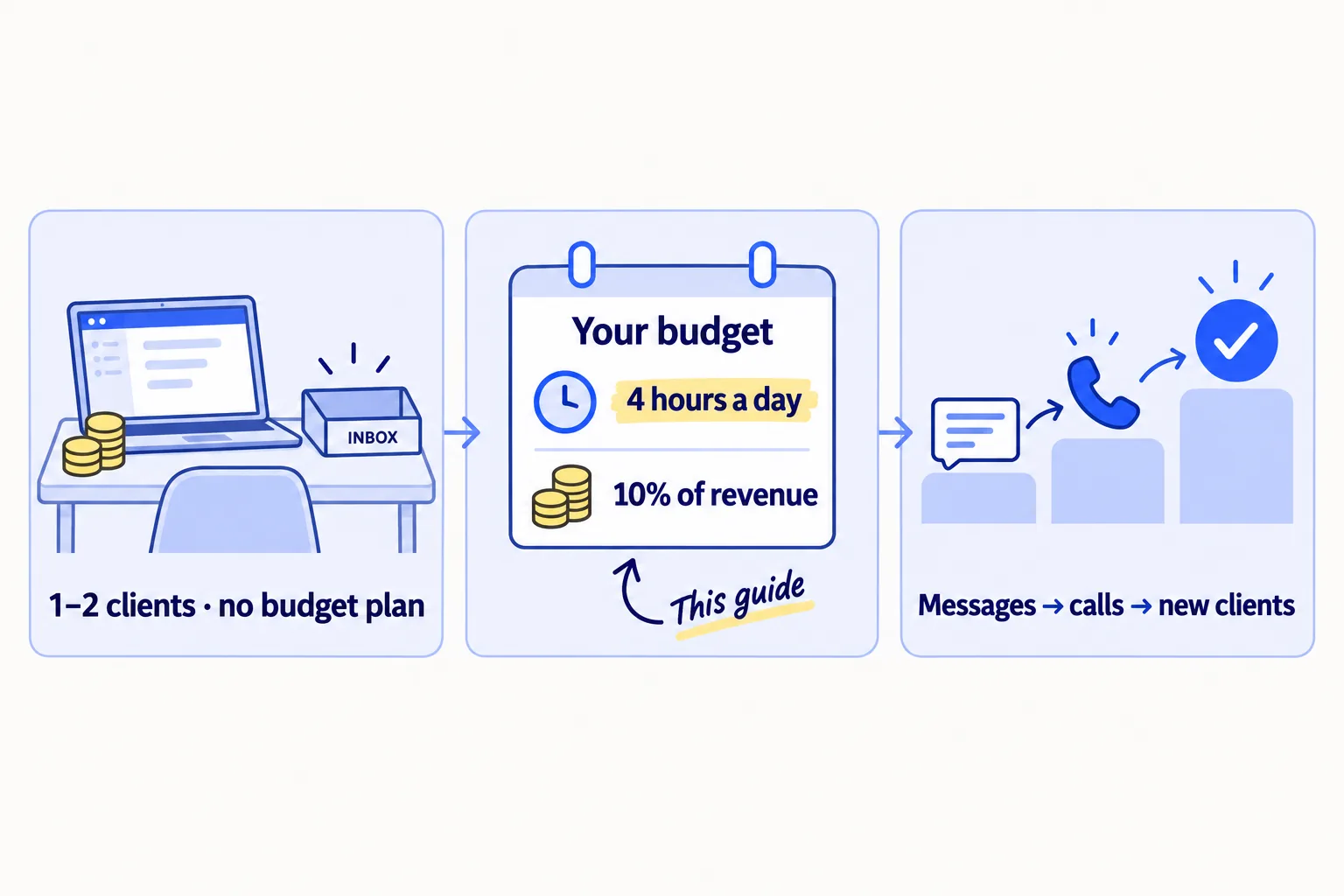
You have one or two clients, a little money, and most advice on how to set a marketing budget for your agency says "spend 7 to 20% of revenue". At your size, that buys almost nothing. So you spend nothing, or you spend it on a few days of ads that bring no calls. At this stage your real marketing budget is your hours, and the money should buy only what lets those hours reach more of the right people.
Do these three things
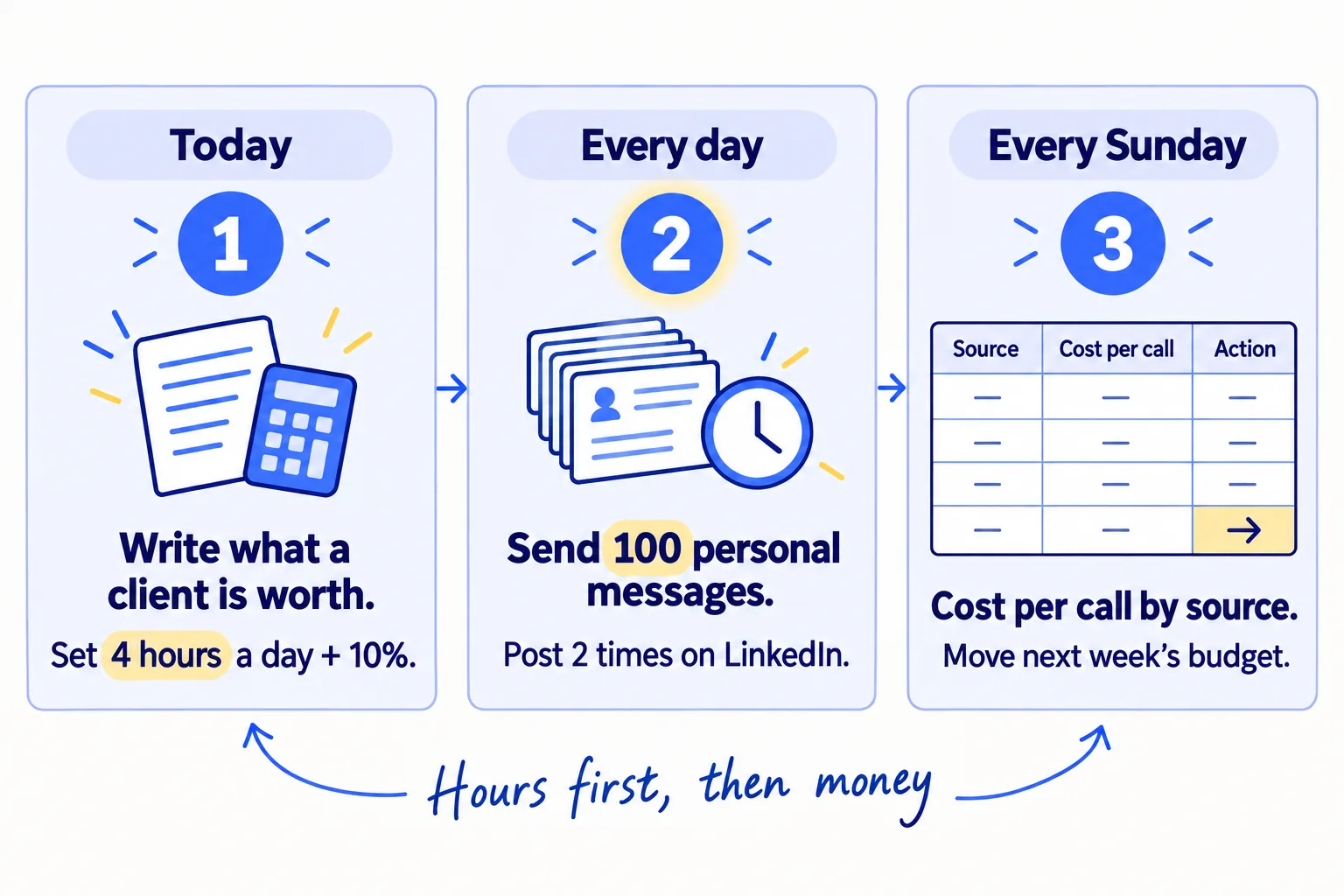
About 4 hours a day, every day, next to client work, and under $70 a month in tools. Judge it after 2,800 messages.
Show the three actions in fullHide the full list
- Today: write down what your agency earns each month and what one new client is worth to you. Then set your budget: 4 hours a day, every day, and 10% of last month's revenue in money.
- Every day: spend the hours before client work. Send 100 personal messagessoon to businesses you want as clients, send the follow-upssoon that are due, and post twice on LinkedInsoon. AI drafts; you add one true line to each. Log the hours and dollars by source.
- Every Sunday: add up the hours and dollars each source used, and divide by the calls it brought. Give next week's hours and money to the source with the lowest cost per callsoon.
Get help doing these
ChatGPT or Claude reads this guide and works through it with you.
1. Write down what your agency earns and what one new client is worth
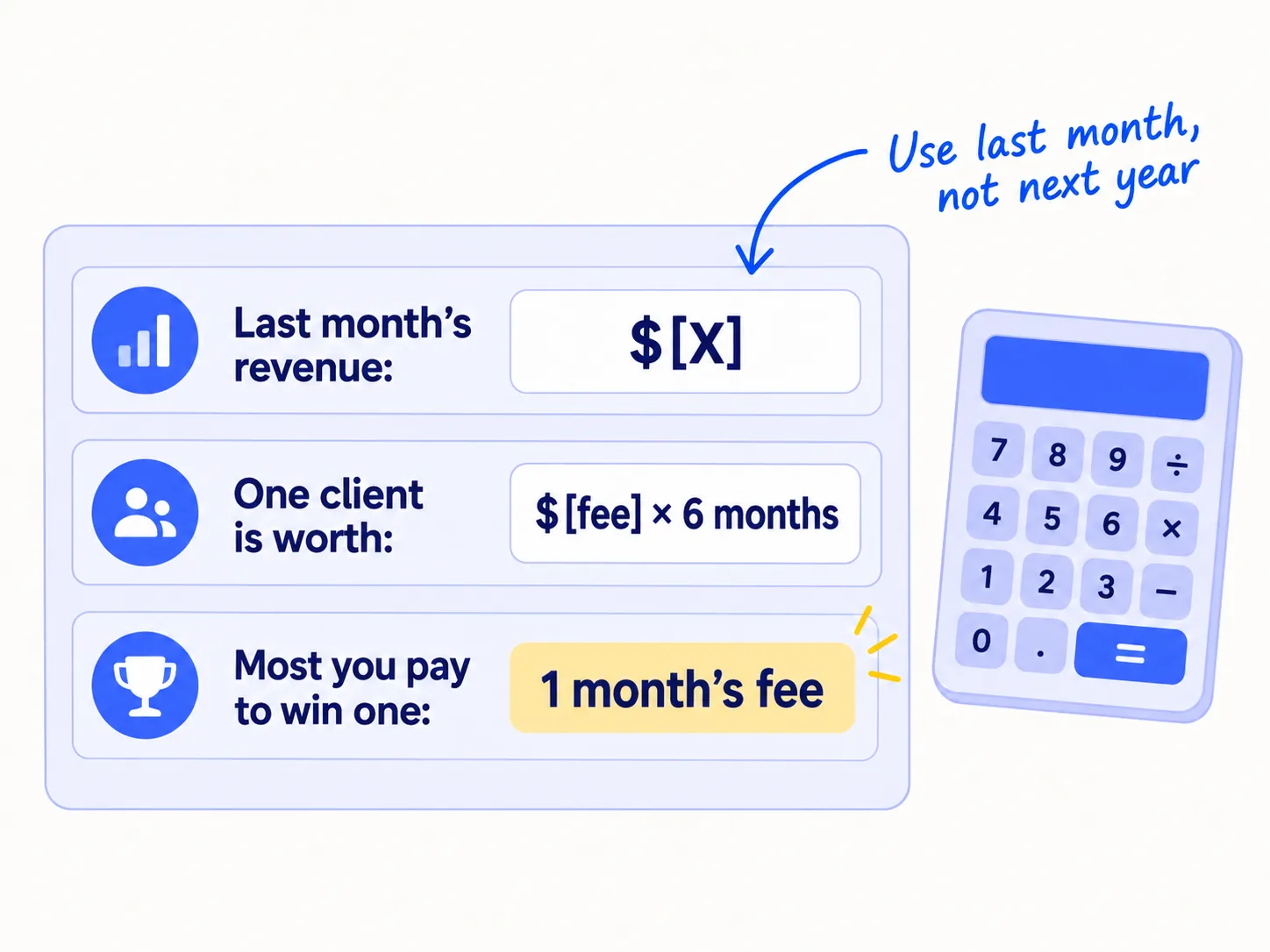
Before you set any budget, write down three numbers: what your agency earned last month, what one new client is worth, and the most you will pay to win one. Every other step in this guide uses them.
Open a Google Sheet and fill in:
- Last month's revenue: the retainerssoon and project fees clients actually paid you. Not what you expect next month.
- Your costs: tools, contractors and anything else you pay each month. Keep this list; step 3 adds to it.
- What one new client is worth: their monthly fee times the months you expect them to stay. Until you have your own number, use 6 months. After a year, replace it with how long your clients really stayed, and read how to keep them longersoon.
- The most you will pay to win a client: one month of their fee. This is your ceiling for customer acquisition cost, the time and money it takes to win one client. If a client stays 6 months and cost you one month's fee to win, you keep five months of fees.
If your fees are so low that one month's fee buys almost nothing, fix the price before the budget, or raise it for current clientssoon. Pricing your services and packaging them into one offersoon changes every number in this sheet.
- Tool: Google Sheets. Free.
- Time: 30 minutes.
- You will have: a sheet with last month's revenue, your monthly costs, what one client is worth, and your ceiling per new client.
- It worked if: every cell holds a real number from your bank account or invoices, not a guess.
- Common mistake: budgeting from the revenue you hope for this year. You spend money you do not have, then cut marketing in the month you need it most.
See it done: Quillfox's three numbers
Quillfox is a made-up one-person agency. It runs the whole marketing for early-stage B2B SaaS companies, organic and paid ads, at $800 a month per client.
Quillfox's sheet, today
| Line | Number |
|---|---|
| Last month's revenue | $1,600 (2 clients × $800) |
| Monthly costs so far | $0 in marketing tools |
| One new client is worth | $4,800 ($800 × 6 months) |
| Most it will pay to win one | $800 |
Why it works: Every number comes from real invoices, so the budget is something the owner can pay every month.
2. Set your marketing budget in hours and money
Set two numbers: 4 hours a day, every day, for marketing, and 10% of last month's revenue in money. With one or two clients, hours are most of your budget. The money is small, and that is fine.
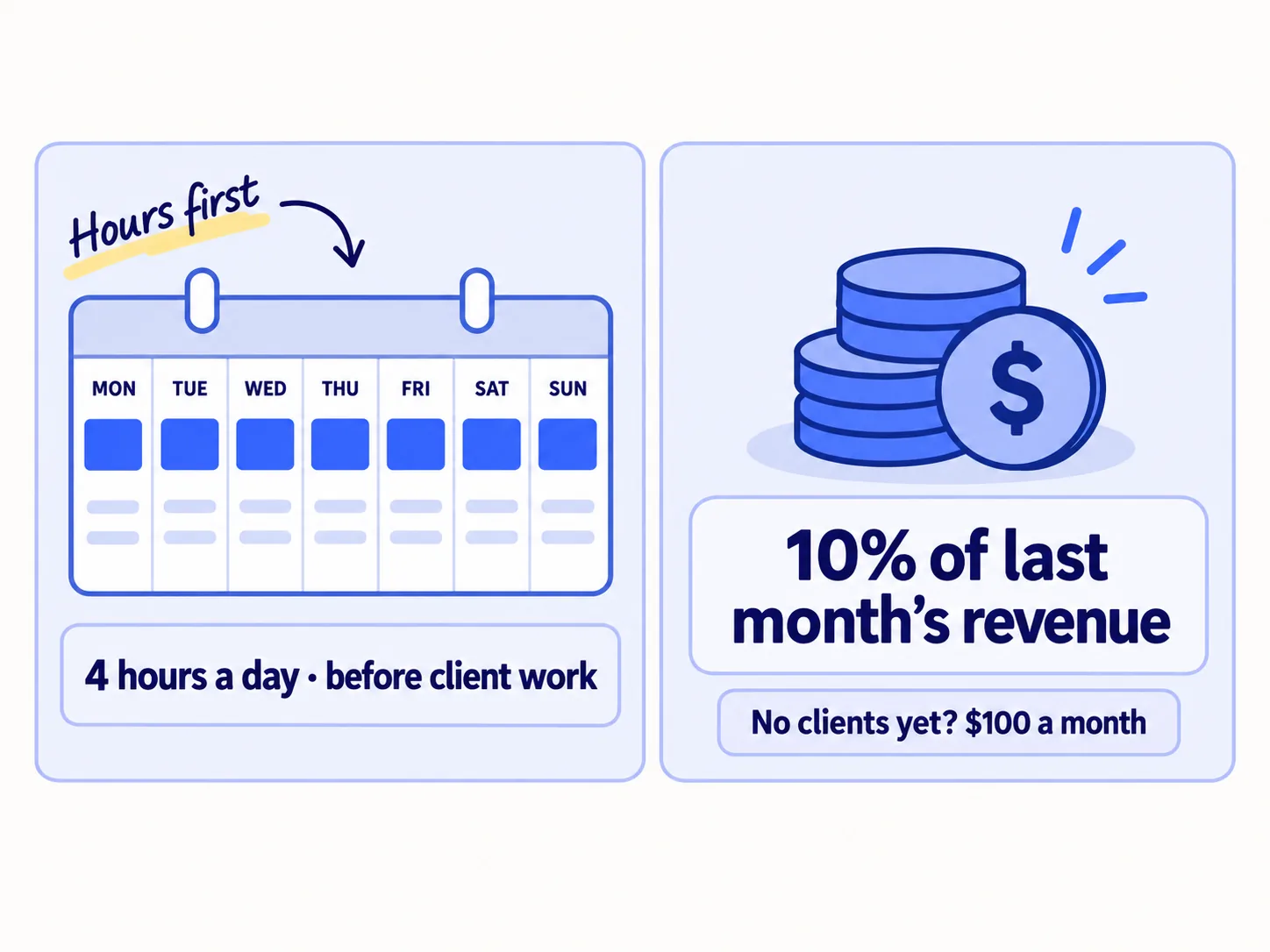
Why 4 hours. Your first clients will come from one-to-one messagessoon, introductionssoon and calls. In a 2026 survey of agency leaders by Promethean Research, client referralssoon and growing current accounts scored highest of 34 ways to win work. Website and social content scored far lower. All of those take your time, not your money. 4 hours a day is enough for 100 personal messages, their follow-ups and 2 posts once AI drafts them (step 4 shows the split). Each extra channel you test adds about 1 hour a day on top. Put the block first thing every day, before client work. If you put it after, client work will take it.
Why 10%. Agency advisers suggest 7 to 20% of revenue for an agency's own marketing, counting the owner's time. They say a young agency may need more, because it has no name and no case studiessoon yet (Sakas & Company, updated April 2026). The average digital agency puts about 7% into sales and marketing, salaries included (Promethean Research, 2026). Your 4 hours a day are already worth far more than 10% of your revenue. So 10% in cash is enough, because it only has to pay for tools.
Use this rule:
- 0 clients: $100 a month for 3 months, plus the 4 hours. Use money you can afford to lose.
- 1 to 4 clients: 10% of last month's revenue, plus the 4 hours.
- 5 or more clients who came from outreach and introductions: keep the 10%, and open the ads test in step 5.
If you cannot find 4 hours, look at the week with a solo founder's weekly plan. Moving delivery work to a contractorsoon comes later, once revenue can pay for it.
- Tool: Google Calendar and your step 1 sheet.
- Time: 20 minutes.
- You will have: a 4-hour block on every day of the next 4 weeks, and one money number for this month.
- It worked if: the block is on your calendar for all 28 days, and the money number is written in the sheet.
- Common mistake: budgeting only money. A $160 budget looks like nothing, so the owner does nothing. The other mistake is giving marketing "whatever time is left" after client work, which is usually none.
3. Spend your first money on the tools for 100 messages a day
Spend the money on the few tools that let you send 100 personal messages a day without landing in spam: a second domain, two inboxes and a sending tool that warms them up. Keep what is left in a separate pot for a later ads test.
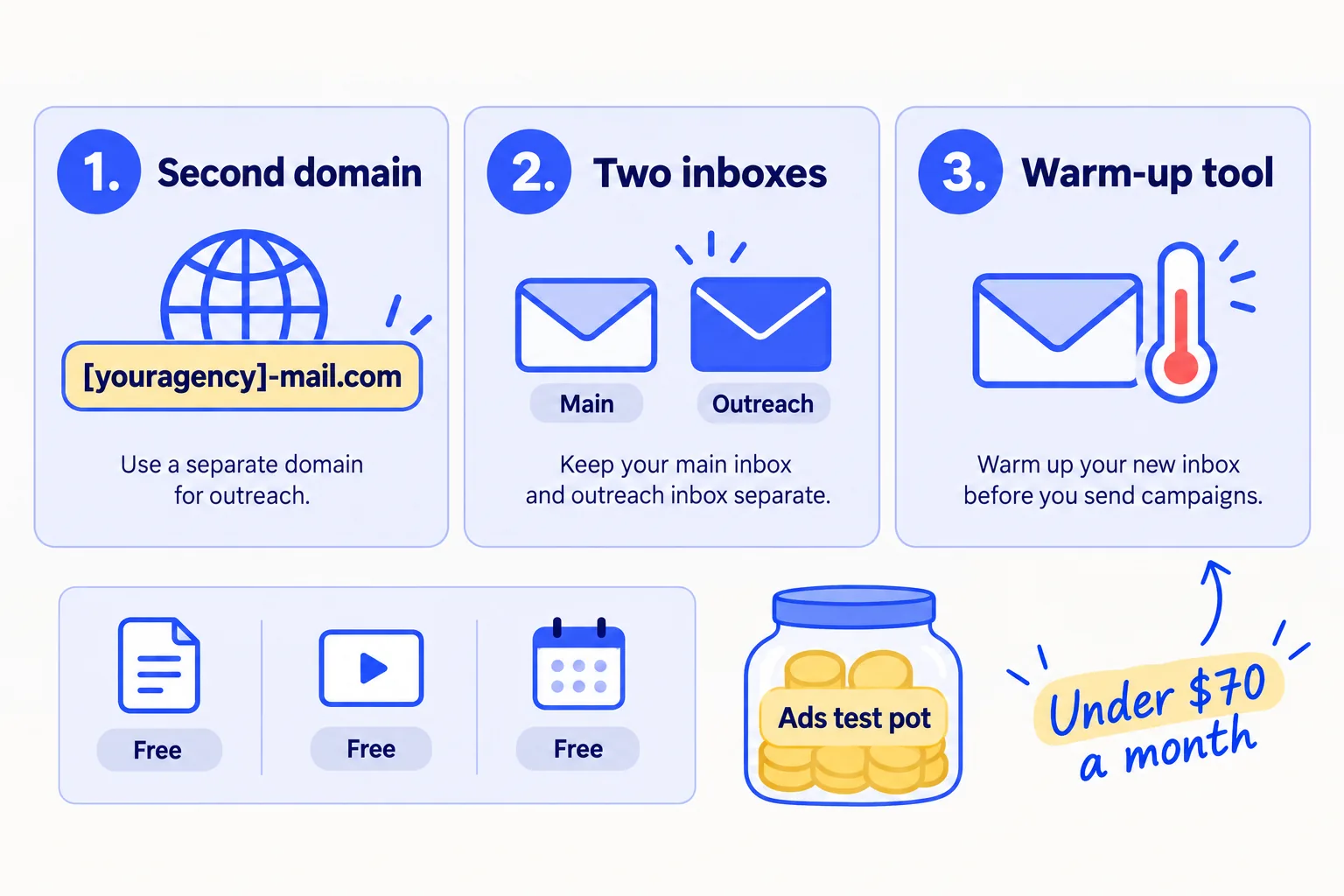
Cold email from a new address needs care. Deliverability guides from 2026 agree: send at most about 30 to 50 cold emails per inbox a day, start much lower while an inbox is new, and add inboxes instead of pushing one harder. So do not send 100 strangers a day from your main address. Set up a separate sending domain and let it warm upsoon first.
Buy only these:
| What | Tool | Price on 26 September 2026 |
|---|---|---|
| A second domain for cold email | any registrar | check the price at your registrar; it is paid once a year |
| 2 inboxes on that domain | Google Workspace Business Starter | $7 per inbox a month on a yearly plan, $8.40 month to month |
| Sending, follow-ups and warm-up | Instantly Growth | $47 a month, or $37.60 a month paid yearly; 5,000 emails a month, warm-up included |
| Your sheet, videos, booking link | Google Sheets, Loom free, Cal.com free | $0 |
That is under $70 a month. The 5,000 emails cover 50 new emails a day plus two follow-ups each. On the new domain, set up SPF and DKIM, two settings that prove an email really comes from you. Gmail requires every sender to have SPF or DKIM, so turn on both.
Spread the 100 while the inboxes warm up. For the first 2 to 3 weeks, the new inboxes send only a few emails each a day. Send the rest of your 100 elsewhere, with the same follow-upssoon: LinkedIn messagessoon to people you are already connected to, messages to local businesses' Facebook or Instagram pages, and phone calls. LinkedIn limits how many connection invitations you can send each week, so message your connections there, and send the rest by email once it is warm. The daily number stays at 100; only where it goes changes.
Put everything left over into an "ads test pot": a separate line in the sheet, or a separate bank account. Do not spend it yet (step 5 says when).
- Tool: Google Workspace, Instantly, Google Sheets.
- Time: 1 hour to set up, then 2 to 3 weeks of warm-up running on its own.
- You will have: 2 warmed inboxes on a second domain, a tool that sends and follows up, and an ads test pot.
- It worked if: your tools cost under $70 a month, and test emails to your own Gmail and Outlook addresses land in the inbox, not spam.
- Common mistake: spending the first money on ads, a paid lead database or a big software plan. None of them adds conversations while you do not yet know which message books calls. You can build a lead list for freesoon instead.
See it done: Quillfox's first $160
Quillfox's money this month (10% of $1,600)
| Line | Per month |
|---|---|
| Second domain (paid once a year) | $1 |
| 2 inboxes, Google Workspace | $14 |
| Instantly Growth | $47 |
| Google Sheets, Loom, Cal.com | $0 |
| Tools total | $62 |
| Into the ads test pot | $98 |
Why it works: Every dollar either sends messages or waits in the pot, so nothing is spent on things that cannot bring a call yet.
4. Spend your hours every day on messages, follow-ups and posts
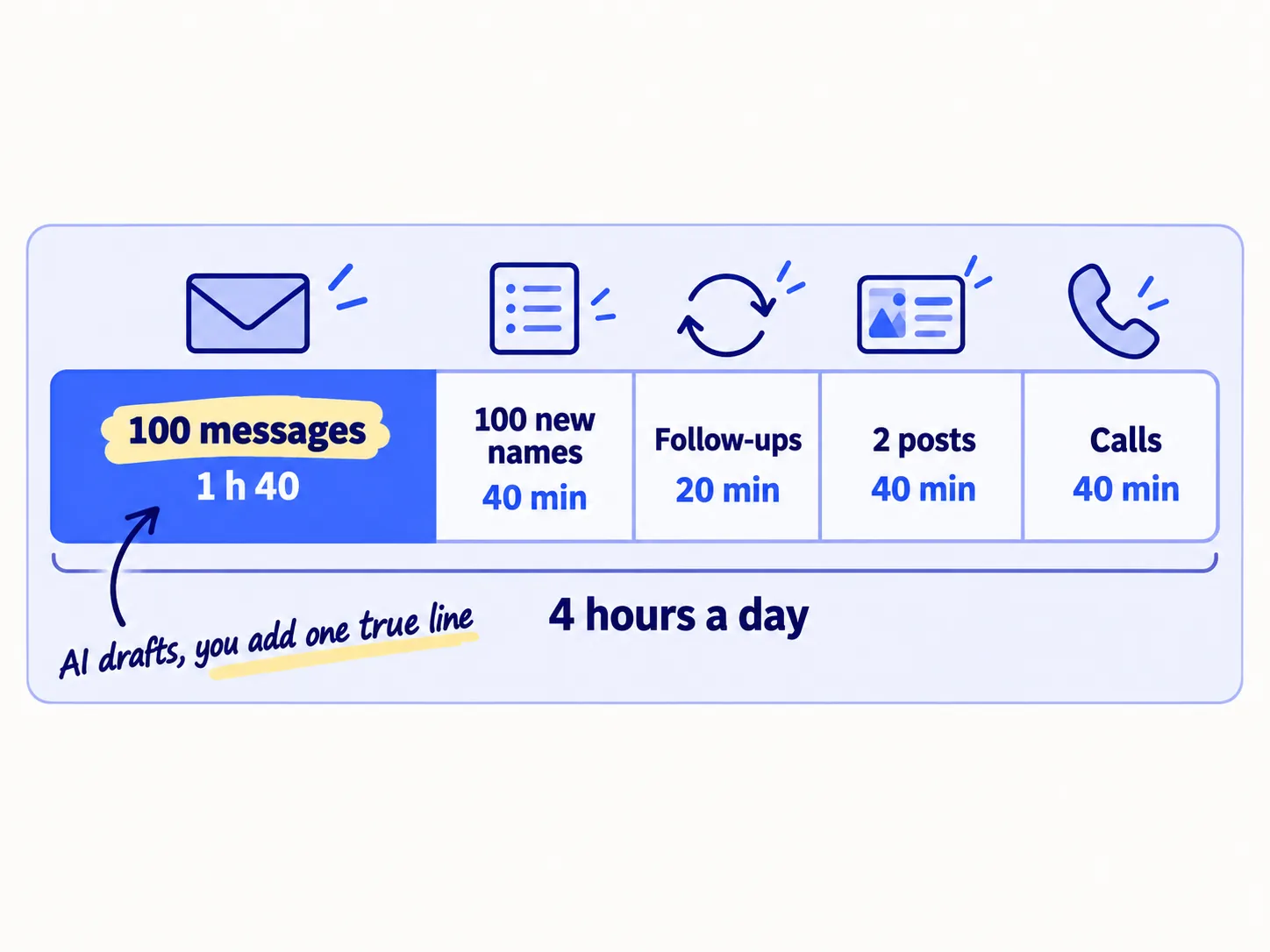
Every day, spend your 4 hours in the same order: 100 personal messages, the follow-ups due, 100 new names for tomorrow, 2 LinkedIn posts, then the calls they booked. Log how long each one took, by source.
| Part of the day | What you do | Time |
|---|---|---|
| 100 messages | AI drafts 10 at a time from your notes on each business; you add one true line and send | 1 hour 40 min |
| 100 new names | Find businesses that fit your one kind of clientsoon and their owner's emailsoon | 40 min |
| Follow-ups | Reply in the same thread to everyone due, twice at most, 3 days apart | 20 min |
| 2 LinkedIn posts | AI drafts from a fix you made for a clientsoon; you edit and post from your own profilesoon | 40 min |
| Calls | Hold the discovery callssoon the messages booked | about 40 min |
That is about 4 hours. In each message, offer a free 5-minute video review of one thing you would fix, and record it only for the people who say yes. If a call goes well, send the proposalsoon within 24 hours.
Log the time. The budget only works if you know where the hours went.
Date | Source | Messages sent | Minutes spent | Replies | Calls booked | Money spent
Sources: email | LinkedIn messages | page messages | phone | LinkedIn posts | introductions
Ask everyone who books a call "How did you hear about me?" and write the answer in the source column. This is self-reported attribution, and it is how you track which channel brought each dealsoon. A CRMsoon can wait until the sheet gets slow.
- Tool: your two inboxes and Instantly, LinkedIn, ChatGPT or Claude to draftsoon, and the sheet.
- Time: about 4 hours a day, every day, for 4 weeks.
- You will have: 700 messages and 14 posts a week, and 2,800 messages after 4 weeks, each logged with its source and minutes.
- It worked if: you get at least 1 call for every 50 messages, after follow-ups. Below that, change the first linesoon or the kind of business before you send more.
- Common mistake: letting client work eat the block, then sending 20 messages in a rush at night. The other mistake is not logging minutes, so on Sunday you cannot say what a call cost.
5. Keep ads at zero until 5 clients came from outreach, then test with one month of fees
Do not spend money on ads for your agency until at least 5 clients have come from outreach and introductions, and you know which message books calls. Then run one test, sized at one month of a client's fee at least, and stop it if it brings no calls.
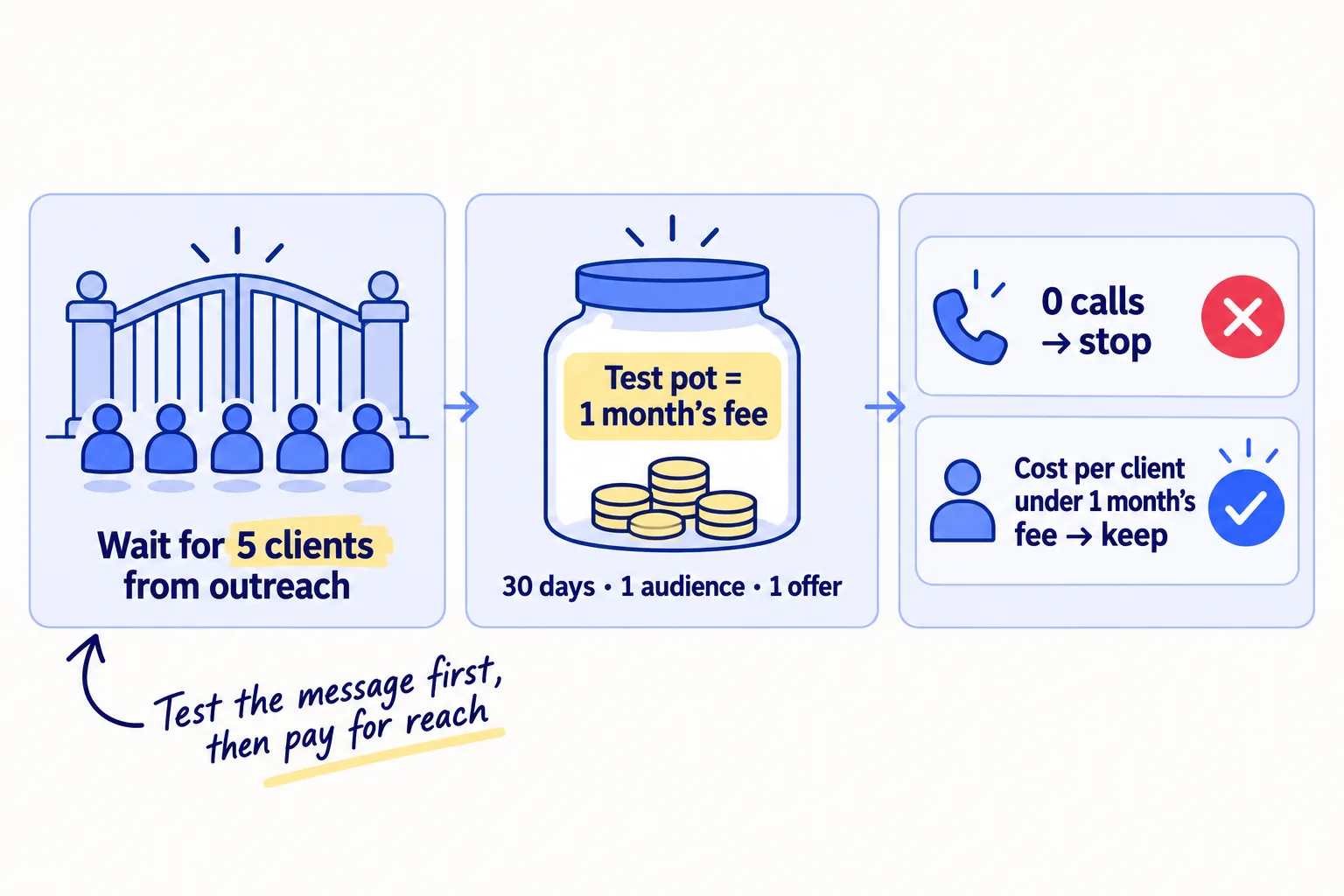
Before 5 clients, ads pay to send strangers to a message you have not tested. A small budget runs out before you learn anything. The hours from step 4 teach you which message and which kind of business works, for free.
When you reach 5 clients from outreach, top the pot up to at least one month of a client's fee. Spend it over 30 days, on one platform, one audience and one offer: the message that booked the most calls. Pick the platform where your kind of client is. For owners of software and other business-to-business companies, that is usually LinkedIn. LinkedIn's minimum is $10 a day, and it suggests $25 a day for new advertisers. At $25 a day, 30 days is $750. On any other platform, size the daily spendsoon the same way: the pot divided by 30 days, and never below the platform's minimum.
Send the ad to one pagesoon with one call to action: book a 20-minute call. Tag the link with UTM parameterssoon so the calls it books show their source. Leave retargetingsoon for later: at this size, too few people visit your site to fill it.
- Tool: LinkedIn Campaign Manager, or the ad platform your clients use.
- Time: 2 hours to set up, then 10 minutes a day to check spend and calls.
- You will have: one finished test with a cost per call and a cost per new client.
- It worked if: the cost to win a client is under one month of their fee. If the pot is spent and there are 0 calls, stop, and put the hours back into step 4.
- Common mistake: "boosting" posts for likes, or starting at $10 a day across three platforms, which spreads the pot so thin that no platform shows a result.
6. Every Sunday, count hours and money per call and move the budget
Every Sunday, add up each source's hours and money for the week and divide by the calls and new clients it brought. Give next week's hours to the source with the fewest hours per call.
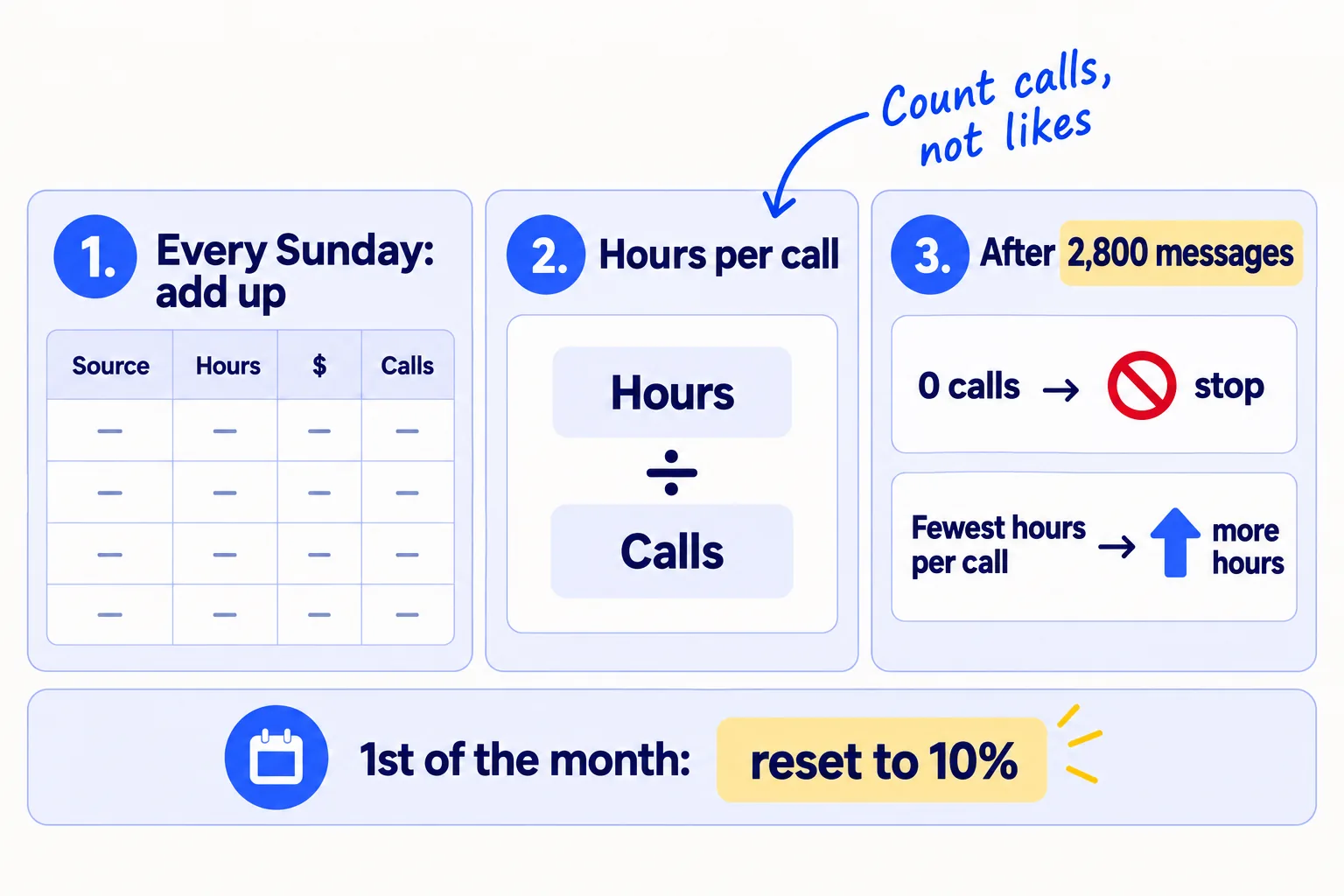
Source | Hours this week | Money this week | Messages or posts | Calls | Proposals | New clients | Hours per call | Dollars per call
Use these rules:
-
After 2,800 messages (4 weeks at 100 a day): stop any source that brought 0 calls, and move its hours to the source with the fewest hours per call.
-
LinkedIn posts build more slowly. Keep posting twice a day and judge them after 8 weeks, by calls and by how many callers mention a post.
-
On the 1st of each month: reset the money to 10% of last month's revenue. Each new client raises it; a client who leaves lowers it. Add anything the tools do not use to the ads pot.
-
Once a month, check your cost per new client against the step 1 ceiling. If it is above one month's fee, fix the message before you add money. A monthly reviewsoon is a good place to do it.
-
Tool: Google Sheets.
-
Time: 20 minutes each Sunday, and 10 minutes on the 1st of the month.
-
You will have: hours and dollars per call for every source, and a budget that follows your revenue.
-
It worked if: you can say where every call and every new client came from, and what each one cost in hours and dollars.
-
Common mistake: judging a source after one week, or counting likes and followers instead of calls and clients.
See it done: Quillfox's Sunday sheet after 4 weeks
Weeks 1 to 4, by source
| Source | Hours | Money | Sent | Calls | New clients | Hours per call |
|---|---|---|---|---|---|---|
| 36 | $62 | 1,000 | 22 | 1 | 1.6 | |
| LinkedIn messages | 47 | $0 | 1,800 | 37 | 0 | 1.3 |
| LinkedIn posts | 19 | $0 | 56 | 2 | 0 | 9.5 |
| Introductions from clients | 3 | $0 | 4 asks | 3 | 0 | 1.0 |
The decision: email and LinkedIn messages both passed 1 call per 50 messages, so both keep their hours, and email rises to 50 a day now the inboxes are warm. The new client lifts next month's money to $240 (10% of $2,400), with $178 going into the ads pot.
Why it works: Hours per call shows where the owner's time works best, and the new client raises next month's money without a guess.
When one source clearly works, choose the next channel to add.
Where Scout7 helps
Scout7 speeds up two parts of this budget: the posting hours in step 4, and the ads test in step 5.
Step 4. Scout7 makes image posts and LinkedIn carousels in your voice, and schedules them to your LinkedIn profile. You choose the idea, edit the draft and approve it. Nothing goes live without your approval. That can take part of the 40 minutes of posting each day and give it back to messages.
Step 5. When the ads test opens, Scout7's campaign strategy drafts the campaign with an audience, an estimated reach and a daily budget, from the number you set. Campaign monitoring reports spend, clicks and click-through rate, and every 12 hours proposes which ad to stop and where more budget would earn more. You approve every change. Ads run in the Scout7 app, not from a chat.
Your agency marketing budget checklist for the next 4 weeks
0 of 14 done
Work through this list with an AI assistant
It drafts the work and keeps track of what is done.
Frequently asked questions
- What percentage of revenue should an agency spend on marketing?
Agency advisers suggest 7 to 20% of revenue, counting the owner's time, and more for a young agency. The average digital agency spends about 7% on sales and marketing. With one or two clients, set 10% in cash for tools, and count your 4 hours a day as the main budget. Raise the cash as revenue grows; the percentage stays the same.
- I have no clients yet. What is my marketing budget?
$100 a month for 3 months, plus 4 hours a day, every day. The money pays for the sending setup in step 3. The hours pay for the messages. Put your first effort into people you already know and into getting your first client. Introductions cost the fewest hours per call.
- Should I pay for Upwork Connects instead?
Only as one source in the Sunday sheet, judged like the rest. Connects cost $0.15 each, bought in tens, and a free account may get 10 a month. Upwork also takes a 0 to 15% fee from each contract, so count that as a cost. Log the Connects and the hours each proposal takes. Read how to get clients on Upworksoon before you buy.
- Should I pay someone to do my agency's marketing?
Not at this stage. Your first clients buy you, so the messages and calls should come from you. When client work leaves less than 4 hours a day, pay a contractorsoon to do delivery work instead, and keep the marketing hours for yourself. That moves time to where only you can do the work.
- Do I count my own time as a marketing cost?
Yes, in hours. Log the minutes every day and put hours per call in the Sunday sheet. You do not need to turn them into dollars. Hours per call already tells you which source to feed. The 10% money budget is on top of your time, not instead of it.
Sources
- 1.Agency Cost of Marketing: How to spend on self-marketing? — Sakas & Company, updated April 2026, checked 26 September 2026
- 2.How Much Should You Spend Marketing Your Marketing Agency — Getting Momentum, checked 26 September 2026
- 3.Digital Agency Growth Guide: How to Grow Your Agency (2026) — Promethean Research, 2026, checked 26 September 2026
- 4.How Marketing Agencies Get Clients: Every Channel Ranked — Promethean Research, 2 August 2026
- 5.2026 State of Digital Services: Digital Agency Industry Research — Promethean Research, March 2026
- 6.Compare Flexible Pricing Plan Options — Google Workspace, checked 26 September 2026
- 7.Flexible Plan — Google Workspace Help, checked 26 September 2026
- 8.Instantly.ai Review: Pricing 2026 (4 Plans Compared, Real Costs) — Woodpecker, 2026, checked 26 September 2026
- 9.Cold Email Sending Limits: Data from 2 Million Emails (2026) — howmanycoldemailsperday.com, 2026, checked 26 September 2026
- 10.Email Frequency Best Practices 2026 — MailReach, 2026, checked 26 September 2026
- 11.Email sender guidelines — Google Workspace Admin Help, checked 24 September 2026
- 12.Campaign and ad set budgets — LinkedIn Marketing Solutions Help, checked 26 September 2026
- 13.Making the Most of Your Budget — LinkedIn, checked 26 September 2026
- 14.Understanding and using Connects — Upwork Help, checked 26 September 2026
- 15.Learn about the Freelancer Service Fee — Upwork Help, checked 26 September 2026
- 16.Pricing — Loom, checked 24 September 2026
- 17.Pricing — Cal.com, checked 24 September 2026
Next article to read
How to price digital marketing servicesAgencyAfter you set a budget, this helps you set rates that can pay for it.Read it nextRelated guides
- How to market your marketing agencyAgencyMarket your marketing agency when it is just you: an 8-week routine next to client work, with who to pick, what to send, what to put on your site and LinkedIn, and what to count every Friday.
- How to choose marketing channels for an agencyAgencyChoose marketing channels for your agency: ask your clients where they looked, test 3 places for 4 weeks at full volume next to your outreach, then double the one with the most calls per 10 hours.
- How to calculate CAC and payback periodComing soon
- How much to spend on adsComing soon
Guides that link here
Cite this page
Dinesh Bypilla (2026). How to set a marketing budget for your agency. Scout7 Academy. https://scout7.ai/academy/marketing-plan/how-to-set-a-marketing-budget-for-your-agency
Written by Dinesh Bypilla, Agentic systems engineer at Scout7. Reviewed by Murali Sid. Last checked 26 September 2026.
Quote any part of this guide with a link back to this page. © 2026 Scout7.
Markdown version of this page: https://scout7.ai/academy/marketing-plan/how-to-set-a-marketing-budget-for-your-agency.md