



How to fit marketing into your week as a solo founder
Fit marketing into your week as a solo founder: find 5 hours a day by cutting product work first, do the marketing block before you build every day, then write next week's posts and count what worked every Sunday.
ByDinesh BypillaReviewed byMurali SidLast checked 18 min read
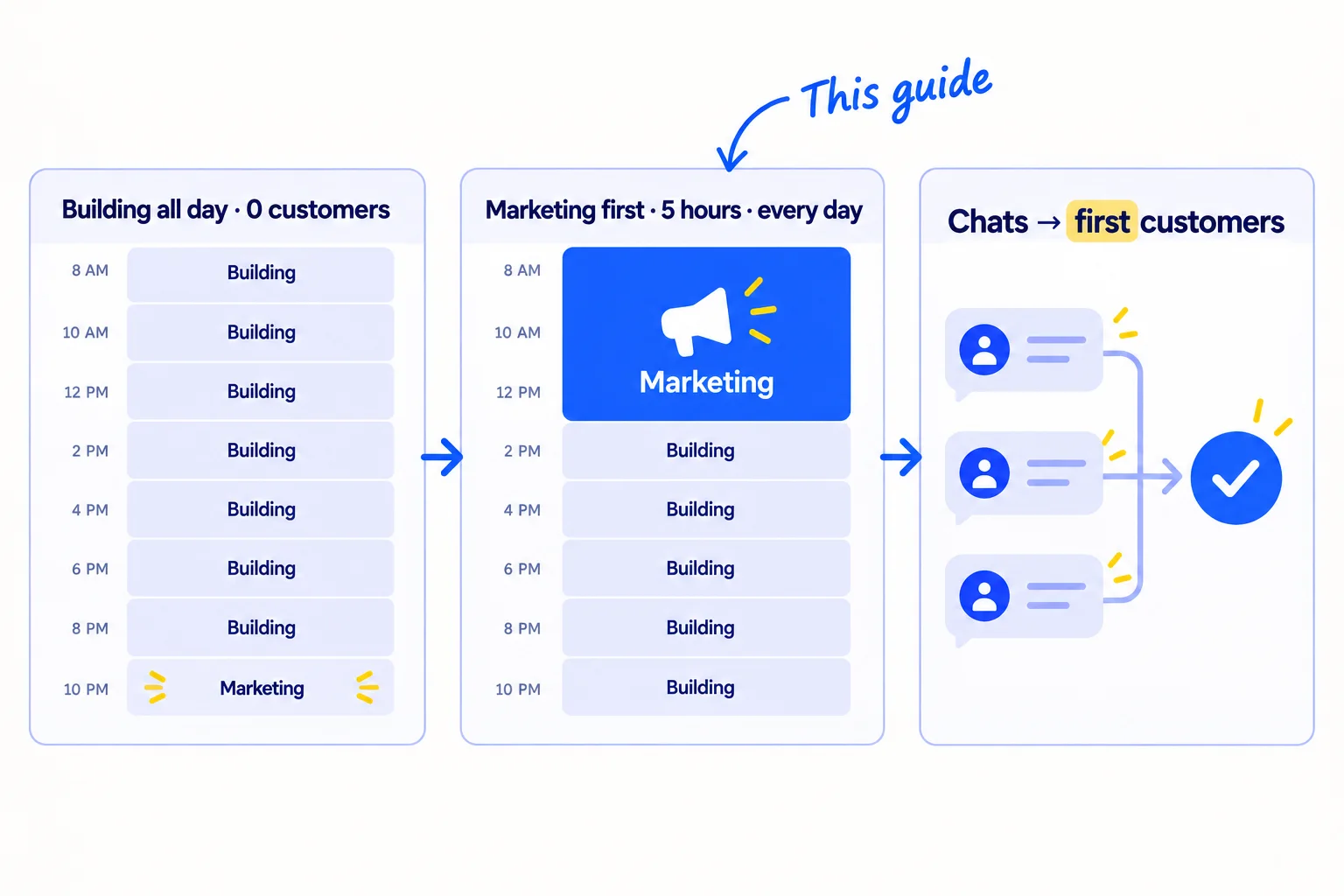
You built the product, but most days building, customers or client work fill the hours, and marketing gets whatever is left. To fit marketing into your week as a solo founder, give it the first 5 hours of every day, before you build, and take those hours from product work. A spare hour of marketing is too little to show you anything, so most founders decide it does not work and go back to building.
Do these three things
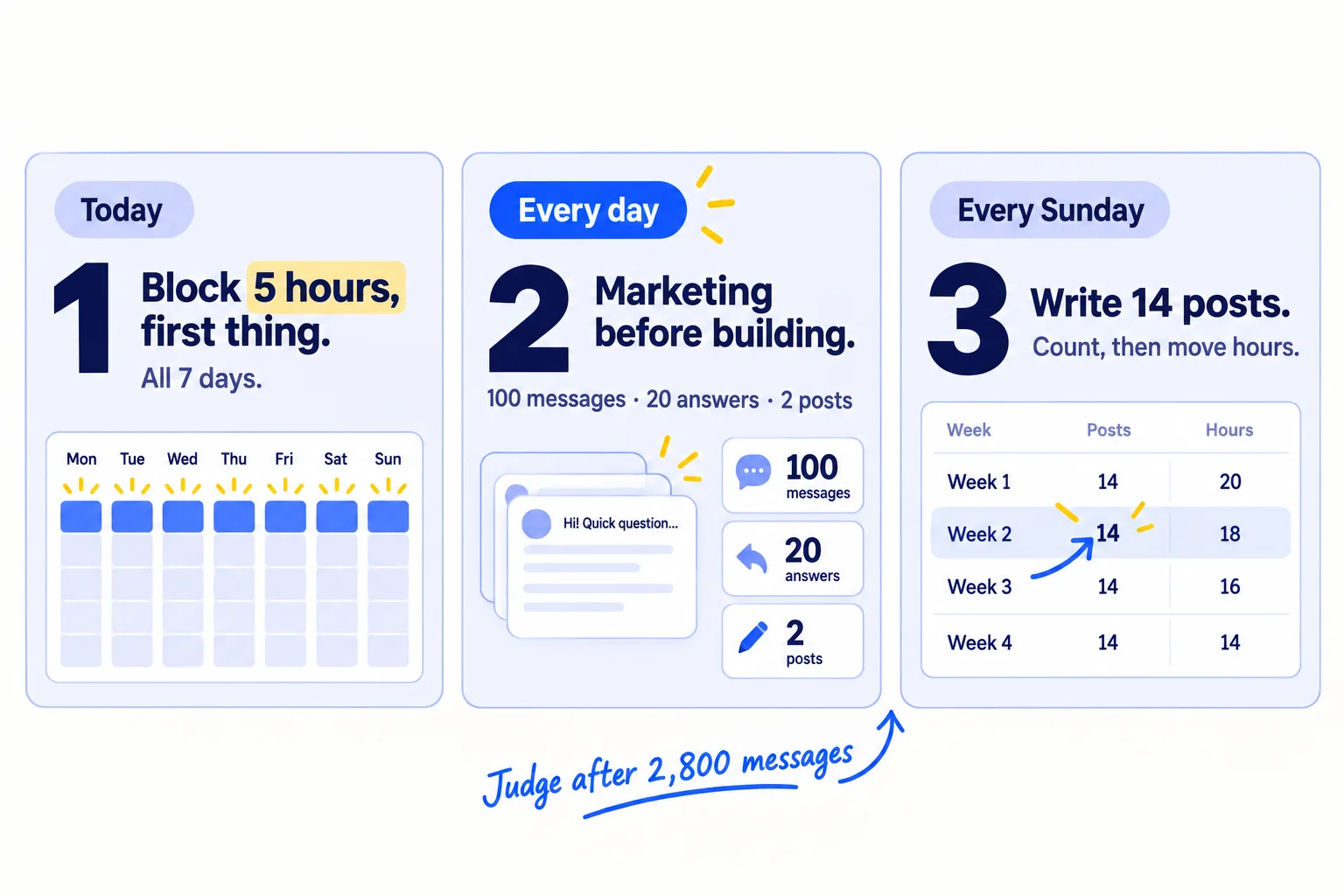
About 5 hours a day plus 45 minutes of chats, every day, and 2 hours 30 minutes on Sunday. Judge it after 2,800 messages, not after one week.
Show the three actions in fullHide the full list
- Today: block 5 hours of marketing in your calendar, first thing in the day, on all 7 days, and cut product work to make room.
- Every day: do the marketing block before you open your code, your inbox or your store: 100 personal messagessoon, 20 answers in communitiessoon and 2 posts. AI drafts; you add one true line.
- Every Sunday: write and schedule next week's 14 posts in one sitting, count chats and customers by where they came fromsoon, and move hours to what brought the most.
Get help doing these
ChatGPT or Claude reads this guide and works through it with you.
1. Count the hours you really have for marketing
Write down where every hour went last week, sorted into four kinds: marketing, customers, product, and everything else. You cannot free up hours until you can see where they go.
![A week sheet with seven day columns and four rows: Marketing, Customers, Product, Other. The Marketing row is almost empty. A total at the side reads 'Marketing: [hours] of [hours]'.](/academy/illustrations/how-to-fit-marketing-into-your-week-as-a-solo-founder/step-1-count-the-hours-you-really-have-for-marketing.webp)
Open your calendar, your sent email and your messages for the last 7 days. Go day by day and write each hour into one row of a sheet. Use these four kinds:
- Marketing: time spent getting new people to hear about you: messages to new peoplesoon, postssoon, answers in communitiessoon, customer interviews with people who are not customers yet.
- Customers: time for people who already pay you: support, orders, quotes for them, client work.
- Product: building, fixing, the websitesoon, the logo, new designs.
- Other: email, invoices, admin, reading about marketing.
Tweaking your website, reading marketing advice and building a marketing tool go under Product or Other, not Marketing. Count only work where a new person saw your name.
Day | Marketing | Customers | Product | Other | Total
Mon | | | | |
Tue | | | | |
Wed | | | | |
Thu | | | | |
Fri | | | | |
Sat | | | | |
Sun | | | | |
Week total | | | | |
- Tool: Google Sheets. Free.
- Time: 30 minutes.
- You will have: one row per day, and your real marketing hours for the week.
- It worked if: every hour of the last 7 days is in one of the four kinds, and the totals add up to the hours you worked.
- Common mistake: counting the week you wish you had. Count last week, even if it was a bad one. The other mistake is counting "thinking about marketing" as marketing.
See it done: Dan's last week, in hours
Carvelian Packaging is a made-up maker of custom printed boxes for small food and drink brands. One founder sells through calls, samples and quotes.
Carvelian's week before the change
| Kind | What it was | Hours |
|---|---|---|
| Marketing | 1 LinkedIn post, 12 emails to old contacts | 3 |
| Customers | Quotes, calls, samples and printer follow-ups for 2 clients | 30 |
| Product | Website changes, 3 new box designs nobody ordered | 17 |
| Other | Email, invoices, looking at new suppliers | 13 |
| Total | 63 |
Why it works: It shows that marketing got 3 hours out of 63, and that 17 hours went on things no buyer asked for.
2. Free 5 hours a day by cutting product work first
To find 5 hours a day for marketing, cut product work first, then put all customer work into one fixed slot later in the day. Do not cut the marketing numbers to make them fit your old week.
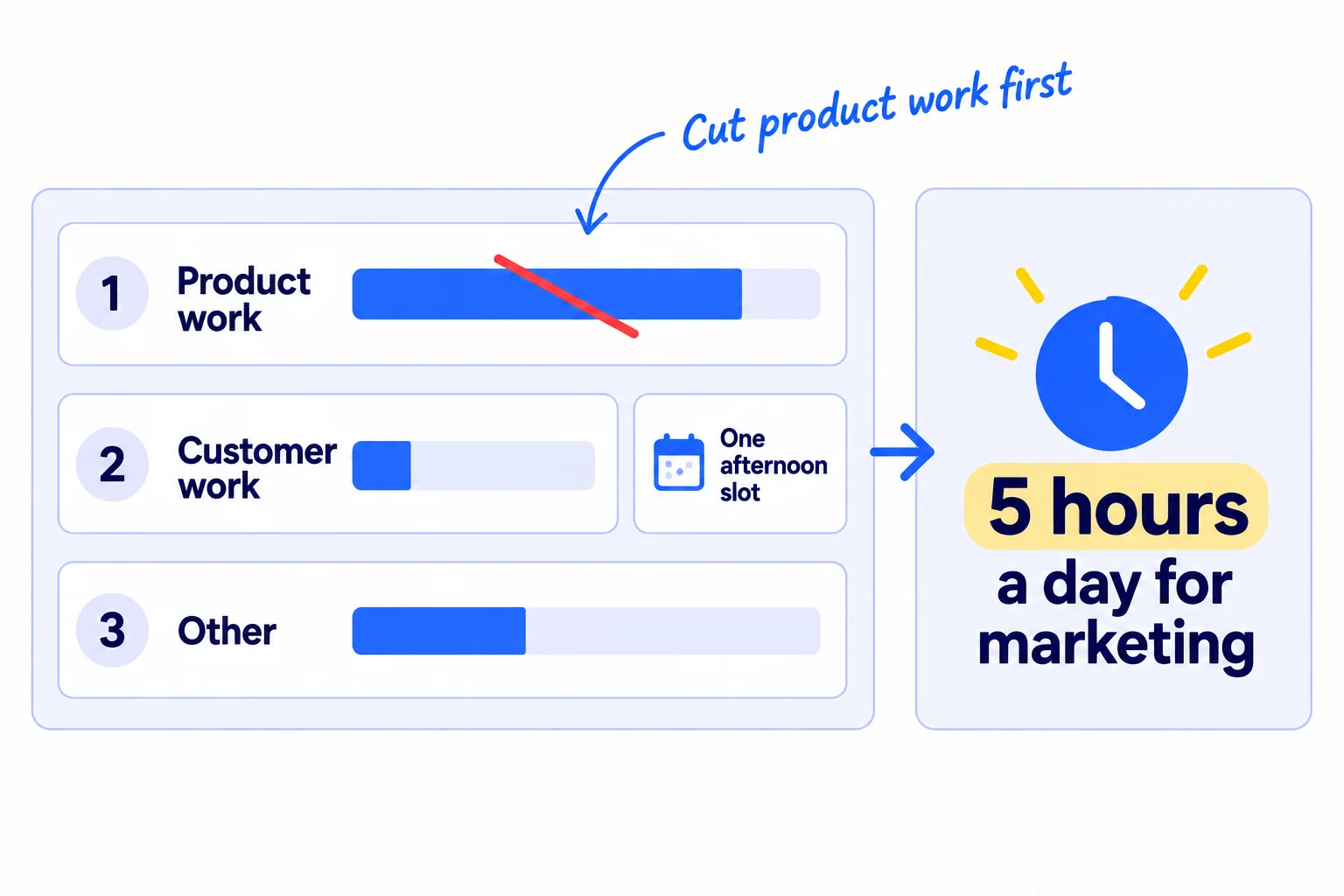
5 hours is what the daily numbers in step 4 take with AI drafting: 100 messages, 20 answers and 2 posts. It is the same amount the SaaS budget guide and the agency budget guide ask for. Founders who got their first customers in 2026 say the same thing: one founder who launched to zero signups after 4 months wrote that he had spent "90% of my time building features nobody asked for", flipped it to 90% on reaching people, and then got his first 10 customers (Indie Hackers, July 2026).
Take hours in this order, and stop when you have 5 a day:
- Product work. Build only what a paying customer asked for, or what 3 different people asked for in your chats with userssoon. Everything else goes on a list for later. Stop changing the website, the logo and the colours. Your homepage copysoon gets one rewrite, not a daily one.
- Customer work. Keep all of it, because it is paid, but put it in one slot after the marketing block. Answer customer email twice a day, at the start and the end of that slot.
- Other. Put email and invoices into one hour a day. Stop reading marketing advice and courses: this guide and the ones it links are enough to start. Do not build or set up a new marketing tool.
I build only: [what a paying customer asked for] and [what 3 people asked for].
I stop: [website changes], [new designs nobody ordered], [reading marketing advice], [other].
Customer work goes in: [time] to [time], every day.
Email and admin go in: [time] to [time], every day.
Marketing block: [time] to [time], every day, 7 days a week.
If you run a SaaS: bug fixes that stop a customer from using the product go in the afternoon slot. New features wait until a paying customer or 3 people ask.
If you run a B2B business: quotes, samples and supplier calls go in the afternoon slot. Send every quotesoon the same day, in that slot.
If you run a D2C store: pack and ship all orders in one slot a day, after the block. Stock and product photos go in the same slot.
If you run an agency: client work goes in the afternoon, even in a busy week. Agencies that stop marketing when clients are busy find their pipeline empty when a client leavessoon. Write a scope of worksoon so client work fits its slot.
If you have a full-time job, the 5 hours still fit, split in three: 2 hours before work for the messages, 30 minutes at lunch for 10 answers, and 2 hours 30 minutes in the evening for new names, follow-ups, 10 answers and replies on your posts. Product work drops to zero on work days, until the block has happened every day for 4 weeks.
- Tool: your sheet from step 1.
- Time: 30 minutes.
- You will have: a written cut list, and a plan for each day with 5 free hours in it.
- It worked if: each of the 7 days in your plan has 5 hours with nothing else in them, and you know where every moved task went.
- Common mistake: cutting the marketing numbers instead of the product work. "10 messages a day" fits any week, but 10 a day brings about one chat every 3 days, and you learn nothing for a month. The other mistake is hiring someone to do marketing before you have done it yourself; read who to hire and whensoon first.
See it done: Dan's new week
Carvelian's week after the cut list
| Kind | Before | After | How |
|---|---|---|---|
| Marketing | 3 | 35 | 5 hours every morning, 7 days |
| Customers | 30 | 21 | Quotes, samples and printer calls in one slot, 1 pm to 4 pm |
| Product | 17 | 0 | No new designs until a client orders one; website changes stop |
| Other | 13 | 7 | Email and invoices 4 pm to 5 pm; no supplier research until a quote needs it |
| Total | 63 | 63 |
Why it works: The 35 hours come from product work and from putting client work in one slot, and every quote and sample still goes out the same day.
3. Put marketing first in your day, before you build
Put a 5-hour marketing block at the start of every day, all 7 days, as a repeating event in your calendar. Do it before you open your code, your store or your client work, because once you start building, the day is gone.
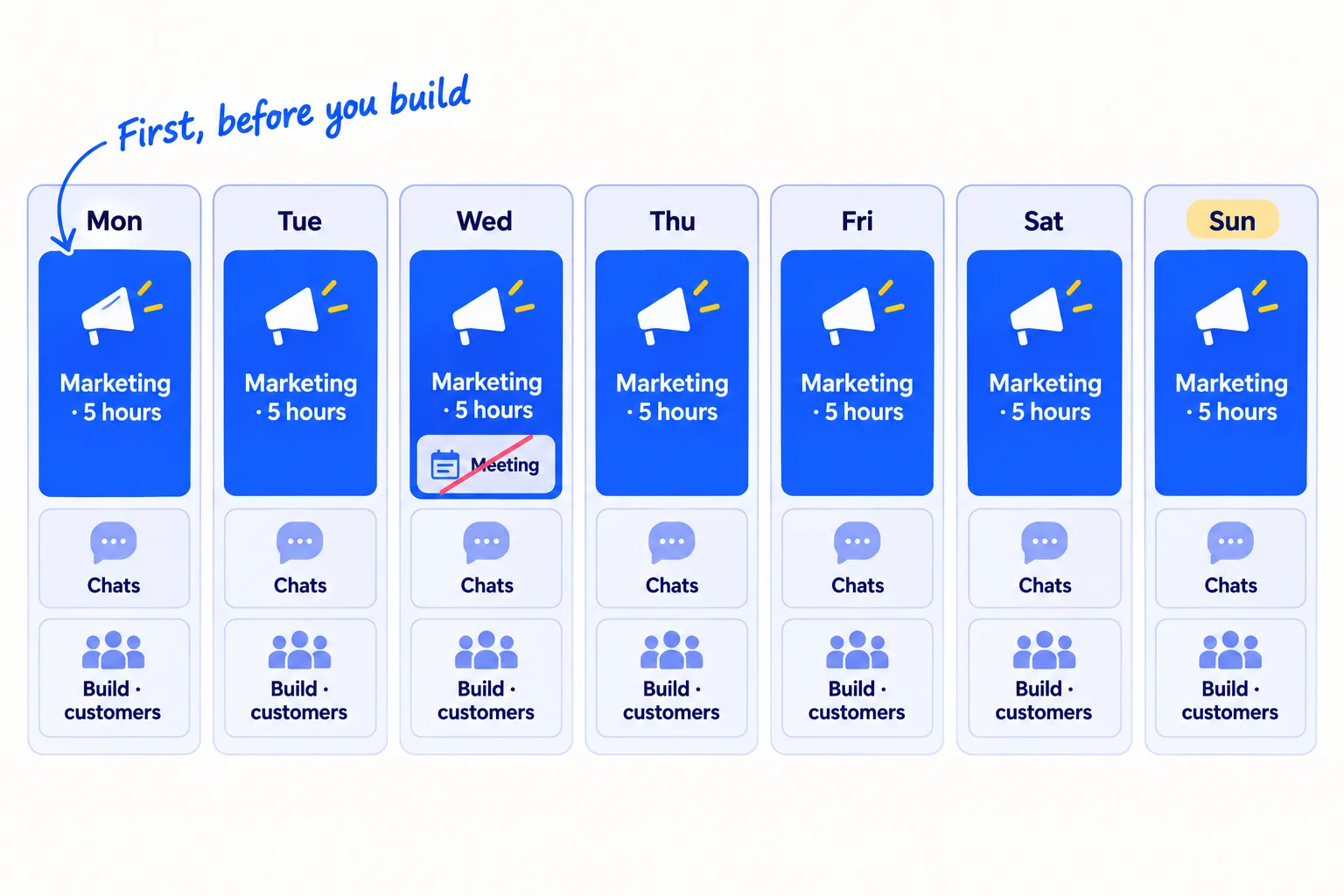
In Google Calendar, create one event, "Marketing block", from the time you start work until 5 hours later. Set it to repeat every day. Include Saturday and Sunday: your work does not stop at the weekend, and a block on 5 days gives you 2 days a week of nothing. Put customer work, building and admin after it, at the times from your cut list.
Why one long block: Paul Graham wrote in 2009 that people who make things need time "in units of half a day at least", and that "a single meeting can blow a whole afternoon". Marketing next to building works the same way. Solo founders on Hacker News in April 2026 said switching between building and marketing is the hard part: "The mode switching is the hardest part, not the marketing itself" (Ask HN). One block a day means you switch once.
Keep chats out of the block. Make one booking page in Google Calendar: click Create, then Appointment schedule, set slots only in the afternoon, click Next, then Save. A free Google account gets one booking page. Put its link in your messages, so discovery callssoon and chats land after the block.
During the block, close your code editor, your store's admin and your customer inbox, and turn off phone notifications. If a paying customer has an urgent problem, fix it in the afternoon slot unless their business has stopped.
- Tool: Google Calendar. Free with a Google account.
- Time: 20 minutes.
- You will have: a repeating 5-hour block on every day for the next 28 days, and one booking page with afternoon slots.
- It worked if: the next 28 days each show the block, with no meeting, call or task inside it.
- Common mistake: "one quick fix first". A fix at 8 am turns into lunch, and the block never starts. Start the block, then build.
See it done: Dan's day
Carvelian's day, every day
| Time | What |
|---|---|
| 7:00 to 12:00 | Marketing block: names, messages, follow-ups, answers, post replies |
| 12:00 to 13:00 | Lunch |
| 13:00 to 16:00 | Quotes, samples, printer calls, and chats booked from the booking page |
| 16:00 to 17:00 | Email and invoices |
Why it works: Marketing comes first and ends at a fixed time, so quotes and samples still go out the same day.
4. Run the same 5-hour marketing block every day
Do the same work in the same order each day: new names, 100 messages, follow-ups, 20 answers, then replies on your 2 posts. A fixed order means you never spend the first hour deciding what to do.
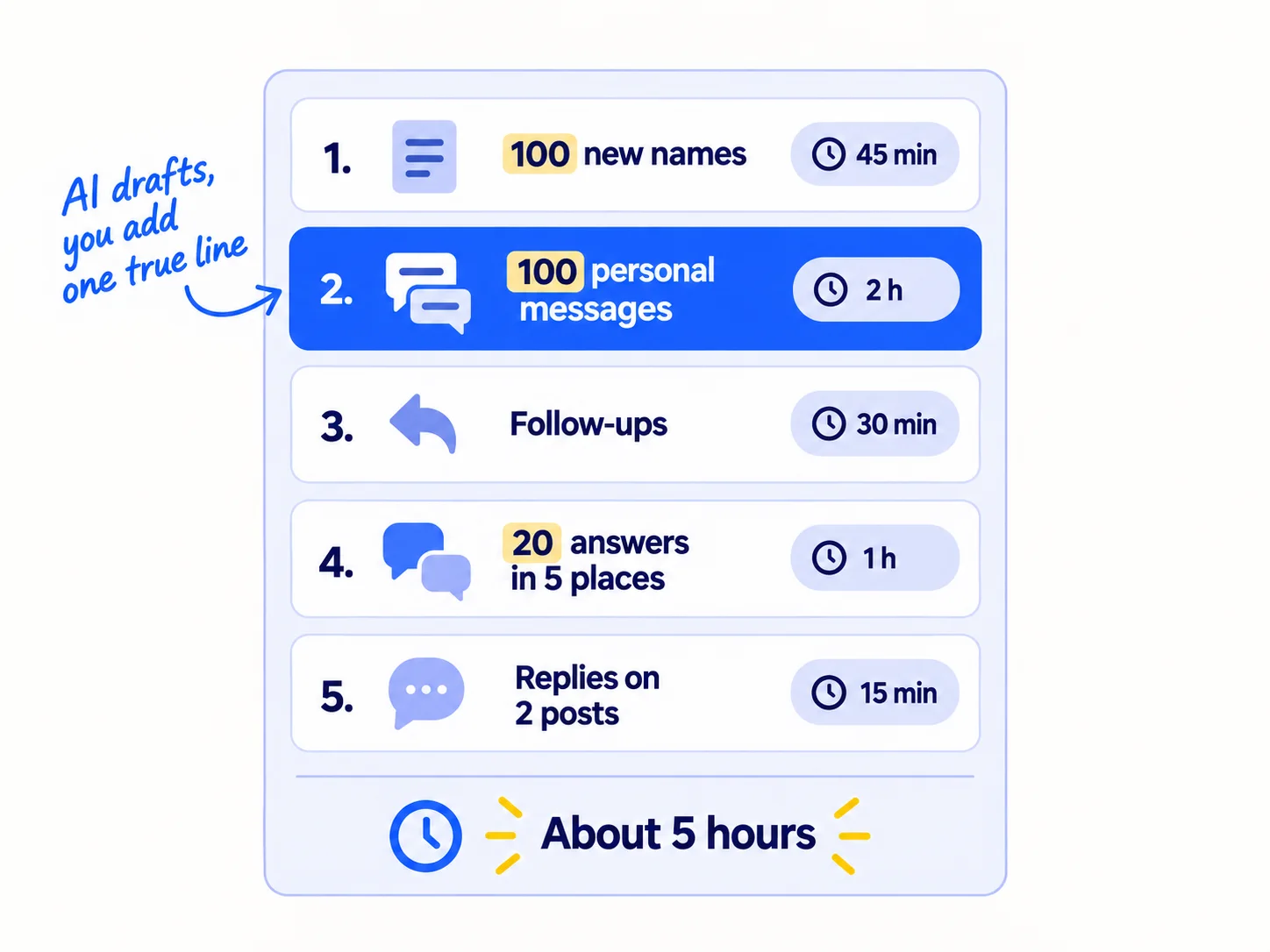
It is the daily routine from the starter guides for a SaaS product, a B2B business, a D2C brand and a marketing agency. Here is the block, and why it fits in 5 hours with AI:
| Part | Each day | Time with AI |
|---|---|---|
| Add new names to your listsoon | 100 | 45 minutes |
| Personal messages to people who fit your ideal customer, asking for a short chat | 100 | 2 hours: AI drafts, you add one true line about the person, about a minute each |
| Follow-upssoon to people who have not replied, up to 3 times | everyone due today | 30 minutes |
| Answers where your buyers ask for help, in your own words | 20, across 5 places | 1 hour, 3 minutes each |
| Replies to comments on your 2 posts, written on Sunday | every comment | 15 minutes |
The chats these messages book, about 3 a day, go in your afternoon slots, about 45 minutes a day. If search is one of your channels, add one page a daysoon that answers a real question: that is 1 more hour, and it comes from product work, not from the messages. Search takes months to show resultssoon, so judge it later than the rest.
Let AI do the drafting in batches. Paste 10 names into ChatGPT or Claudesoon, each with one thing you found about them, and ask for one message each. Read every draft and make the first line true before you send it.
Here are 10 people who might need [what you sell]. For each, I have written one thing I found about them.[Name, company, the one thing]
[…10 lines…]Write one short message for each person. Start with the thing I found, in one sentence. Then say in one sentence what I make and who it is for. Then ask for a 15-minute chat about how they handle [the problem] today, not for a sale. Under 90 words each. No links. End with: "Not for you? Reply 'no' and I won't write again."
Stay inside each platform's rules, and spread the volume instead of cutting it:
- Email. Gmail requires every sender to have SPF or DKIM, and wants spam reports under 0.3%. Since November 2025 it has been rejecting more mail that breaks these rules. If you email more than about 50 strangers a day, set up a second domainsoon and warm it up first.
- LinkedIn. It limits invitations each week, and if you hit the limit, the restriction usually lasts a week. Message people you are already connected tosoon, and send the rest by email.
- Communities. A place can be a subreddit, a Slack group or a Facebook groupsoon. Read each place's rules on self-promotion first. 20 answers across 5 places keeps you at about 4 in each. Answer the question; do not paste your link. On Reddit, these habits get you bannedsoon.
Log every message, reply and chat in one sheet. A CRMsoon can wait until the sheet gets slow.
- Tool: Gmail or LinkedIn for messages, the search box on each community, ChatGPT or Claude to draft, Google Sheets to log.
- Time: about 5 hours a day, plus about 45 minutes of chats in the afternoon.
- You will have: 700 messages and 140 answers a week, and 2,800 messages and 560 answers after 4 weeks.
- It worked if: you hit 100 messages, 20 answers and 2 posts on at least 25 of 28 days, and you get about 3 chats per 100 messages. Below 2, rewrite the first linesoon and send the next 100.
- Common mistake: stopping halfway to "just check something" in the product, then not coming back. The other mistake is sending the same text to everyone. 100 a day works because each message is about one person.
5. Write and schedule a week of posts every Sunday
Every Sunday, write next week's 14 posts in one sitting, 2 for each day, for one social channel, and schedule them all. Then the daily block only needs 15 minutes for replies.
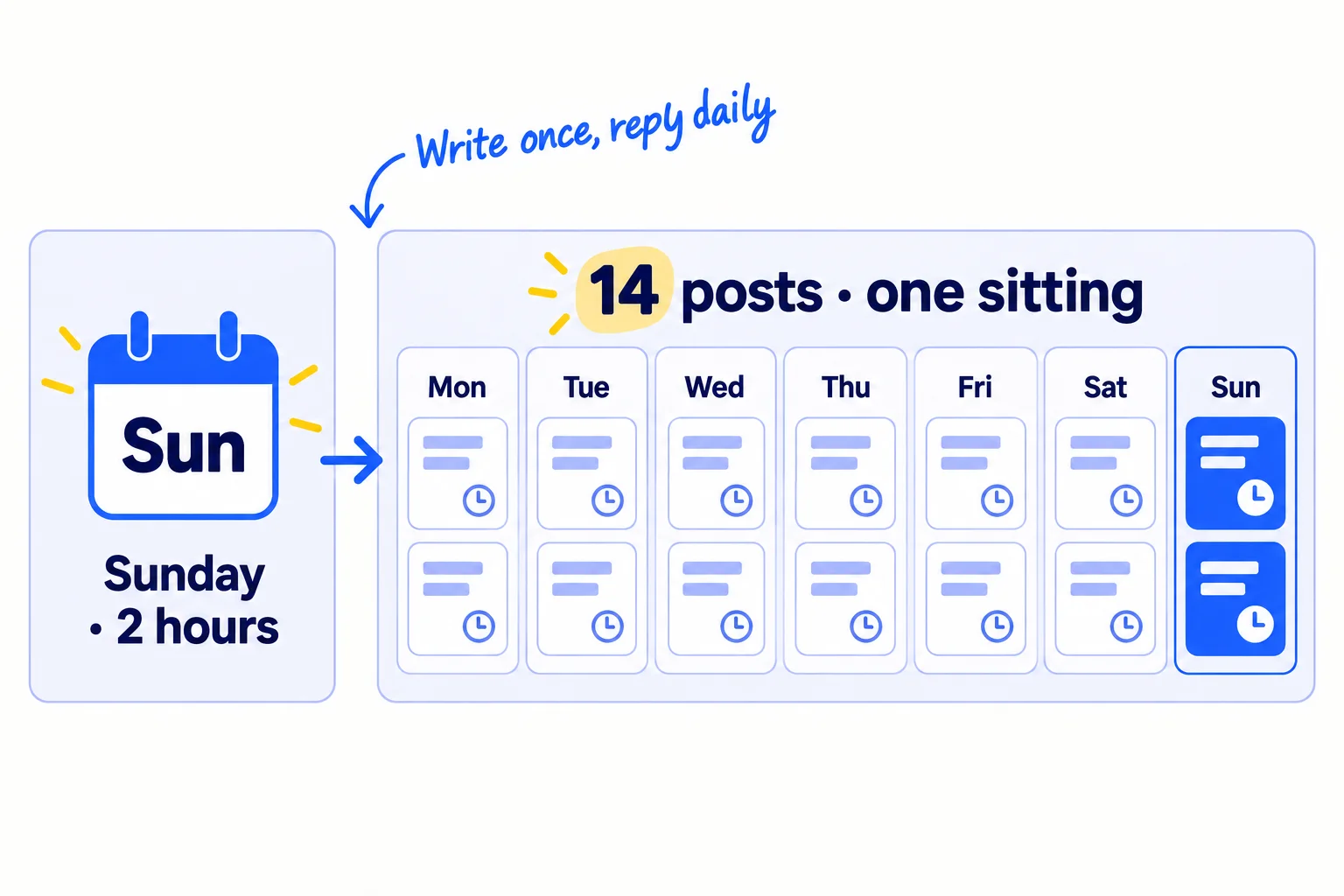
Pick one channel, the one where your buyers already read: LinkedIn for most B2B, SaaS and agency founders, Instagramsoon or TikTok for most stores. Post 2 a day on one channel, not a few a week on four. Plan the week's topics from what came up in your chats and answers: the questions people asked, the problems they described, one thing you learned. Your content calendarsoon can be one column in your sheet.
AI makes 14 posts in 2 hours possible. Give it your notes from the week's chats and ask for 14 drafts. Then spend your time adding what only you have: a real number, a photo, a mistake you made, a customer's words (with their OK). Turn one good answer from the week into 2 or 3 posts; that is repurposingsoon, and it saves the most time.
I sell [what you sell] to [who it is for]. Below are my notes from this week: questions buyers asked, problems they described, and what I learned.[Notes]Write 14 short posts for [channel], one idea each. 7 should answer a question from my notes. 4 should share something I learned this week. 3 should show the product solving one problem. Plain words, under 150 words each, no hashtags in the text, no hype.
To schedule on LinkedIn for free, click Start a post, write it, click the clock icon, pick the date and time, click Next, then Schedule. You can schedule from 10 minutes to 3 months ahead. For other channels, use Buffer. Its free plan covers 3 channels with 10 scheduled posts each, so it holds 5 days of 2 posts a day on one channel. For all 14 at once, Essentials costs $5 a month per channel, paid yearly.
If you run a D2C store: your 2 posts a day are short videossoon. Film all 14 on Sunday, in one place, in 9:16, and schedule them to Instagram or TikTok.
- Tool: ChatGPT or Claude to draft; LinkedIn's own scheduler (free) or Buffer (free for 10 scheduled posts per channel, then $5 a month per channel, paid yearly).
- Time: about 2 hours each Sunday: 45 minutes for AI drafts and choosing topics, 1 hour 15 minutes to edit and add your own detail and schedule.
- You will have: 14 posts scheduled before Monday, 2 each day.
- It worked if: by Monday morning, 14 posts show as scheduled, and after 4 weeks at least 2 chats or enquiries say they saw a postsoon.
- Common mistake: writing each post in the morning inside the block. It takes 30 minutes each, eats an hour of messages, and on busy days nothing goes out.
6. Count your week every Sunday and move your hours
After you schedule the posts, fill in one row in your sheet for the week: how many days the block happened, what you sent, and what came back. After 2,800 messages, move hours away from anything that brought nothing.
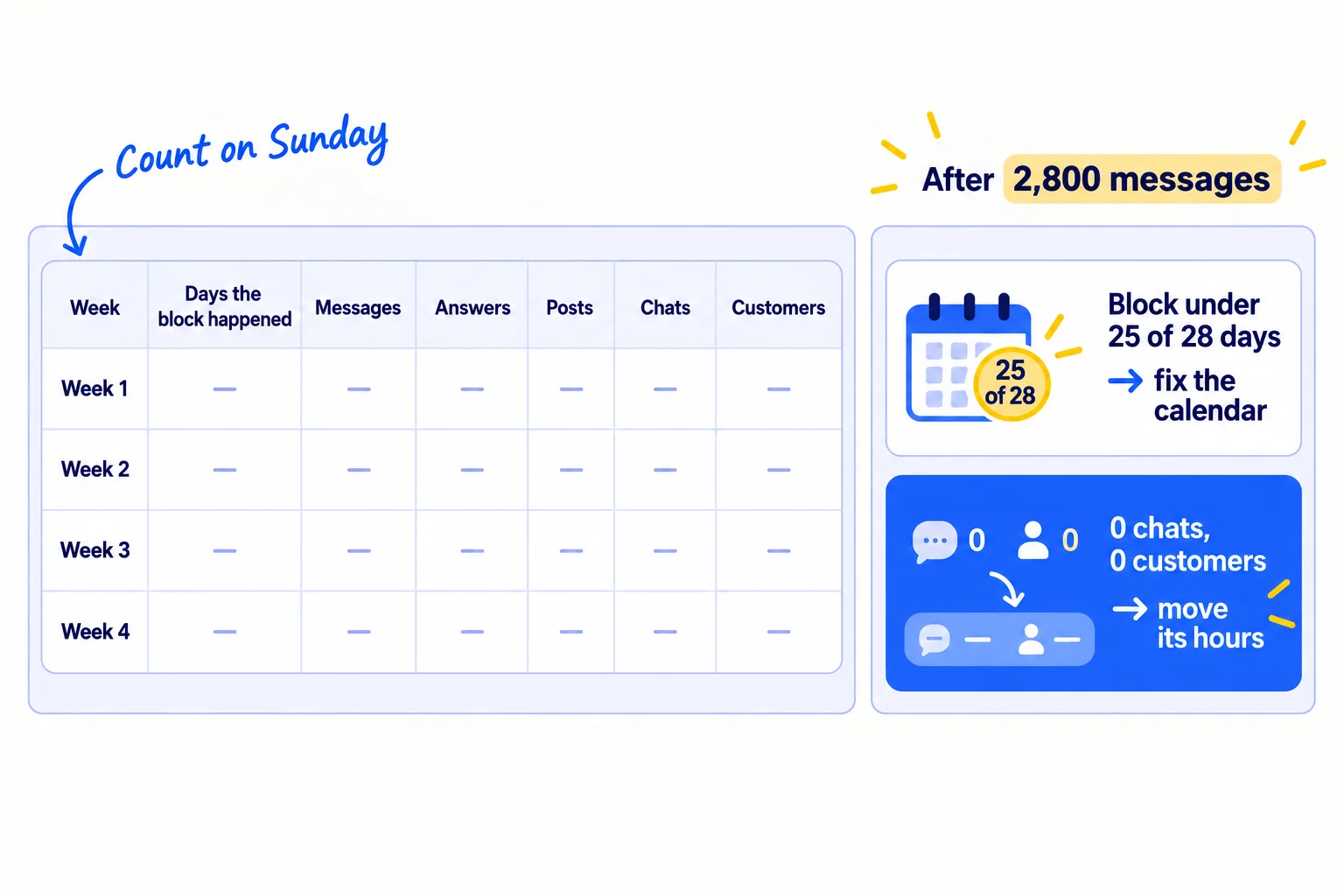
First, add one question to your signup, order or enquiry formsoon: "Where did you hear about us?" This is self-reported attribution, and without it you are guessing where customers came from. Tag the links in your posts with UTM parameterssoon, too. Then, each Sunday, fill in one row:
Week | Days the block happened (of 7) | Messages | Answers | Posts | Chats | New customers
Where new customers came from: messages | communities | posts | search | other
After 4 weeks, which is 2,800 messages at 100 a day, read the rows with two rules:
- If the block happened on fewer than 25 of the 28 days, the problem is your week, not your marketing. Go back to step 2, cut more product work, and run another 4 weeks.
- If the block happened, look at each part. Any part that brought 0 chats and 0 customers in 4 weeks gets its hours moved to the part that brought the most. The exception is search pages: judge those at month 3. If nothing at all brought a chat, the problem is the offer or the buyer, not the hours: find out why no one is buying.
Once a month, look further back with a marketing reviewsoon. When one part clearly works, choose the next channel to add. Leave paid adssoon until you know which message brings buyers.
- Tool: Google Sheets.
- Time: 30 minutes each Sunday.
- You will have: one row per week, and a clear answer on whether the block happened and what it brought.
- It worked if: you can say where every new customer came from, and on how many days the block happened.
- Common mistake: judging a channel after a week when the block only happened on 3 days. Count the days first. The other mistake is counting likes and followers instead of chats and customers.
See it done: Dan after 4 weeks
Carvelian's Sunday rows, weeks 1 to 4
| Week | Days the block happened | Messages | Answers | Posts | Chats | Sample requests | New clients |
|---|---|---|---|---|---|---|---|
| 1 | 7 | 700 | 140 | 14 | 12 | 2 | 0 |
| 2 | 7 | 700 | 140 | 14 | 17 | 4 | 0 |
| 3 | 7 | 700 | 140 | 14 | 19 | 4 | 0 |
| 4 | 7 | 700 | 140 | 14 | 20 | 5 | 1 |
The decision: the block happened on all 28 days and 2,800 messages went out, so the numbers can be trusted. Messages brought 61 of the 68 chats and the one new client, so they keep their hours. Answers in food-maker groups brought 4 chats and posts brought 3, so both stay. Product work stays at 0 until a client orders a new design.
Why it works: Dan checks that the block happened before he judges any part of it, then moves hours by chats and orders, not by likes.
Where Scout7 helps
Scout7 speeds up two parts of the week: the 20 answers in step 4 and the Sunday posts in step 5. It does not send messages or find names, so the 100 messages stay yours.
Step 4. Join Conversations searches social platforms for live discussions about your problem, groups them by the kind of reply that fits, and drafts a reply in your voice. You read each thread and approve or rewrite the reply. Nothing is posted without your approval.
Step 5. Scout7 makes image posts with captions in your brand's voice, and schedules them to LinkedIn, X, Instagram, Facebook, Threads and Reddit, with the whole week in one calendar. Its Organic Loop plans, creates and schedules a content cycle of posts, videos, articles and carousels. You approve every post before it goes out.
Your checklist for fitting marketing into your week
0 of 13 done
Work through this list with an AI assistant
It drafts the work and keeps track of what is done.
Frequently asked questions
- How many hours a week should a solo founder spend on marketing?
With no customers or only a few, about 35 hours a week: 5 hours a day, every day, plus 2 hours 30 minutes on Sunday. Most advice says 1 hour a day. With AI drafting, that covers about 30 messages and nothing else, which brings about one chat a day at best. Once one channel brings customers every week, you can look again at the splitsoon.
- Should I do marketing or build first each day?
Marketing first. Building has no natural end, so whatever comes after it gets squeezed out. A 5-hour block at the start of the day ends at a fixed time, and you still have the afternoon to build or serve customers. Build only what a paying customer, or 3 people you talked to, asked for.
- How do I fit marketing around a full-time job?
Split the 5 hours into three parts: 2 hours before work for 100 messages, 30 minutes at lunch for 10 answers, and 2 hours 30 minutes in the evening for new names, follow-ups, 10 answers and replies on your posts. Write the posts on Sunday. Stop building on work days until you have run this for 4 weeks.
- What if client work or orders fill my week?
Keep all paid work, but move it to one fixed slot after the marketing block. Agencies that stop marketing in a busy month usually have no new clients lined up when a client leaves. If client work will not fit its slot, check your scope of worksoon or raise your pricessoon.
- Should I hire someone to do my marketing instead?
Not yet. Do it yourself for 2,800 messages first, so you know which message and which place bring buyers. Then you can tell a hire exactly what to do and judge their work. Read who to hire and whensoon before you spend money on it.
Sources
- 1.Maker's Schedule, Manager's Schedule — Paul Graham, July 2009, checked 27 September 2026
- 2.Ask HN: How do you handle marketing as a solo technical founder? — Hacker News, 6 April 2026
- 3.I built a SaaS that got 0 paying customers at launch. Distribution was the real problem all along — Indie Hackers, 5 July 2026
- 4.Solo dev here. Nobody using my app. How do you actually do marketing? — Indie Hackers, 26 May 2026
- 5.Create an appointment schedule — Google Calendar Help, checked 27 September 2026
- 6.Compare premium features for appointment schedules — Google Calendar Help, checked 27 September 2026
- 7.Schedule posts — LinkedIn Help, checked 27 September 2026
- 8.Invitation limit reached — LinkedIn Help, checked 27 September 2026
- 9.Buffer pricing — Buffer, checked 27 September 2026
- 10.Email sender guidelines — Google Workspace Admin Help, checked 27 September 2026
- 11.Email sender guidelines FAQ — Google Workspace Admin Help, checked 27 September 2026
Next article to read
Related guides
- How to market your product as a technical founderSaaSMarket your product as a technical founder: freeze new features, put 5 hours of marketing before any code every day, send 100 personal messages, turn part of your product into a free tool, and build only what 3 or more users asked for, with a count every Sunday.
- How to use ChatGPT for marketingComing soon
- How to plan a content calendarComing soon
- How much to spend on marketing as a SaaS startupSaaSSet your SaaS startup's first marketing budget when you have almost no revenue: 5 to 6 hours a day, under $100 a month for tools and $0 for ads until 10 people have paid, with the maths that shows when ads can pay and a Sunday sheet.
Guides that link here
- How to market your product as a technical founderSaaS
- How to fix a SaaS launch that got zero signupsSaaS
- How to get beta users for your startupSaaS
- How to get customers online for free
- How to get traffic to a new website for free
- How to get your first 100 SaaS usersSaaS
- How to get your first client as a marketing agencyAgency
- How to get your first sale on EtsyD2C
- How to launch on Product HuntSaaS
- How much to spend on marketing as a B2B companyB2B
- How much to spend on marketing as a SaaS startupSaaS
- How much to spend on marketing as an ecommerce brandD2C
- How to choose marketing channels for a SaaS startupSaaS
- How to choose marketing channels for an agencyAgency
- How to do customer interviews
- How to price digital marketing servicesAgency
- How to set a marketing budget for your agencyAgency
- How to validate a business idea without spending money
Cite this page
Dinesh Bypilla (2026). How to fit marketing into your week as a solo founder. Scout7 Academy. https://scout7.ai/academy/marketing-plan/how-to-fit-marketing-into-your-week-as-a-solo-founder
Written by Dinesh Bypilla, Agentic systems engineer at Scout7. Reviewed by Murali Sid. Last checked 27 September 2026.
Quote any part of this guide with a link back to this page. © 2026 Scout7.
Markdown version of this page: https://scout7.ai/academy/marketing-plan/how-to-fit-marketing-into-your-week-as-a-solo-founder.md