



How to market a SaaS product
Market a new SaaS product with no budget: a 4-week routine for one founder, with the messages to send, where to answer questions, and the numbers to check every Sunday.
ByDinesh BypillaReviewed byMurali SidLast checked 18 min read

You built a SaaS product and put it online, but almost nobody signed up. Here is how to market a SaaS product with no budget and no audience: one routine, every day, for 4 weeks, at a volume that shows you fast what works. Most founders send 10 messages, hear nothing and stop. With AI drafting, you can send 100 a day, and 2,800 messages will tell you what 10 never could.
Do these three things

About 5 to 6 hours a day, every day, for 4 weeks. Start the first one today, and judge the rest after 2,800 messages.
Show the three actions in fullHide the full list
- Today: write one sentence that says who your SaaS is for and the problem it fixes. Turn it into your homepage headlinesoon, so the right visitor knows in 5 seconds that it is for them.
- Every day: send 100 personal messagessoon to people who fit that sentence, and ask for a 15-minute chat, not a sale. AI drafts each one; you add one true line about the person. Your first paying users are most likely to come from these chats.
- Every Sunday: count this week's signups by where they came fromsoon. Give next week's hours to the place that brought the most. 2,800 messages and 560 answers will show you what works. 50 will not.
Get help doing these
ChatGPT or Claude reads this guide and works through it with you.
1. Write down who your SaaS is for and the problem it fixes
Write one sentence that names the kind of team, how big it is, and the moment the problem hurts. It is the heart of an ideal customer profile. Every other step uses this sentence, so do it first.

Fill in this line:
[Product] is for [kind of team] of [size] who [the moment the problem hurts], and today they [what they do instead].
Then list 100 real people or companiessoon who match it, by name. They are tomorrow's messages. Start with people you already know: past colleagues, clients from old jobs, friends at companies like this. Then add people who have written about the problem online. Give ChatGPT or Claudesoon your sentence and ask it to suggest companies that fit, from Google, LinkedIn and public directories. Check each one yourself before it goes in the sheet.
- Tool: a Google Doc, a Google Sheet, and ChatGPT or Claude. All free to start.
- Time: 1 hour 30 minutes.
- You will have: the sentence, and a sheet with 100 names and a way to reach each one.
- It worked if: you can fill all 100 rows with real names, and, if you already have signups, at least 3 of them fit the sentence.
- Common mistake: writing "for developers" or "for small teams". That is too wide to find anyone. The other mistake is picking buyers who could do the job themselves in ChatGPT in 10 minutes. They will not pay.
See it done: Bugmoth's sentence
Bugmoth is a made-up bug-reporting tool for small web teams. It costs $19 a month per team, with a 14-day trial.
It launched 3 months ago and gets about 300 visits a month. It has 25 signups and 2 paying teams, both from one Reddit comment.
The sentence: Bugmoth is for web agencies of 2–10 people whose clients report bugs by email, with no screenshot and no browser details, and today they spend a call working out what the client meant.
Why it works: It names the kind of team, the size and the moment it hurts, so you can find 100 of them by name.
If you cannot name 20 people with this problem, check the problem is real before you market it.
2. Rewrite your homepage headline so a stranger gets it in five seconds
Your headlinesoon should say what the user gets, in their words, with no technology in it. Put a "Try it free" button right under it, leading straight to your free trialsoon.

Take your sentence from step 1 and turn the problem into the result: your value proposition. "Clients report bugs by email with no screenshot" becomes "Your clients click the bug. You get the screenshot." Leave out the stack, the AI model and the framework. Your buyer does not search for those.
[What the user gets, in their words]. [How fast, or which pain goes away].[One line under it: who it is for, from your step 1 sentence.][Button:] Try it free
This matters more than it looks. In March 2026, one founder changed a headline from what the product does to what it is built on. Signups went from 32 a week to 0 on the same traffic. Changing it back brought 8 signups that same night (Indie Hackers).
- Tool: your site editor.
- Time: 1 hour.
- You will have: a new headline, live on your site.
- It worked if: you show the page to 10 people for 5 seconds, and at least 8 can say what it does and who it is for. Then, over the next 200 visits, check that you get at least as many signups per 100 visits as before. At this traffic, skip the A/B testsoon: it would take months to finish.
- Common mistake: a clever or technical headline. If a stranger has to scroll to understand it, they leave.
See it done: Bugmoth's homepage headline
Before
Visual feedback infrastructure for modern web teams
After
Your clients click the bug. You get the screenshot, their browser and the steps.
Why it works: The new headline says what the user gets. It says nothing about how the product is built.
If people understand the page but still do not sign up, fix the rest of the pagesoon next.
3. Message 100 people a day and ask for a 15-minute chat
Send 100 personal messagessoon every day to people who fit your sentence. Ask for a short chat about the problem, not for a sale.
![A tall stack of personal messages labelled '100 personal messages a day'. The top one reads 'Hi [name], I saw [something you made]. Could I ask 3 questions?' An arrow leads to a 15-minute chat.](/academy/illustrations/how-to-market-a-saas-product/step-3-personal-messages.mobile.webp)
100 a day sounds like a lot. It is the point. At about 3 chats per 100 messages, 10 a day gets you one chat every three days, and you learn nothing for a month. 100 a day gets you about 3 chats a day, and by the end of week 1 you know which kind of team replies.
Work down your list in this order: people you know, then your 100 names, then new people who fit. 100 a day empties a list fast, so add 100 new names every day. Search Google or LinkedIn for the kind of team in your sentence, then find the owner's emailsoon.
Let AI do the drafting. Paste 10 names at a time into ChatGPT or Claude, each with one thing you found about them, and the template below. Ask for one message per person. Read each draft, make the first line true and about them, then send it. That is about a minute a message.
Send each message one at a time, from your normal work email or to your LinkedIn connections. Do not use a bulk-sending tool. Gmail requires every sender to have SPF or DKIM, two settings that prove an email really comes from your domain. Ask your email host to confirm both are on. Gmail also wants spam reports below 0.3%, and since November 2025 it has been rejecting more mail that breaks these rules. If you email more than about 50 strangers a day, set up a second domainsoon for these messages so your main email stays safe, and warm it up before you send at full volume. The law applies too: in the US, the CAN-SPAM Act covers business email as well, so every message needs your postal address and a way to say no, and you must honour a "no" within 10 business days. The UK and EU have their own, stricter rules on emailing people, so check them before you write to buyers there. LinkedIn limits how many connection invitations you can send, and a block usually lasts a week, so on LinkedIn message people you are already connected tosoon, and send the rest by email.
Follow upsoon with everyone who has not replied, twice more, 3 days apart, with one new line each time. Stop the moment someone says no.
On the call, ask three customer interview questions. How do you deal with this today? What did it cost you last time? What have you tried? Then, if it fits, offer to set up their trial while you are both on the call. People who start with you are far more likely to turn into paying customerssoon.
Subject: [the problem, in 3–5 words]Hi [first name],[One true line about them: something they built, wrote or said.]I'm building [product] for [kind of team] who [problem]. I'm trying to learn how teams like yours deal with this today.Could I ask you 3 questions on a 15-minute call this week? If you want, I'll show you what I've built at the end.[Your name]
[Your company, postal address]
Not for you? Reply "no" and I won't write again.
- Tool: Gmail or LinkedIn, ChatGPT or Claude to draft, and your Google Sheet to log who you messaged, who replied and when to follow up. A CRMsoon can wait until the sheet gets slow.
- Time: about 2 hours a day for the messages, 45 minutes to find 100 new names, and about 45 minutes for the chats they book.
- You will have: 700 messages sent and logged by the end of week 1, and 2,800 by the end of week 4.
- It worked if: you get at least 3 chats from every 100 messages. If you get fewer than 2, rewrite the first linesoon so it is more about them, then send the next 100.
- Common mistake: sending hundreds of copies of the same email. One founder sent 277 identical cold emails in May 2026 and got 5 signups and 0 paying users. 100 a day works because each one is about the person. The other mistake is stopping at 50 messages because nobody has replied yet.
See it done: Bugmoth's first message
Subject: bug reports from your clients
Hi Maya,
I saw Northlight built the new Harbour Bakery site. The menu page is lovely.
I'm building Bugmoth for small agencies whose clients send bugs by email with no screenshot. I'm trying to learn how agencies like yours deal with this today.
Could I ask you 3 questions on a 15-minute call this week? If you want, I'll show you what I've built at the end.
Sam Bugmoth, [postal address] Not for you? Reply "no" and I won't write again.
Why it works: The first line is about her, and it asks for advice, not a sale.
4. Answer 20 questions a day where your buyers already ask for help
Pick 5 online places where your buyers ask for helpsoon. Answer 20 questions a day across them, fully, without selling.

A place can be a subredditsoon, a Slack or Discord group, a forum, or a Facebook groupsoon. Read each place's rules page before you post. Some ban links to your own product, and some keep them to one weekly thread. Reddit's own rules say the same: follow each community's rules, take part honestly, and do not spam. Spreading 20 answers over 5 places keeps you well inside each one's rules; 20 in one place in a day looks like spam. Search each place for how your buyers describe the problem, and sort by New.
Answer the question as if your product did not exist. Only mention it if someone asks, or if it is the honest answer, and then say it is yours. AI can find the questions and list the points to cover. Write the answer itself in your own words, from what you know.
[Answer their exact question in the first line.][2–3 steps that fix it, which work without any product.][Only if it truly helps:] Disclosure: I'm building a tool for this. Happy to share it if useful, but the steps above fix most of it.
- Tool: the search box on each site.
- Time: about 1 hour a day, 3 minutes an answer.
- You will have: 560 useful answers in 4 weeks, under your own name.
- It worked if: after 4 weeks, at least 5 signups say they came from one of these places.
- Common mistake: posting "I just launched my SaaS", putting your link in every answer, or pasting replies written by AI. Moderators remove posts like these, and accounts that keep doing it get banned.
See it done: Bugmoth's reply in a forum
Asked in a web design forum
“How do you get clients to report bugs properly? They just email ‘the site is broken’.”
The reply
Give them a 4-line form and nothing else: the page link, what they clicked, what they expected, and a screenshot. Ask for a phone video if it is a layout bug, because it shows the device. Reply to every vague email with the form link, not with questions. Disclosure: I'm building a tool for this. Happy to share it, but the form fixes most of it.
Why it works: It fixes the problem without the product, and it says openly that they are building a tool.
5. Launch once, where people can try it without signing up
Launch on Show HNsoon or Product Hunt once, with a demo people can try without an account. Then message everyone who comments.

Pick one. Use Show HN if your buyers are developers. Use Product Hunt if they are not. Before you post, build a demo page where a visitor can use the main feature in under a minute with no signup. Show HN's rules ask for this: make your thing easy to try, "ideally without barriers such as signups or emails". On Product Hunt, you now use "Schedule" or "Create Draft", as "Launch Now" was removed in 2025.
On the day, reply to every comment within an hour. The same week, share the demo in the launch or self-promotion thread of each of your 5 places from step 4, where their rules allow it. The next day, message each person who commented, using the message from step 3.
- Tool: Hacker News or Product Hunt. Both are free.
- Time: half a day to build the demo and write the post, then the launch day.
- You will have: one launch, and a list of everyone who commented.
- It worked if: you get signups on the day, and at least 3 chats that week from the follow-up messages.
- Common mistake: asking friends to upvote. Hacker News forbids it, and Product Hunt can ban you for paying anyone to hunt your product or send it traffic. The other mistake is treating the launch as the plan. Traffic falls away after the day. The follow-up messages are what turn it into users. If the day brings nothing, work out why a launch gets zero signups.
6. Get your site onto Google and ChatGPT, then publish one page a day
Set up Google Search Consolesoon, check that ChatGPT's search crawler is allowed on your site, then publish one page a day that answers a question your buyers ask.

This is the slow place, so start it now. In G2's March 2026 survey of 1,076 software buyers, 51% said they now start their research in an AI chatbot more often than in Google. A year earlier it was 29%. You cannot appear in those answerssoon if the AI tools cannot read your site.
Do the setup once:
- 1
Add your site to Google Search Console
Open Search Console, click "+ Add property", choose Domain, and verify it by adding the line Google gives you to your domain's DNS settings. Then open Sitemaps and submit your sitemap. It is free.
- 2
Check your robots.txt
Open your robots.txt file at yoursite.com/robots.txt. It tells crawlers what they may read. It is one line on any technical SEO checklistsoon. If you see "User-agent: OAI-SearchBot" or "User-agent: *" followed by "Disallow: /", remove those lines. OpenAI says sites that block OAI-SearchBot are not shown in ChatGPT search answers.
- 3
Skip special AI files for now
Google says you need no extra files or special markupsoon to appear in AI Overviewssoon or AI Mode. Your pages only need to be indexed. Spend the time on pages instead.
Then publish one page every day. Start with two kinds. First, "[competitor] alternatives" pagessoon for the tools your buyers compare you with. Second, the problem itself, in your buyer's words. Check that people really searchsoon each one: type the start of it into Google and see if it appears as a suggestion, or put it into the free Ahrefs Keyword Generator. After you publish, open URL Inspection in Search Console and click "Request indexing", so the page gets indexedsoon sooner.
AIsoon makes one a day possible. Give ChatGPT or Claude the question, your notes and what you learned in your chats, and ask for a first draft. Then spend your time on what only you can add: a real screenshot, a number from your product, a step you tested. Google's spam policies treat many pages made to rank without helping the reader as spam, whether a person or AI wrote them. A page that answers one real question with something only you know is not that.
- Tool: Google Search Console, the free Ahrefs Keyword Generator, and ChatGPT or Claude to draft.
- Time: 30 minutes for the setup, then about 1 hour a page.
- You will have: 28 new pages in 4 weeks, each answering one real question.
- It worked if: URL Inspection shows "URL is on Google" within 1 to 2 weeks of publishing. Once a month, ask ChatGPT your buyer's question, and write down which tools it namessoon.
- Common mistake: expecting search to bring your first users in month one. Judge this step at month 3soon, not at week 4. The other mistake is publishing general posts about your industry. Write pages that ranksoon because they answer what a buyer types just before they need you.
See it done: The first 4 of Bugmoth's 28 pages
The first pages, each one a phrase that appears in Google's suggestions:
- bugherd alternatives free
- marker io alternative free
- best website feedback tool
- website feedback tool free
Why it works: Each page is a phrase people already type into Google when they are looking for a tool.
7. Count your numbers every Sunday and move your hours
Every Sunday, write down seven numbers in one sheet, and see where each new signup came from. After 2,800 messages, stop what brought nothing and give its hours to what worked.

First, add one question to your signup form: "Where did you hear about us?" This is self-reported attribution. Without it, you are guessing. Then tag every link you share with UTM parameterssoon, so your visits show their source too. Then, each Sunday, fill in one row:
Week | Visits | Signups | Used the main feature | Paying | Messages sent | Chats
Where signups came from: outreach | communities | launch | search | other
At the end of week 4, after 2,800 messages, look at each place. The "Used the main feature" column is your activation ratesoon: if it is low, fix the product's first minutes before you send more people. If a place brought 0 chats and 0 signups, stop it and move its hours to the place that brought the most. The only exception is search. Keep publishing and judge it at month 3.
Leave paid adssoon until at least 10 people have paid you and you know which sentence brought them. Before that, ads pay to send strangers to a message you have not tested.
- Tool: Google Sheets.
- Time: 20 minutes each Sunday.
- You will have: one row per week, and a clear answer on where your users come from.
- It worked if: you can name where every paying customer came from.
- Common mistake: judging after 50 messages or one week, or counting likes and followers instead of chats and signups.
See it done: Bugmoth after 4 weeks
The Sunday sheet, weeks 1 to 4
| Week | Messages sent | Chats | Signups: outreach | Signups: communities | Signups: launch | Signups: search | New paying teams |
|---|---|---|---|---|---|---|---|
| 1 | 700 | 18 | 9 | 1 | 0 | 0 | 0 |
| 2 | 700 | 22 | 11 | 3 | 7 | 0 | 0 |
| 3 | 700 | 23 | 12 | 4 | 1 | 1 | 2 |
| 4 | 700 | 24 | 13 | 5 | 0 | 2 | 3 |
The decision: outreach brought 87 chats and 45 signups, and 4 of the 5 new paying teams came from those chats. So the founders keep 100 messages a day and move the launch hours into more of them. Communities brought 13 signups and 1 paying team, so they keep it. Search brought 3, which is normal at week 4, so they keep publishing and judge it at month 3.
Why it works: They move hours by counting chats and paying teams, not likes.
When one place clearly works, choose the next channel to add. Once a month, step back for a marketing reviewsoon.
Where Scout7 helps
Scout7 speeds up three of the seven steps: 1, 4 and 6.
Step 1. Scout7's audience research reads public social conversations in your category and builds audience segments with pain points and quotes in buyers' own words. That gives you the words for your sentence and headline. It does not replace the chats in step 3.
Step 4. Join Conversations searches social platforms for live discussions about your problem, groups them by the kind of reply that fits, and drafts a reply in your voice. You read each thread yourself and approve or rewrite the reply. Nothing is posted without your approval.
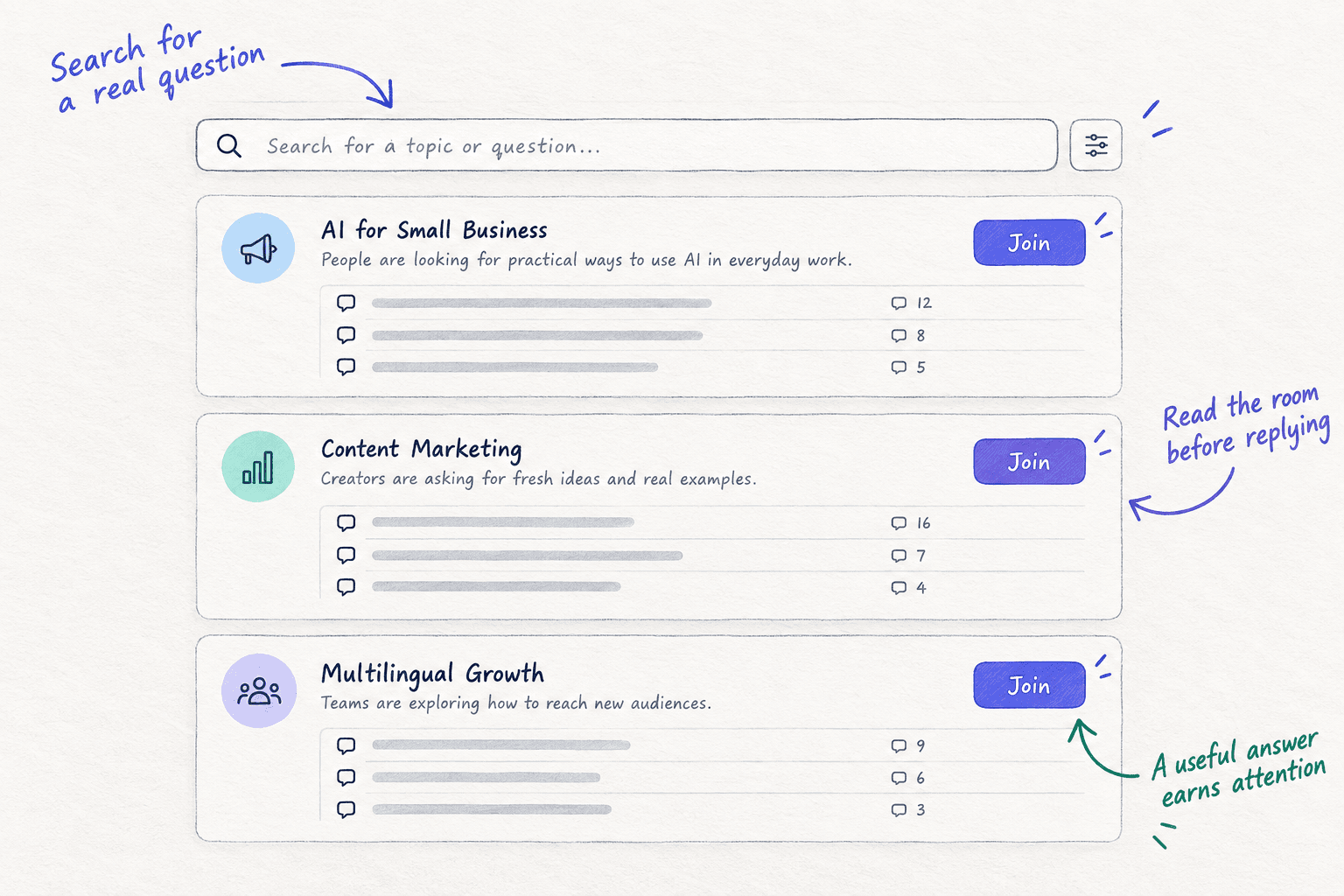
Step 6. Keyword intelligence shows monthly searches, difficulty, and who leads on Google and in AI answers for each term. AI question coverage collects the questions buyers ask AI assistants in your category and shows who gets cited. Together they turn an afternoon of research into a list of pages to write, one for each day.
Your SaaS marketing checklist for the next 4 weeks
0 of 16 done
Work through this list with an AI assistant
It drafts the work and keeps track of what is done.
Frequently asked questions
- How long does it take to get the first paying customer for a SaaS?
At 700 messages and 140 answers a week, your first chats should come in the first 2 days and your first trials that week. When they pay depends on your trial. With a 14-day free trialsoon, week 3 is the earliest. If you have sent 2,800 messages and nobody has paid by week 6, go back to step 1. The problem is usually who you are messaging.
- Isn't 100 messages a day too many?
Not if each one is personal. At about 3 chats per 100 messages, 100 a day is 3 conversations a day, which is how you learn fast. With AI drafting, each message takes about a minute; you add one true line about the person. What gets you in trouble is sending the same text to everyone. Keep it one-to-one, and stop messaging anyone who says no.
- Should I run Google Ads for my SaaS now?
Not yet. Wait until at least 10 people have paid you and you know which sentence brought them. Before that, Google Adssoon send strangers to a message you have not tested, and a small budgetsoon runs out before you learn anything. Put the same money into your own time: more messages and more answers.
- I'm not on social media and I hate selling. Can I still do this?
Yes. Nothing in this guide needs followers or posting about yourself, and it was written with the technical founder in mind. Steps 3 and 4 are one-to-one: a short message asking for advice, and a helpful answer to a question someone already asked. Start with people you have worked with. Asking 3 questions about their problem is research, not selling.
- Is it worth submitting my SaaS to directories?
Not as a way to get your first users. One founder listed a new SaaS on more than 22 AI directoriessoon in 2026 and traced zero signups to them, while all 8 real signups came from direct contact. If you list, do it in an hour, once, and do not count it as one of your places.
Sources
- 1.New G2 Research: Half of B2B Software Buyers Now Start Their Research With AI Chatbots — G2, via PR Newswire, 15 April 2026
- 2.Overview of OpenAI crawlers — OpenAI, checked 24 September 2026
- 3.AI features and your website — Google Search Central, updated 10 December 2025
- 4.Add a website property to Search Console — Google Search Console Help, checked 24 September 2026
- 5.URL Inspection tool — Google Search Console Help, checked 24 September 2026
- 6.Email sender guidelines — Google Workspace Admin Help, checked 24 September 2026
- 7.Email sender guidelines FAQ — Google Workspace Admin Help, checked 24 September 2026
- 8.Show HN guidelines — Hacker News, checked 24 September 2026
- 9.How to schedule or draft a launch — Product Hunt Help Center, updated 24 February 2025
- 10.How Product Hunt works — Product Hunt, checked 24 September 2026
- 11.Reddit Rules — Reddit, checked 24 September 2026
- 12.Spam policies for Google web search: scaled content abuse — Google Search Central, updated 28 August 2026
- 13.CAN-SPAM Act: A Compliance Guide for Business — Federal Trade Commission, checked 25 September 2026
- 14.Invitation limit reached — LinkedIn Help, checked 24 September 2026
- 15.Free Keyword Generator — Ahrefs, checked 24 September 2026
- 16.I went from 32 signups a week to 0 with one headline change — Indie Hackers, 18 March 2026
- 17.23 days of distributing a SaaS: here's exactly what happened — Indie Hackers, 7 August 2026
- 18.Ask HN: Should I promote my SaaS to get first 100 customers without budget — Hacker News, 14 July 2026
Next article to read
How to get your first 100 SaaS usersSaaSOnce your first chats turn into trials, this shows how to raise each number, week by week.Read it nextRelated guides
- How to choose marketing channels for a SaaS startupSaaSChoose marketing channels for a SaaS startup: list 10 places your buyers already look, test 3 for 4 weeks with a pass mark, then double down on what brings active users and drop the rest.
- How to create an ideal customer profileCreate an ideal customer profile when you have one or two customers: list everyone who paid, tried or talked to you, write 2 or 3 one-sentence guesses, test them with 100 messages a day, and keep the one that gets the most chats after 1,500 messages.
- How to write a cold emailComing soon
- How to market your product as a technical founderSaaSMarket your product as a technical founder: freeze new features, put 5 hours of marketing before any code every day, send 100 personal messages, turn part of your product into a free tool, and build only what 3 or more users asked for, with a count every Sunday.
Guides that link here
- How to choose marketing channels for a SaaS startupSaaS
- How much to spend on marketing as a SaaS startupSaaS
- How to market your product as a technical founderSaaS
- How to get your first 100 SaaS usersSaaS
- How to fix a SaaS launch that got zero signupsSaaS
- How to get beta users for your startupSaaS
- How to launch on Product HuntSaaS
- How to fit marketing into your week as a solo founder
- How to price a SaaS productSaaS
Cite this page
Dinesh Bypilla (2026). How to market a SaaS product. Scout7 Academy. https://scout7.ai/academy/marketing-plan/how-to-market-a-saas-product
Written by Dinesh Bypilla, Agentic systems engineer at Scout7. Reviewed by Murali Sid. Last checked 24 September 2026.
Quote any part of this guide with a link back to this page. © 2026 Scout7.
Markdown version of this page: https://scout7.ai/academy/marketing-plan/how-to-market-a-saas-product.md