



How to get your first sales on Shopify
Get your first sales on Shopify with no ad budget: check a stranger can buy with a test order, message everyone you know, then 100 small creators a day, answer 20 shopper questions and post 2 short videos a day, and count orders from strangers every Sunday.
ByDinesh BypillaReviewed byMurali SidLast checked 22 min read
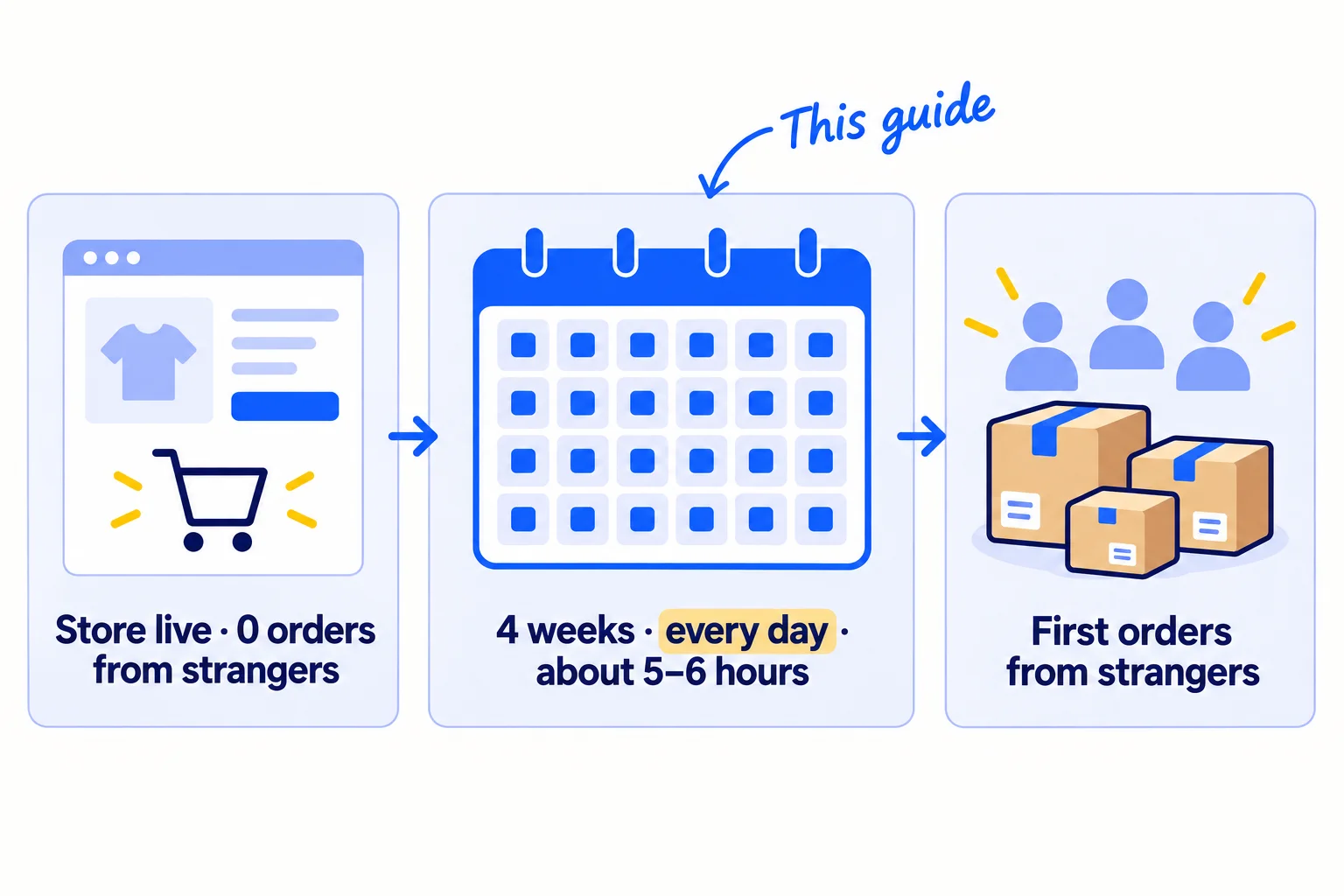
Your Shopify store is live, and the few orders you have came from friends and family, or there are none yet. Here is how to get your first sales on Shopify without an ad budget: check that a stranger can buy, then send 100 personal messages a day and post 2 short videos a day, for 4 weeks. Most new stores post a few times, send a few messages, hear nothing and decide the product is wrong, when too few people have ever seen it.
Do these three things
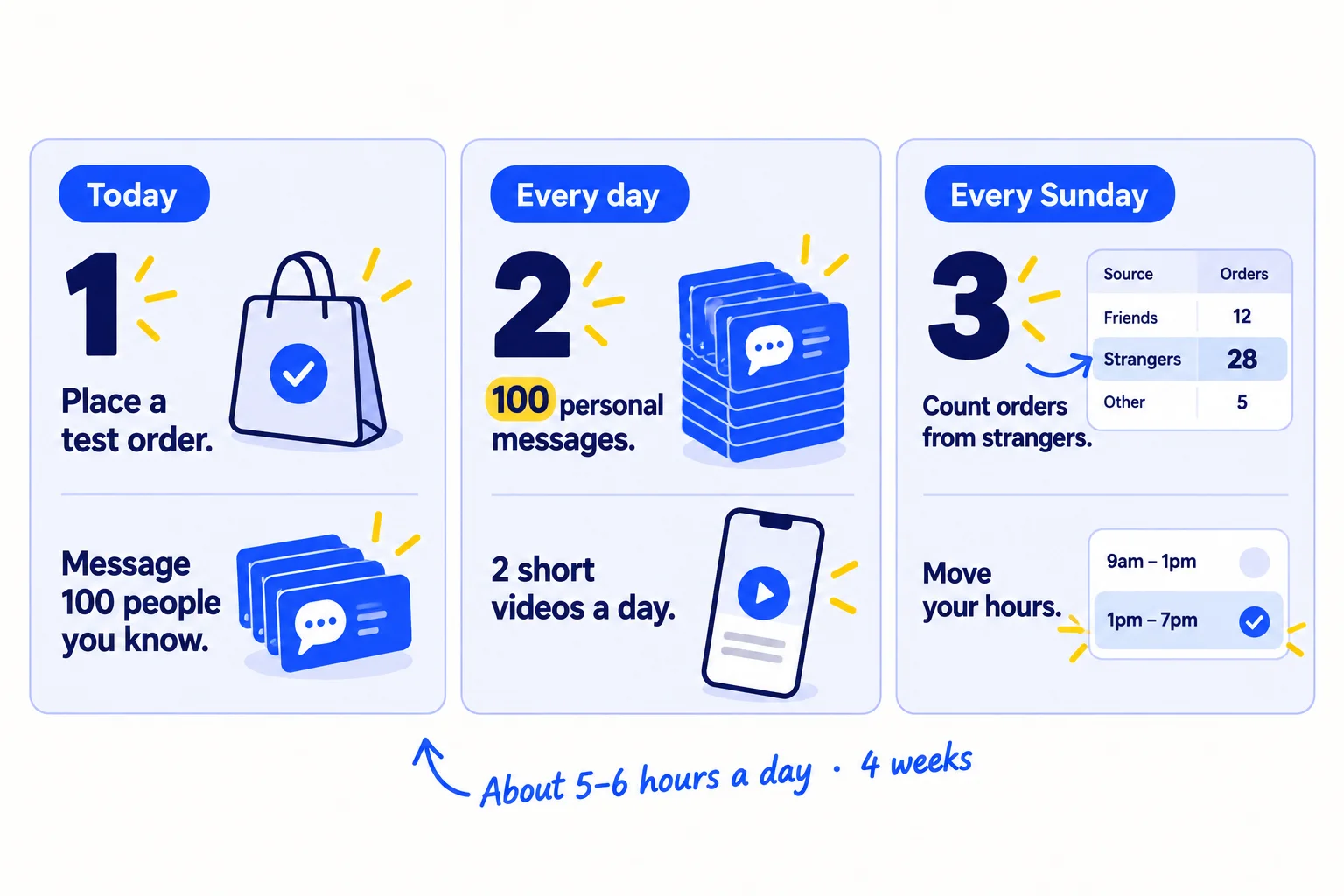
About 5 to 6 hours a day, every day, for 4 weeks, plus free products and postage for the creators who say yes. Judge it after 2,800 messages, not after the first slow week.
Show the three actions in fullHide the full list
- Today: place a test order and make your store public, so a stranger can actually buysoon. Then send your first 100 personal messages to people you know, asking each one to order or to pass your store on.
- Every day: send 100 personal messages: to people you know until everyone has one, then to small creatorssoon who post about products like yours. Post 2 short videossoon of your product being used on Instagram and 2 on TikTok. AI drafts; you add the true line and film the product.
- Every Sunday: count the orders from people you do not know by where each one came fromsoon. Give next week's hours to the places that brought them.
Get help doing these
ChatGPT or Claude reads this guide and works through it with you.
1. Place a test order and open your store to the public
Before you send anyone to your store, place one test order from start to finish and make the store public. New Shopify stores start in private mode, behind a password, and a store in payment test mode cannot take real card orders. Either one turns every visitor you send into a lost sale.
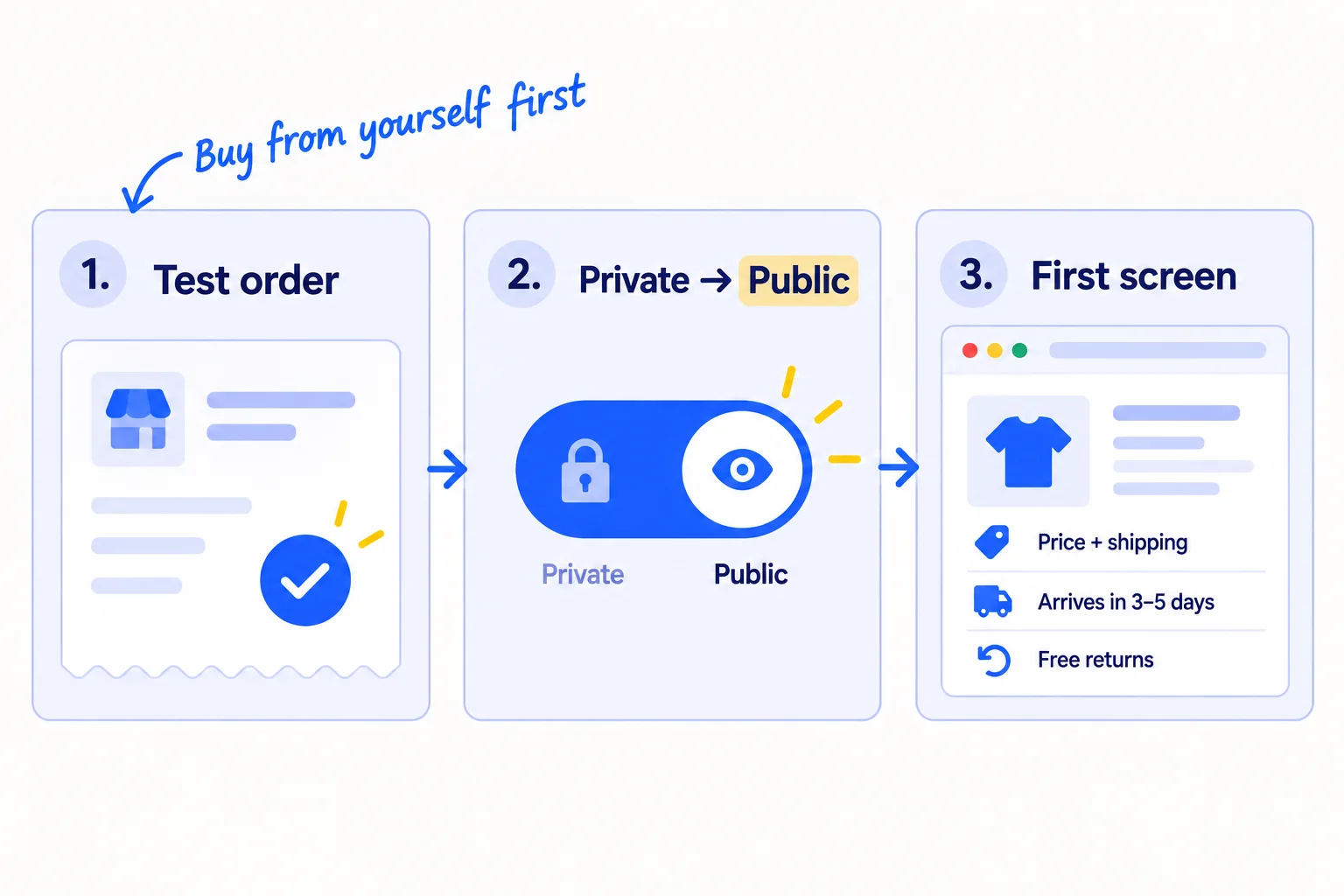
Do these in your Shopify admin, in this order:
- 1
Place a test order
Go to Settings › Payments. In the Shopify Payments section, click "Manage", then "Enable test mode", and save. Buy one product on your own store with the test card 4242 4242 4242 4242, any future expiry date, any 3-digit code and a name of two words. Check that the order shows in Orders and that the confirmation email arrives. Then go back and turn test mode off. While it is on, customers cannot pay by card. You need a paid plan to test payments. Shopify's current offer is 3 days free, then $1 a month for 3 months, then Basic at $39 a month ($29 if you pay yearly).
- 2
Make the store public
Go to Online Store. Click the "Private" button, choose "Public", and click "Launch store" (it says "Update" after the first time). If Shopify asks you to pick a plan or add a business address first, do that.
- 3
Fix the first screen of your product page
A stranger cannot ask you what a friend would. Among US shoppers who left a checkout, 40% left because of extra costs such as shipping, 20% because delivery was too slow, and 19% because they did not trust the site with their card (Baymard, 2025). So put the total price with shipping, the delivery time and your returns promise in the first screen, next to a photo of the product in someone's hands. Fill in all three policies in Settings › Policies: Terms of service, Privacy policy, and Return and refund policy.
- 4
Show a real business
Connect your own domain instead of the .myshopify.com address, use an email on that domain, and put a real photo of you on your About page. These are the quickest ways to make a new store look trustworthysoon. Shoppers on the Shopify Community say these are the first things they check on a new store with no social proof yet.
- 5
Turn on the free abandoned checkout email
Go to Apps › Messaging › Automations, open "Abandoned checkout emails by Shopify", and choose "Send abandoned checkout emails automatically". Shopify does not charge for these emails, and they do not count toward your monthly email limit. Add a signup form and welcome emailsoon later, once you get about 100 visits a week.
For the rest of the page, write a product description that answers the buyer's questionssoon, and check your price leaves you money after shipping. The deeper checkout fixes are in reducing abandoned cartssoon.
- Tool: your Shopify admin. No app needed.
- Time: about 2 hours.
- You will have: a public store that has taken one full order, a first screen with the total price and delivery time, and a free email for people who leave checkout.
- It worked if: your test order went through and the email arrived, test mode is off, and 4 of 5 people who do not know you can say the total price with delivery and the delivery time after looking at the page for 10 seconds.
- Common mistake: sending people to a store that is still private or still in test mode. The other one is showing shipping only at checkout. That surprise is the biggest reason shoppers leave.
2. Message everyone you know and ask them to order or pass it on
Send a personal message to every person you know, one at a time, and ask them to order if the product fits them, or to name one person it does fit. People you know are the only ones who will buy before your store has reviewssoon, and each order gives you a real buyer to ask for one.
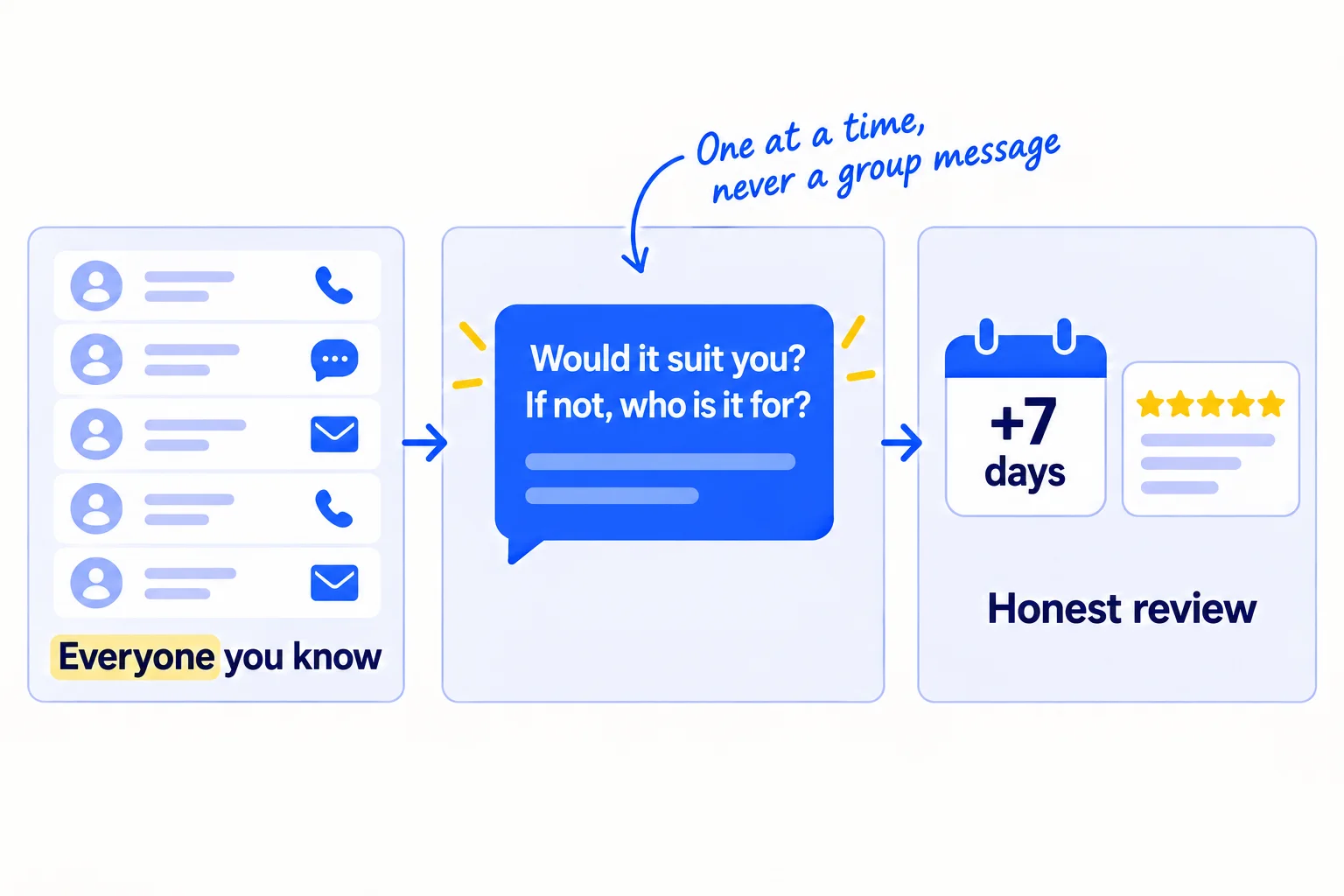
Make one list of everyone: your phone contacts, WhatsApp, Instagram and Facebook friends, LinkedIn connections, and old email threads. Most people can list 200 to 400 names. Send the first 100 today, and the rest over the next days, as part of your 100 a day.
This is warm outreach: people who know you. Say plainly who the product is for, so they can think of the right person. Give ChatGPT or Claudesoon your list in groups (old colleagues, family, gym friends) with the template below, and ask for one draft per person. Add one true line about each person yourself, then send it from your own phone or account, one at a time. That is about a minute a message. A post or a group message is easy to ignore; a message with their name in it gets read. Every introduction is a small referralsoon: message that person the same day, and thank whoever passed you on.
Hi [name], [one true line about them or the last time you spoke].I've just started [your store], selling [what it is] for [who it is for]. [One line on why you made it.]Would it suit you? If yes, here's the link: [product link]. If not, do you know one person it would suit? I'd love an introduction.No pressure at all either way.
Seven days after each order arrives, ask the buyer for an honest review. Install Judge.me: its Forever Free plan collects unlimited reviews, including photo reviews. Follow the FTC's rules on reviews: ask every buyer, not only the ones you think liked it; friends and family must say in the review that they know you; and never tie a discount or gift to a good review.
Hi [name], your [product] should have arrived last week. How is it going?If you have a minute, would you leave an honest review? Good or bad, it helps the next person decide. [review link]As we know each other, please mention that in the review.
Skip the big launch discount. A friend who would not pay full price is not your buyer, and a discount for everyone teaches people to wait for the next salesoon.
- Tool: your phone, your messaging apps, a Google Sheet to log who you messaged, and Judge.me (free).
- Time: about 3 hours today, then part of your daily 100 until every name has had one message.
- You will have: every person you know messaged once, your first orders, and a list of names they passed you.
- It worked if: you get at least 2 orders or introductions for every 100 messages. If you get fewer, ask 5 of the people who said no what stopped them, and fix the first screen from step 1 before you message more.
- Common mistake: posting one "we launched!" story and counting it as telling everyone. Most of your contacts never see it. Message each person.
See it done: Ferns & Rinse's message to an old colleague
Ferns & Rinse is a made-up plant-based haircare brand with its own Shopify store. It sells one shampoo and one conditioner at $28 each, or both for $49.
To: Priya, an old colleague with curly hair
Hi Priya, I still think about your talk at the Leeds offsite. It was the best one that year.
I've just started Ferns & Rinse with my sister: a plant-based shampoo and conditioner for dry, curly hair. We made it because we couldn't read the labels on the salon brands.
Would it suit you? If yes, here's the link: [link to both]. If not, do you know one person it would suit? I'd love an introduction.
No pressure at all either way.
Maya
Why it works: It is about her, asks for an order or a name, and makes saying no easy.
3. Send 100 messages a day to small creators who post about products like yours
Once everyone you know has had a message, send all 100 of your daily messages to small creatorssoon who already post about your kind of product. Offer a free product with no need to post. One honest video from someone your buyers already follow is how most new stores reach their first strangers.
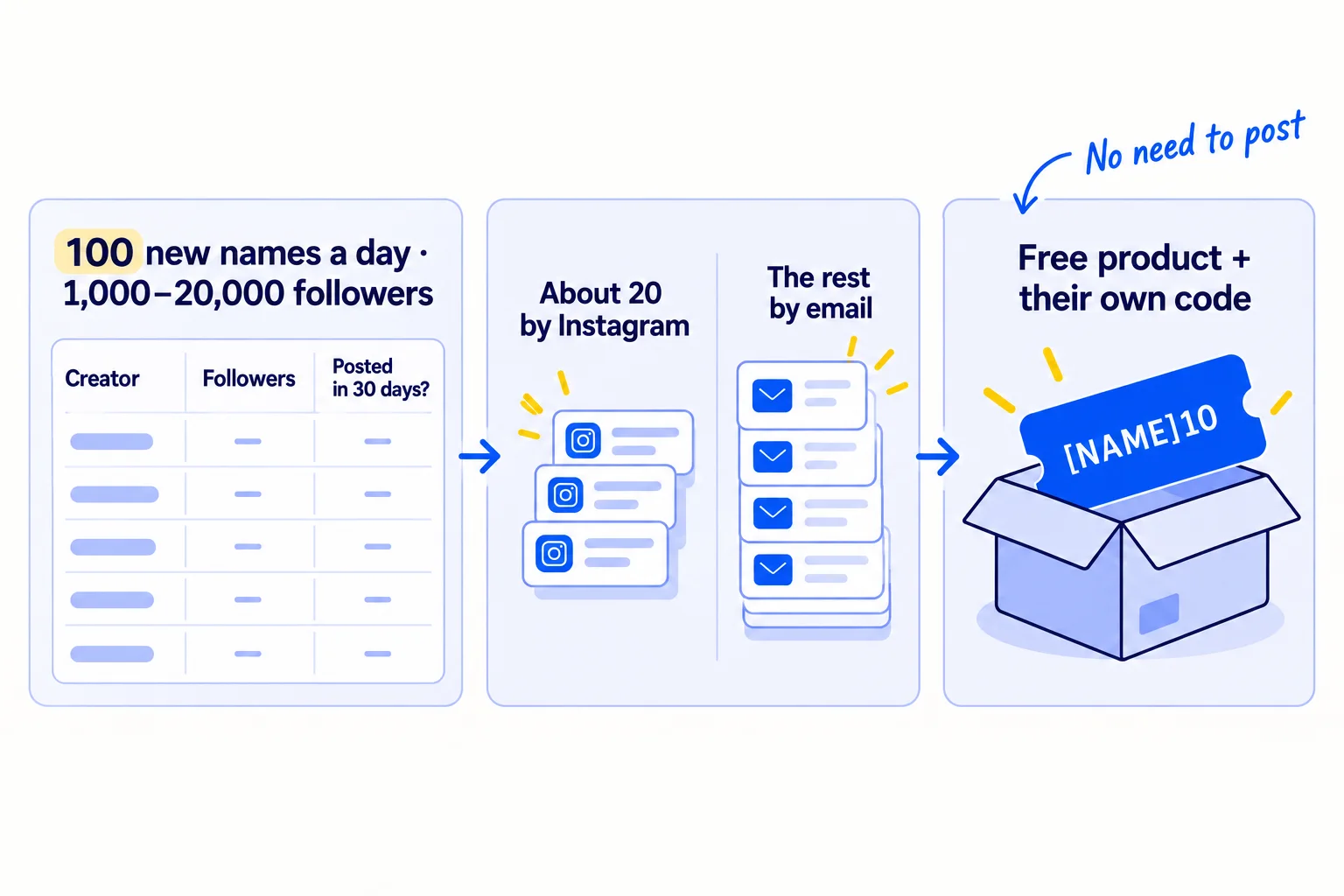
Build the list: 100 new names a day. Search Instagram and TikTok for your buyers' words, such as "[your problem] routine" or "[your kind of product] review". Keep a micro-influencer only if they have 1,000 to 20,000 followers, posted about a product like yours in the last 30 days, and get comments that are real questions. Note their business email if their bio shows one. 100 a day is 2,800 names in 4 weeks, so this list-building is part of every day.
Write the messages with AI. Paste 10 creators at a time into ChatGPT or Claude, each with one line about a video they made, and the template below. Check each first line is true and about their video, then send. About a minute a message.
Spread the messages over Instagram and email. Instagram does not publish how many messages you may send to people who do not follow you, and new accounts get warnings early. Send about 20 a day by Instagram message, and if you see a warning, stop there for the day. Send the rest by emailsoon to the business address in each creator's bio. Gmail requires every sender to set up SPF or DKIM, settings that prove your email comes from your domain, and to keep spam reports under 0.3%. If you email more than about 50 people a day who do not know you, set up a second domainsoon and warm it up first, so your store's own email stays safe. In the US, the CAN-SPAM Act applies: every email needs your postal address and a way to say no, and you must honour a no within 10 business days.
Follow up with each creator who has not answered, twice, 3 days apart, with one new line each time. Follow-upssoon count toward your 100.
Ship only to creators who say yes, up to a weekly cap you can afford, such as 15 products a week. Put the rest on a waiting list for next week. Give each creator their own discount code in the Discounts section of your admin, such as their name plus 10% off, so you can see which orders they bring. Shopify Collabs, a free Shopify app, can do the codes and the gift shipping for you. Ask whether you may reuse their video on your product page, and get the yes in writing: it becomes your first customer contentsoon.
The FTC expects a creator who got a free product to say so in the post itself, for example "Thanks to [brand] for the free product". Put that line in your message, as below.
Subject: [your product] for your [their topic] videosHi [first name],[One true line about a video they made.]We make [what it is] for [who it is for]. Could I send you one to try? It's free, and there's no need to post.If you do post, please say it was a gift ("Thanks to [brand] for the free product"). Here's a code for your followers too: [CODE] for [X]% off.[Your name], [store name]
[Postal address]
Not for you? Reply "no" and I won't write again.
If you sell on TikTok Shop too: creators on TikTok Shopsoon ask for free samples through its affiliate program. Pick them the same way, and read how to get TikTok Shop affiliates to postsoon.
- Tool: Instagram and TikTok search, Gmail, a Google Sheet, Shopify discount codes or Shopify Collabs (free to install), and ChatGPT or Claude to draft.
- Time: about 45 minutes a day to find 100 new names, about 2 hours to send 100 messages and follow-ups, plus packing and posting.
- Cost: your weekly cap of free products, plus postage.
- You will have: 2,800 creator messages sent and logged after 4 weeks, and every creator who said yes holding your product and their own code.
- It worked if: at least 5 of every 100 creators say yes, and by week 4 at least 1 order has used a creator's code. If fewer than 3 in 100 say yes, rewrite the first linesoon so it is more clearly about their video.
- Common mistake: sending a few messages and stopping. In January 2026 a new store owner wrote on the Shopify Community that the creators they emailed "ghosted" them; the advice back was to send many messages every day, "not just a couple". The other mistake is picking big accounts because the follower count looks good. They rarely answer.
See it done: Ferns & Rinse's email to a creator
To: Jo, who posts curly-hair wash days to 8,000 followers
Subject: shampoo for your wash-day videos
Hi Jo,
Your wash-day video with the cold-rinse step was the first one that actually fixed my frizz.
We make a plant-based shampoo and conditioner for dry, curly hair. Could I send you both to try? They're free, and there's no need to post.
If you do post, please say they were a gift ("Thanks to Ferns & Rinse for the free product"). Here's a code for your followers too: JO10 for 10% off.
Maya, Ferns & Rinse [Postal address] Not for you? Reply "no" and I won't write again.
Why it works: The first line is about her video, the ask is small, and the code shows which orders she brings.
4. Answer 20 shopper questions a day in 5 communities
Pick 5 online places where shoppers ask for recommendations about your kind of product, and answer 20 questions a day across them. Answer the question fully first. Mention your store only if someone asks, or if the place allows it, and always say it is yours.
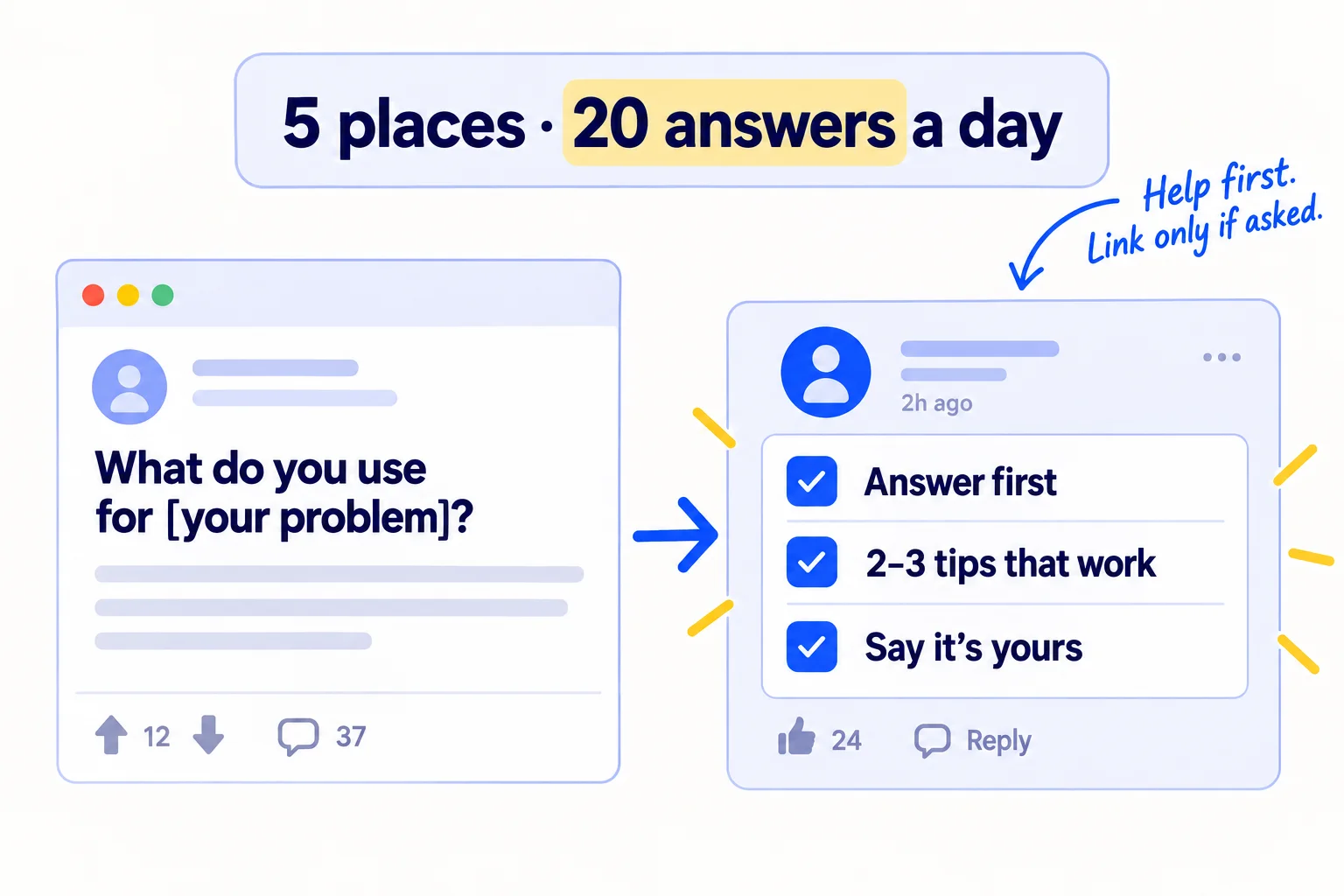
A place can be a subreddit, a Facebook groupsoon or a forum where your buyers talk. Find themsoon by searching your buyers' problem plus "reddit" or "group" on Google, and keep places with recommendation questions from the last 30 days. Read each place's rules page before you post. Reddit's own content policy asks you to post in communities you really care about and not to spam, and each subreddit sets its own rule on links; many allow them only in a weekly thread. 20 answers spread over 5 places is about 4 in each, which stays inside most rules. 20 in one place in a day looks like spam.
Let AI find the questions and list the points to cover. Write the answer yourself, from what you know about the problem. Communities remove replies that read as pasted from AI, and accounts that only promote get bannedsoon.
[Answer their exact question in the first line.][2–3 tips that help, which work without buying anything.][Only if it truly helps, and the rules allow it:] Disclosure: I make [what it is] for this. Happy to share the link if useful.
- Tool: the search box on each site.
- Time: about 1 hour a day, 3 minutes an answer.
- You will have: 560 useful answers after 4 weeks, under your own name.
- It worked if: by week 4 those places show up in your visits by source (step 7), and at least 1 order says it came from one of them.
- Common mistake: posting "check out my new store". Moderators remove it, and the account loses the trust it needs for the next answer.
See it done: Ferns & Rinse's reply in a curly-hair community
Asked in a curly-hair community on Reddit
“My curls are dry and frizzy by day two. What am I doing wrong?”
The reply
Most day-two frizz is dryness, not the curl. Three things help: use a shampoo without sulphates only once or twice a week, rinse the conditioner with cool water, and scrunch with a cotton T-shirt instead of a towel. Sleeping on a satin pillowcase helps too. Disclosure: I make a plant-based shampoo for this. Happy to share it, but the steps above fix most of it.
Why it works: It solves the problem without the product and says openly that she makes one.
5. Post 2 short videos a day of your product being used
Post 2 short portrait videossoon a day on Instagram and 2 on TikTok, each showing your product in someone's hands, fixing the problem your buyers have. Show what it does, not only how it looks.
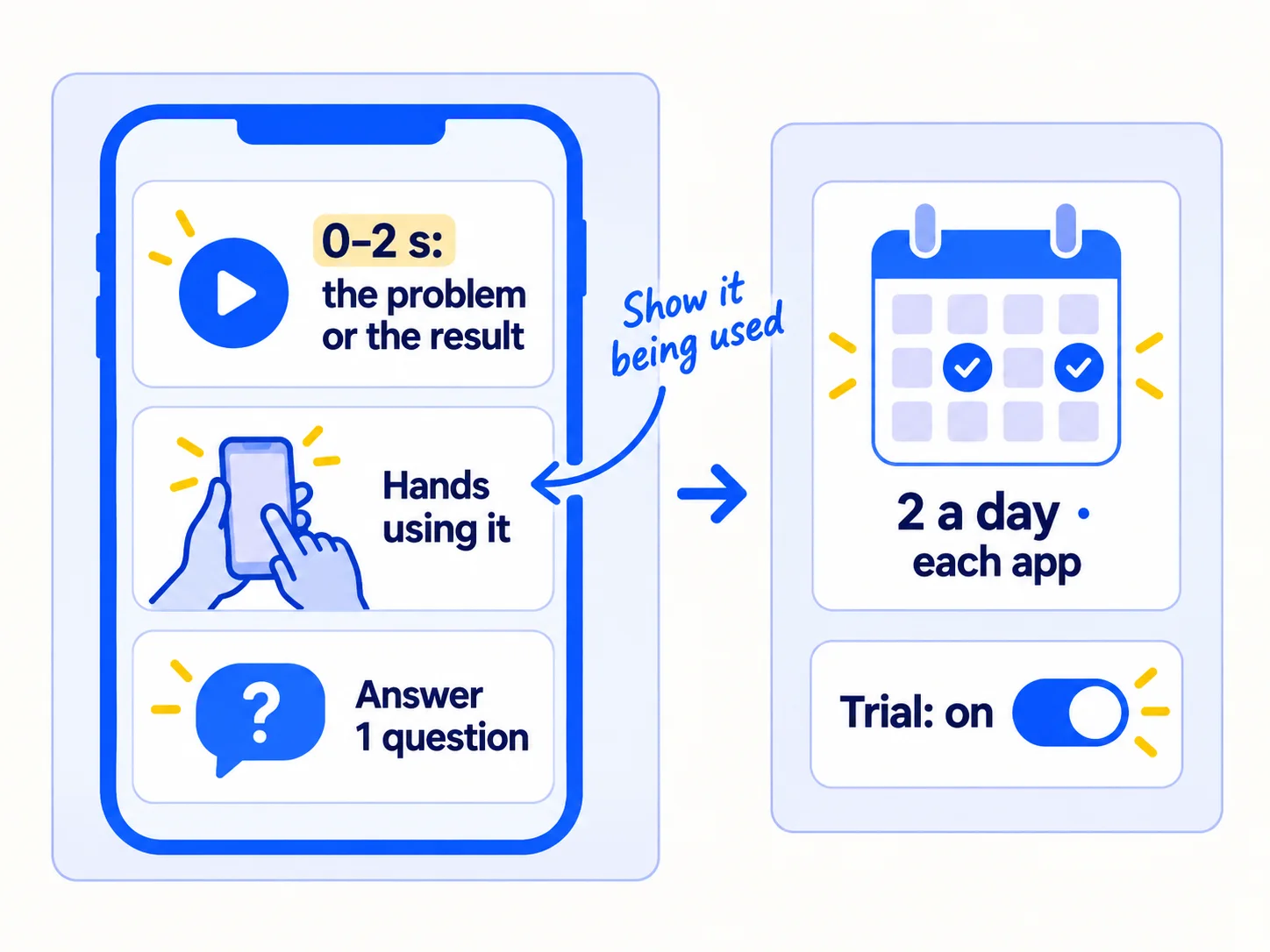
Film in two batches a week, 14 videos each time, so you are not filming every day. Each video is 15 to 30 seconds, portrait (9:16). The first 2 seconds show the problem or the result, so a stranger knows at once why to keep watching. Give ChatGPT or Claude the questions your buyers asked in step 2 and in the communities, and ask for 14 short scripts. That is AI doing the draftingsoon; then film them yourself, with the real product.
The problem, then the fix: [the problem in 2 seconds] → [hands using the product] → [the result].
A buyer's question: "[a question from your messages or communities]?" → [the answer, shown, not told].
Before and after, or a creator's video you have written permission to reuse.
On Instagram, post each one as a Reel. Before you share, turn on the "Trial" toggle, so Instagram shows it to people who do not follow you first, for about 72 hours. Switch to a professional account if you do not see it; it is free. Use up to 5 hashtags: Instagram now allows no more, and says hashtags help people know what a post is about rather than add reach. Post the same video on TikTok; one video can serve several appssoon. More video ideas for your kind of store are in Instagram post ideas for D2C brandssoon, and the rest of the account setup is in promoting your business on Instagramsoon.
- Tool: your phone, Instagram and TikTok, and ChatGPT or Claude for the scripts.
- Time: about 1 hour 30 minutes a day on average: two filming sessions of about 3 hours a week, plus 20 minutes a day to post and reply to comments.
- You will have: 56 videos on each app after 4 weeks, and a first sense of which problem people watch.
- It worked if: by week 4 at least one video passed 1,000 views and Instagram or TikTok shows up in your visits by source. If none of the first 56 passed 500 views, change the first 2 seconds before you change anything else.
- Common mistake: a polished ad with music and no hands in it, or judging videos by likes. Count the visits and orders they bring.
6. Turn on free Google listings and check your store shows up in ChatGPT
Connect your store to Google's free product listings and check that your products can appear in ChatGPT. Both are free, and both put your products in front of shoppers who are already asking for something like them.
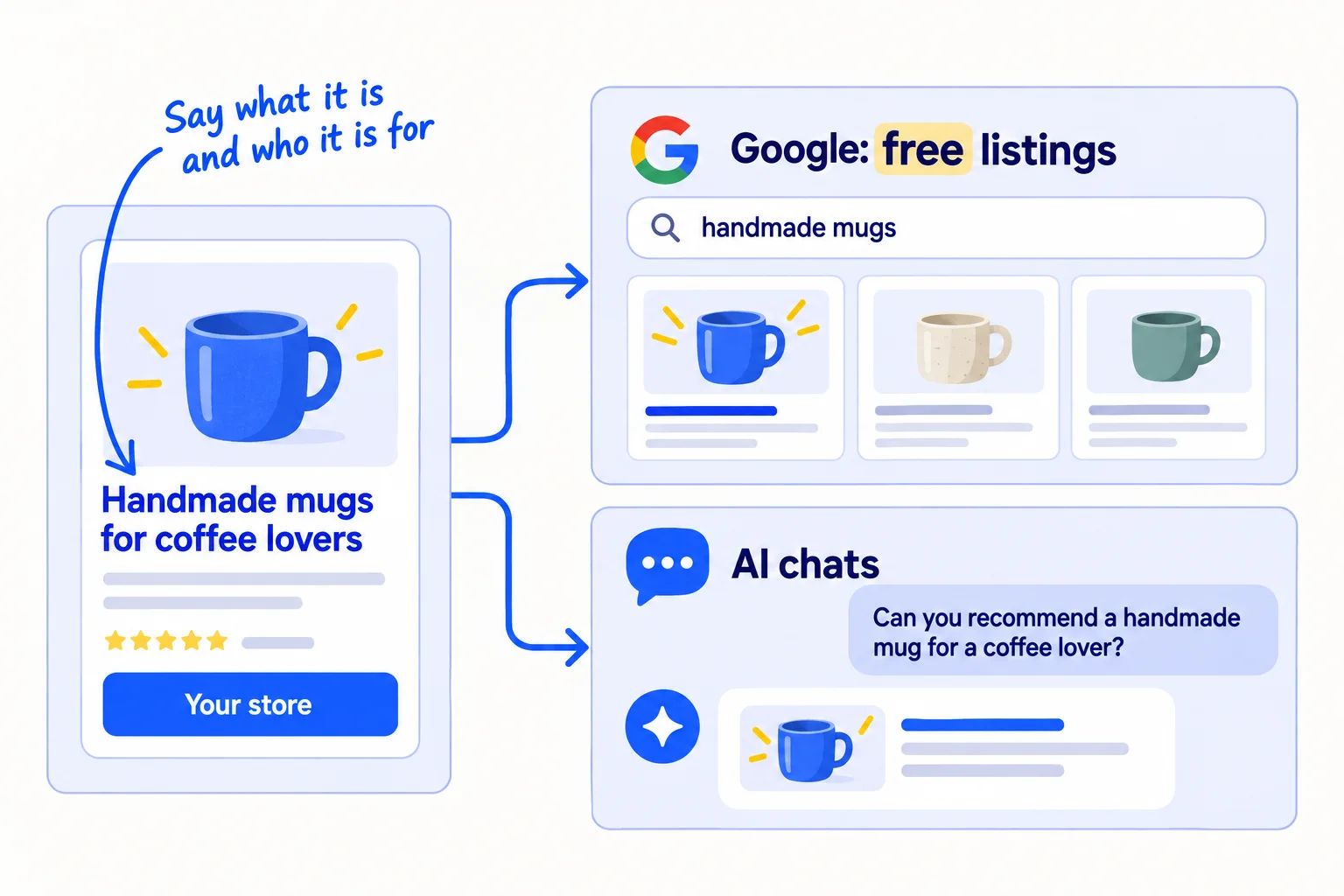
Google. Install the Google & YouTube channel from the Shopify App Store and connect a Google Merchant Center account. It sends your products to Google. Free listingssoon are turned on by default in most cases, and can show your products at no cost in Google Search, the Shopping tab, Images, Lens, YouTube and Gemini.
ChatGPT. Selling in ChatGPT is on by default for eligible Shopify stores, with no fee beyond your normal payment fees. Your store must sell to US customers and have all three policies from step 1. In your admin, open Sales channels › Agentic › ChatGPT and check it is on. More on getting recommended by ChatGPTsoon is in its own guide.
Rename your products. Google and AI chats match your products to what shoppers type and ask. Name each product "[what it is] for [who or what problem]", not a clever name alone. The same titles help your Shopify SEOsoon.
- Tool: your Shopify admin and Google Merchant Center. Both free.
- Time: about 2 hours, once.
- You will have: your products in Google's free listings and in ChatGPT, with titles that say what they are.
- It worked if: Merchant Center shows your products as approved with no errors, and its Performance page shows your first free-listing clicks within a month. Once a month, ask ChatGPT "What's a good [your product] for [who]?" and write down who it namessoon.
- Common mistake: product names like "No. 2" or "The Soft One", or missing policies. Then neither Google nor ChatGPT can tell what you sell.
See it done: Ferns & Rinse's conditioner title
Before
The Soft Rinse
After
Plant-Based Conditioner for Dry, Curly Hair | Ferns & Rinse
Why it works: The new title says what it is and who it is for, which is what a shopper types or asks.
7. Count orders from strangers every Sunday and move your hours
Every Sunday, write down how many orders came from people you do not know, and where each one came from. After 2,800 messages, stop what brought no orders and give its hours to what brought the most.
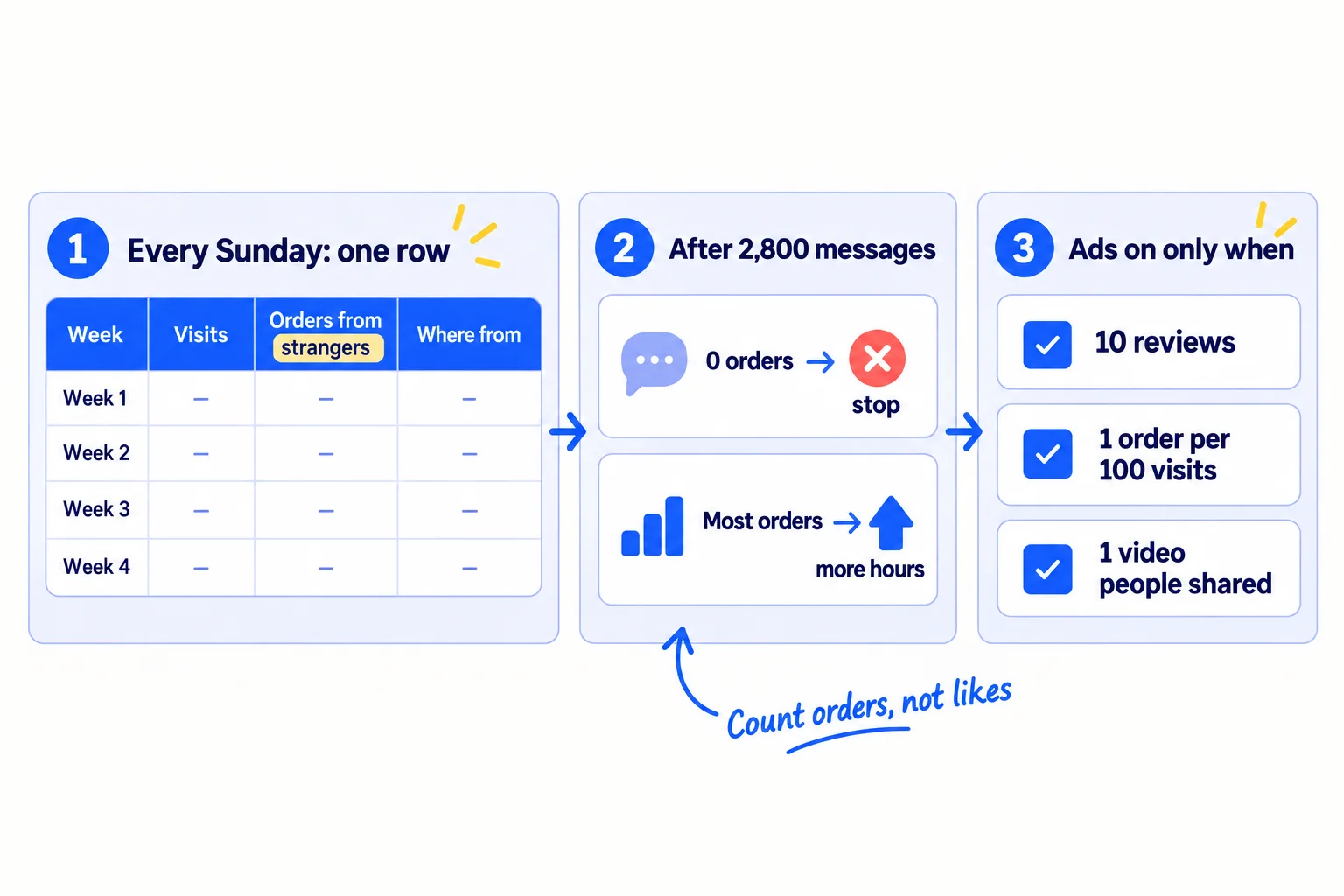
Get the numbers from three places. Visits by source are in Shopify's Analytics › Reports, in the "Sessions by referrer" report. Orders from creators show on their discount codes. For every other order from someone you do not know, email them a thank-you and ask "How did you first hear about us?" This is self-reported attribution, and at this size it is the most reliable source you have. Tag the links you share in bios and messages with UTM parameterssoon, so your visits show their source too.
Week | Messages sent | Creators who said yes | Answers | Videos | Visits | Orders: people you know | Orders: strangers
Where strangers came from: creator codes | communities | videos | Google or ChatGPT | other
After 2,800 messages (4 weeks at 100 a day), decide:
- A place that brought 0 orders and almost no visits: stop it, and move its hours to the place that brought the most orders from strangers.
- More than 500 visits from strangers and 0 orders: the problem is the store, not the traffic. Go to fixing a Shopify store with traffic but no salessoon before you send more people.
- Creators brought orders: raise your weekly sample cap if your budget allows.
Leave paid ads off until all three are true: you have at least 10 reviewssoon, you get at least 1 order for every 100 visits from people who do not know you, and one video got shares or comments without being paid for. Meta's ad system needs about 50 purchases a week in one ad set to finish learning, which a new store cannot give it, so a small budget buys clicks and few orderssoon. When you are ready, work out your break-even ROASsoon first, then run Meta ads for your storesoon with the video that worked.
- Tool: Google Sheets, Shopify Analytics and your discount codes.
- Time: 20 minutes each Sunday.
- You will have: one row a week, and a source for every order.
- It worked if: you can say where every order from a stranger came from.
- Common mistake: judging after one slow week, or counting followers and likes instead of orders. The other is turning ads back on because a week was quiet.
See it done: Ferns & Rinse after 4 weeks
The Sunday sheet, weeks 1 to 4
| Week | Messages sent | Products sent to creators | Answers | Videos | Visits | Orders: people they know | Orders: strangers | Where strangers came from |
|---|---|---|---|---|---|---|---|---|
| 1 | 700 | 9 | 140 | 28 | 190 | 7 | 0 | none |
| 2 | 700 | 15 | 140 | 28 | 240 | 3 | 2 | creator code 1, community 1 |
| 3 | 700 | 15 | 140 | 28 | 310 | 2 | 3 | creator codes 2, videos 1 |
| 4 | 700 | 15 | 140 | 28 | 360 | 1 | 4 | creator codes 2, community 1, Google 1 |
The decision: creators brought 5 of the 9 orders from strangers, so the founders raise the cap from 15 to 20 products a week. The community brought 2 orders, so they keep it. Videos brought visits but 1 order, so they keep 2 a day and change the first 2 seconds. With 13 reviews but no video shared yet, ads stay off.
Why it works: They move hours by counting orders from strangers, not likes or visits.
When one place clearly brings orders, choose the next channel to add, and move into the longer routine for marketing a D2C brand. Once a month, step back for a marketing reviewsoon.
Where Scout7 helps
Scout7 speeds up steps 4, 5 and 6. Steps 1, 2, 3 and 7 are yours.
Step 4. Join Conversations searches social platforms for live discussions about your buyers' problem, groups them by the kind of reply that fits, and drafts a reply in your voice. You read each thread and approve or rewrite the reply. Nothing is posted without your approval.
Step 5. Scout7 makes portrait (9:16) videos from a script, with captions, and image posts with captions in your brand's voice. You choose the cast and voice, direct each scene, reshoot what misses and approve the cut. It schedules approved posts to Instagram, Facebook and Threads; you download the video to post on TikTok.
Step 6. Scout7 builds your competitor set and reports which competitors win the search and AI answers you want, and by how much. That turns the monthly "who does ChatGPT name?" check into a list you can act on.
Your first-sales checklist for the next 4 weeks
0 of 16 done
Work through this list with an AI assistant
It drafts the work and keeps track of what is done.
Frequently asked questions
- How long does it take to get your first sale on Shopify?
From people you know, often within the first days of messaging them. From strangers, expect the first creator posts in weeks 2 to 3, because creators need time to receive and try the product. Judge the whole routine after 2,800 messages, about 4 weeks. If you have sent them all and no stranger has ordered, go back to step 1 and ask 5 people what stopped themsoon.
- Can I get sales on Shopify without ads?
Yes. Every step in this guide is free apart from your products and postage. Ads come later: wait until you have 10 reviews, 1 order per 100 visits from strangers, and one video people shared. Before that, ads pay to send strangers to a page you have not tested. Set your marketing budget around your time first.
- Should I give friends and family a discount?
No big discount. A friend who would only buy at 30% off is not your buyer, and it hides whether your price works. If you want to thank them, add a small free extra to the parcel. Never give anything in return for a good review: the FTC forbids tying a reward to a positive review, and friends must say they know you.
- Isn't 100 messages a day too many?
Not if each one is personal. With AI drafting, each takes about a minute, and you add one true line about the person. What gets you blocked is the same text sent to everyone, or too many Instagramsoon messages from a new account. Send about 20 by Instagram, the rest by email, and stop writing to anyone who says no.
- My store gets visitors but no sales. What now?
If more than 500 visits from people who do not know you brought 0 orders, the store is the problem, not the traffic. Check the first screen from step 1, then ask 5 visitors what stopped them. The full checklist is in fixing a store with traffic but no salessoon, and why no one is buying covers the offer itself.
Sources
- 1.Password page and private mode — Shopify Help Center, checked 27 September 2026
- 2.Placing test orders — Shopify Help Center, checked 27 September 2026
- 3.Shopify Payments test mode — Shopify Help Center, checked 27 September 2026
- 4.Shopify pricing — Shopify, checked 27 September 2026
- 5.Abandoned checkout emails — Shopify Help Center, checked 27 September 2026
- 6.Shopify Messaging email pricing — Shopify Help Center, checked 27 September 2026
- 7.Cart abandonment rate statistics — Baymard Institute, updated 22 September 2025
- 8.Judge.me Product Reviews — Shopify App Store, checked 27 September 2026
- 9.Soliciting and paying for online reviews: a guide for marketers — Federal Trade Commission, checked 27 September 2026
- 10.Disclosures 101 for social media influencers — Federal Trade Commission, checked 27 September 2026
- 11.Shopify Collabs — Shopify App Store, checked 27 September 2026
- 12.Email sender guidelines — Google Workspace Admin Help, checked 27 September 2026
- 13.CAN-SPAM Act: A Compliance Guide for Business — Federal Trade Commission, checked 27 September 2026
- 14.Trial reels: try content with non-followers first — Instagram for Creators, checked 27 September 2026
- 15.Instagram implements new limits on hashtag use — Social Media Today, 18 December 2025, checked 27 September 2026
- 16.Free listings for products — Google Merchant Center Help, checked 27 September 2026
- 17.Google & YouTube channel — Shopify Help Center, checked 27 September 2026
- 18.Selling on ChatGPT — Shopify Help Center, checked 27 September 2026
- 19.Acquisition reports: Sessions by referrer — Shopify Help Center, checked 27 September 2026
- 20.Meta ads learning phase: 50 events explained — adlibrary, 2026, checked 27 September 2026
- 21.Struggling Shopify store: almost no traffic, no sales — Shopify Community, 6 January 2026
- 22.How do you build trust quickly on a fresh Shopify store with no reviews? — Shopify Community, 1 April 2026
- 23.First sales advice — Shopify Community, 29 July 2026
Next article to read
Related guides
- How to market a D2C brandD2CMarket your D2C brand when your first orders came from friends: an 8-week routine for your product page, first reviews, free product for small creators, short videos, free Google and ChatGPT listings, and a Friday count that tells you when to turn ads back on.
- How to make a new store look trustworthyD2CComing soon
- How to get your first product reviewsD2CComing soon
- How to fix a Shopify store with traffic but no salesD2CComing soon
Guides that link here
- How to market a D2C brandD2C
- How to get your first sale on EtsyD2C
- How to get customers online for free
- How to get people to try your product
- Why no one is buying your product, and how to fix it
- How much to spend on marketing as an ecommerce brandD2C
- How to create an ideal customer profile
- How to price a productD2C
- How to validate a business idea without spending money
Cite this page
Dinesh Bypilla (2026). How to get your first sales on Shopify. Scout7 Academy. https://scout7.ai/academy/first-customers/how-to-get-your-first-sales-on-shopify
Written by Dinesh Bypilla, Agentic systems engineer at Scout7. Reviewed by Murali Sid. Last checked 27 September 2026.
Quote any part of this guide with a link back to this page. © 2026 Scout7.
Markdown version of this page: https://scout7.ai/academy/first-customers/how-to-get-your-first-sales-on-shopify.md