



How to get traffic to a new website for free
Get traffic to a new website for free: let Google, Bing and ChatGPT read your site today, write down 100 questions your buyers ask, then publish 1 page, give 20 answers in 5 communities and post 2 times on 2 channels every day, and count visits by source every Sunday.
ByDinesh BypillaReviewed byMurali SidLast checked 22 min read
Your website is live, and almost nobody visits it. Here is how to get traffic to a new website for free: let Google, Bing and ChatGPT find it today, then every day answer the questions your buyers ask, on your own pages and in the places they already talk. Most founders post a few links, see a spike for one day, then nothing, and decide the site is the problem, when too few people have ever been given a reason to click.
Do these three things
About 3 hours a day, every day. Judge communities and social after 4 weeks (560 answers and 112 posts), and search after 3 months (90 pages).
Show the three actions in fullHide the full list
- Today: add your site to Google Search Consolesoon and Bing Webmaster Tools, check that Google, Bing and ChatGPT's search crawler may read it, and write down 100 questions your buyers asksoon.
- Every day: publish 1 page that answers one of those questions, give 20 answers across 5 online communitiessoon, and post 2 times on each of 2 social channels. AI drafts; you add what only you know.
- Every Sunday: count this week's visits by where they came fromsoon, and move your hours to the sources that bring people who stay. Judge search at month 3soon, not week 4.
Get help doing these
ChatGPT or Claude reads this guide and works through it with you.
1. Get your new website on Google, Bing and ChatGPT
Add your site to Google Search Console and Bing Webmaster Tools, check that nothing blocks their crawlers or ChatGPT's, and turn on free analytics. Google says it "can take a few weeks" to notice a new site on its own, so do this today and every other step starts sooner.
Do these once, in this order:
- 1
Add your site to Google Search Console
Open Search Console, click "+ Add property", choose Domain, and add the line Google gives you to your domain's DNS settings. Then open Sitemaps and submit your sitemap, the file that lists every page. Most site builders make it for you at yoursite.com/sitemap.xml. Search Console is free. The full tour is in how to use Google Search Consolesoon.
- 2
Import your site into Bing Webmaster Tools
Sign in to Bing Webmaster Tools, go to My Sites and click "Import". Sign in with the Google account you just used and pick your site. It is verified at once, and your sitemap comes with it. Bing is free too, and since February 2026 its AI Performance report shows how often Copilot and Bing's AI answers cite your pages.
- 3
Check that crawlers may read your site
Open yoursite.com/robots.txt. If you see "User-agent: *" or "User-agent: OAI-SearchBot" followed by "Disallow: /", delete those lines. OpenAI says sites that block OAI-SearchBot "will not be shown in ChatGPT search answers". Also look for a "Discourage search engines" or "Hide from search" setting in your site builder, and turn it off. This is the first line of any technical SEO checklistsoon.
- 4
Turn on Google Analytics and ask Google to read your home page
Create a free Google Analytics 4 property and add its tag to your site; most site builders have a box for it. Then, in Search Console, paste your home page into URL Inspection and click "Request indexing". Google says indexing "typically takes only a day or so, but can take much longer".
Skip special AI files for now. Google says you need no "AI text files" or special markup to appear in AI Overviewssoon or AI Mode; your pages only need to be indexed. The optional extras are in llms.txt and schema markupsoon.
If you run a D2C store: Shopify makes your sitemap for you at yourstore.com/sitemap.xml and keeps it up to date. Check the store is not still behind a password: a private store sends every visitor, and every crawler, to a locked page.
If you run a B2B company or an agency that meets clients in person: also set up a Google Business Profilesoon. Google only allows businesses that meet customers face to face; online-only businesses are not eligible.
- Tool: Google Search Console, Bing Webmaster Tools and Google Analytics 4. All free.
- Time: about 1 hour, once.
- You will have: your site in both search tools, a sitemap submitted, and analytics counting every visit.
- It worked if: within 2 weeks, URL Inspection shows your home page as "URL is on Google", and searching your business name in a private browser window shows your site. If it does not, open Search Console's Page indexing report and fix what it listssoon.
- Common mistake: waiting for Google to find the site on its own, or leaving a "Disallow: /" or "noindex" setting from when the site was being built. Either one keeps you out of search for weeks.
2. Write down 100 questions your buyers ask
Make one sheet of 100 questions your buyers type into Google, ask ChatGPT, or post in forums, in their own words. Every page, answer and post in the next steps comes from this list, so you never sit down wondering what to write.
Collect them from four places:
- Google suggestions. Type the start of your buyer's problem into Google, such as "how to fix [problem]" or "best [thing you sell] for", and copy what Google suggests. Then put the same words into the free Ahrefs Keyword Generator and open its Questions report. It shows roughly how many people search each one a month.
- Forums. Search Reddit and the forums from step 4 for your buyer's problem, sort by New, and copy the questions people asked in the last 3 months.
- AI chats. Ask ChatGPT and Google's AI Mode the question your buyer would ask. Copy the follow-up questions they suggest.
- Your own customers. Write down every question a buyer or interview asked you before they bought.
Give ChatGPT or Claudesoon your list and ask it to remove repeats and group the questions by topic. Then mark each one "page", "answer" or "post". Questions many people search become pages; questions asked once in a thread become answers.
If you run a SaaS: add "[competitor] alternative" and "[competitor] vs [competitor]" for every tool your buyers compare you with. People type these just before they choose, and they make good alternatives pagessoon.
If you run a B2B company: your best questions come from calls and quotes: "What is the minimum order?", "How long does [product] take to make?". Search them on Google with your industry to see how they are phrased.
If you run an agency: list the questions your clients asked before they hired you, such as "How much does [service] cost for a small company?", not questions other marketers ask.
- Tool: Google, the free Ahrefs Keyword Generator, ChatGPT or Claude, and a Google Sheet.
- Time: 2 hours today, then 10 minutes a day to add 5 new questions.
- You will have: a sheet of 100 questions, each with where you found it and where you will answer it.
- It worked if: all 100 rows are in a buyer's words, and at least 30 of them show up as a Google suggestion or in the Ahrefs tool.
- Common mistake: writing topics you want to talk about, such as "our story" or "why we started". Nobody searches for those. Your ideal customer searches for their problem.
See it done: The first 6 rows of Ferns & Rinse's question sheet
Ferns & Rinse is a made-up plant-based haircare brand with its own Shopify store. It sells one shampoo and one conditioner at $28 each, or both for $49.
| Question | Found in | Answer as |
|---|---|---|
| how often should you wash curly hair | Google suggestion | page |
| is sulphate free shampoo worth it for curly hair | Reddit, 3 threads this month | answer, then page |
| best shampoo for dry curly hair | Google suggestion, ChatGPT follow-up | page |
| why is my curly hair frizzy after washing | answer | |
| plant based shampoo vs regular | Ahrefs Questions report | page |
| can you use conditioner without shampoo | a buyer's email | post |
Why it works: Every row is a question real shoppers typed or asked, and each one already has a place to be answered.
3. Publish one page a day that answers one question
Every day, publish one page on your site that fully answers one question from your sheet. A page that answers a real search can bring visitors for years, from Google, Bing and AI answers, and it is also the page you link to when you answer that question in step 4.
Pick the next "page" question from your sheet. Put the question in the page title, in your buyer's words, and answer it in the first two lines. Then add the detail: the steps, what to watch out for, and when your product fits. Someone who lands from Google or an AI answer wants the answer at once. Being the page an answer quotes pays: in a 2026 study of 53 brands, pages cited in Google's AI Overview got 120% more clicks per view than pages that were not. Writing a page that rankssoon goes deeper.
AI makes one a day possiblesoon. Give ChatGPT or Claude the question, your notes and what your customers told you, and ask for a first draft. Then spend your time on what only you can add: a real photo, a number from your business, a step you tested, your name as the author. Google's guidance asks the same thing: say who wrote it, and give original information or first-hand experience. Google treats many pages made only to rank as spam, whether a person or AI wrote them. One page a day that answers one real question with something only you know is not that.
Before you publish, link to the new page from 2 of your older pages, and from it to your product. After you publish, open URL Inspection in Search Console and click "Request indexing". Google has a daily limit on these requests, and one page a day stays well inside it.
Title: [The question, in your buyer's words][The answer in 1–2 sentences.][Why it happens, in 2–3 lines.][The steps that fix it, numbered.][What only you know: a photo, a number, something you tested.][When your product helps, in one line, with a link.]Written by [your name], [one line on why you know this].
If you run a D2C store: use your store's blog for these pages, and link each one to the product it is about. Your product pages count too: a title that says what it is and who it is for gets searched. More is in SEO for a Shopify storesoon.
- Tool: your site editor, ChatGPT or Claude to draft, and Google Search Console.
- Time: about 1 hour a page.
- You will have: 28 new pages after 4 weeks, and 90 by month 3, each answering one question.
- It worked if: each page shows "URL is on Google" within 1 to 2 weeks, and Search Console's Performance report shows your first impressions (times your pages appeared in results) by week 4 to 6. Judge clicks at month 3. If pages sit at "Crawled - currently not indexed", Google says there is no need to resubmit; make the next pages more useful and get links from other sitessoon (step 6).
- Common mistake: publishing 30 AI pages in one day and then nothing, or writing general posts about your industry. One real answer a day, every day, is what search rewards. The same thing makes ChatGPT mention yousoon.
See it done: Ferns & Rinse's first page title
Before
Our story: why we fell in love with plants
After
How often should you wash curly hair? A plant-based routine for dry curls
Why it works: The new title is the exact question shoppers type, so it can be found; the old one is about the founders.
4. Answer 20 questions a day in 5 online communities
Pick 5 online places where your buyers ask for help, and answer 20 questions a day across them. Communities are the fastest free traffic for a new site: people click through from a useful answer on the first day, long before search works.
A place can be a subreddit, a forum, a Slack or Discord group, or a Facebook groupsoon. Keep a place only if it has questions from the last 30 days that you can answer. The guide to finding online communitiessoon shows how to find them.
Read each place's rules on self-promotion before you post, and write them in your sheet. Reddit's own rules ask you to "participate authentically" and "not spam", and each subreddit adds its own: many allow links only in a weekly thread, and some not at all. 20 answers spread over 5 places is about 4 in each, which stays inside most rules. 20 in one place in a day looks like spam. How to stay safe is in promoting on Reddit without getting bannedsoon.
Answer the question as if your site did not exist. Link one of your step 3 pages only when the rules allow it and the page gives more than your answer does, and say it is yours. When a question has no page yet, write the answer first, then turn it into tomorrow's page. AI can find the questions and list the points to cover; write the answer itself in your own words, because communities remove replies that read as pasted from AI.
This work also reaches AI answers. In a 2025 study of 230,000 prompts, Reddit was among the sites ChatGPT and Perplexity cited most. A helpful answer under your name is one more place an AI tool can find you.
[Answer their exact question in the first line.][2–3 steps that fix it, which work without buying anything.][Only if the rules allow it and it truly helps:] I wrote up the full routine here: [link]. Disclosure: it's my site.
If you run a B2B company: look for your buyers in industry forums and LinkedIn groups as well as on Reddit. Search "[your product] supplier" and "[your industry] forum" to find them.
If you run an agency: answer where your clients ask for marketing help, not where other marketers talk. If your clients are software founders, that means places like r/startups, r/SaaS and founder Slack groups.
- Tool: the search box on each site.
- Time: about 1 hour a day, 3 minutes an answer.
- You will have: 560 useful answers after 4 weeks, under your own name.
- It worked if: by week 4, those sites show up in your analytics as a source of visits, and you get visits from them every day. For scale: one founder got 680 visits in 6 weeks from Reddit answers, spending 20 minutes a day across 8 subreddits.
- Common mistake: posting "check out my new site", putting a link in every answer, or pasting AI replies. Moderators remove them, and accounts that keep doing it get banned.
See it done: Ferns & Rinse's answer in a curly-hair subreddit
Asked in a curly-hair community on Reddit that allows links in answers
“Is sulphate-free shampoo actually worth it, or is it just marketing?”
The reply
For dry, curly hair it usually is. Sulphates lift oil fast, and curls already struggle to get oil from root to tip. Try it for 3 washes before you judge, and wash only 2 or 3 times a week. If your scalp gets oily, use a regular shampoo once a week to reset. I wrote up the full wash-day routine here: [link]. Disclosure: it's my site, and we make a plant-based shampoo, but the routine works with any brand.
Why it works: It answers the question fully without the product, and links only a free guide, saying it is theirs.
5. Post twice a day on two social channels
Pick the 2 social channels where your buyers spend time, and post 2 times a day on each. Make every post useful on its own, and point some of them to that day's page, so people who want more have somewhere to click.
Most of your posts come from work you already did. Turn each page into 4 posts: the answer in 3 lines, one step as a short tip, a before and after, and the question itself with your answer. That is how one piece of content serves several placessoon. Give the page to ChatGPT or Claude and ask for 4 posts in your voice; then add a real photo or one line from your own day, and cut anything you would not say out loud.
Put the useful part in the post, not behind the link. People scroll past a bare "new blog post" link. A post that teaches them something makes them visit your profile and your site.
Pick the channels by who you sell to:
If you run a SaaS: post on LinkedInsoon if you sell to teams and on Xsoon if you sell to developers or founders. On either one, share what you build and learn, in public.
If you run a B2B company: post on LinkedIn from your own profile, not only the company page, plus one place your buyers read, such as an industry group. Your LinkedIn profilesoon should link to your site.
If you run a D2C store: post short videossoon on Instagram or TikTok, and Pins on Pinterest. Every Pin can link straight to a page on your site, so each Pin can send visits. Instagram does not make links in captions clickable, so put the page in your profile link and say so. More ideas are in promoting your business on Instagramsoon.
If you run an agency: post on LinkedIn, where your clients' founders are, plus the one channel you are best at doing for clients. Your posts are also your proof of work.
- Tool: the 2 apps, ChatGPT or Claude to draft, and a free scheduler if it helps.
- Time: about 40 minutes a day for 4 posts, plus 10 minutes to reply to comments.
- You will have: 56 posts on each channel after 4 weeks.
- It worked if: by week 4, both channels show up in your analytics as a source of visits, and one clearly brings more than the other. If a channel brings almost no visits after 56 posts, change what the first line says before you change the channel.
- Common mistake: judging posts by likes, or chasing followerssoon instead of visits. The other mistake is posting links with nothing in the post, which gets skipped.
See it done: Ferns & Rinse's Pin, before and after
Before
New on the blog! Check it out 🌿 #haircare #curlyhair #plantbased #natural #selfcare #wellness #beauty
After
Wash curly hair 2–3 times a week, not every day. Our 4-step routine for dry curls, with the one rinse that stops frizz (link on the Pin).
Why it works: The new Pin says the answer and who it is for, so the right person wants the full page.
6. Launch once and get your first links from other sites
Launch your site once, on the launch site your buyers read, and put your site's address on 5 profiles and listings that buyers really use. The launch brings one day of visits; the links help Google find and trust your site for years.
The launch. Pick one launch site, once. If you sell software to developers, post a Show HNsoon: it must be something people can try, "ideally without barriers such as signups or emails". For other software, launch on Product Hunt; it is free, and paying anyone to hunt your product or send it traffic can get you banned. You can also share it in Indie Hackers' community. On the day, reply to every comment within an hour. How to plan the day is in those guides; this guide only needs the visits and the links it leaves behind.
The links. Google names "your site isn't linked to by other sites" as a common reason it misses a new site. Add your site's address to 5 places buyers really use: your LinkedIn profile and company page, your launch page, and the listing sites your buyers check. Then, as your pages get better, earn more links from other sitessoon by answering journalists and being useful. Google's spam policies name buying links, "link to me and I'll link to you" swaps, and "low-quality directory or bookmark site links" as link spam. Skip the lists of 100 free directories.
If you run a D2C store: skip Product Hunt. Instead, connect your store to Google Merchant Center: free product listingssoon can show your products at no cost in Google Search, the Shopping tab, Images, YouTube and Gemini. Then announce your storesoon once to everyone who follows you.
If you run a SaaS: list your product once on G2 and Capterra, where buyers compare tools. The wider list of SaaS directoriessoon brings few visits; do it in an hour, once.
If you run an agency or a B2B company: skip launch sites. Get a profile on the listing your buyers check, such as Clutchsoon for agencies or your industry's supplier directory, and ask each client to link to you from their site.
- Tool: the launch site your buyers read (free), and the listing sites above.
- Time: half a day to prepare, the launch day, and 1 hour for the 5 links.
- You will have: one launch, and 5 real sites linking to yours.
- It worked if: your analytics shows the launch day as your biggest day of visits so far, and by month 2 Search Console's Links report shows at least 5 sites linking to you.
- Common mistake: treating the launch as the plan. Visits fall away after the day; steps 3 to 5 are what keep coming. The other is asking friends to upvote, which both sites forbid.
7. Count your visits by source every Sunday
Every Sunday, write down how many visits came from each source this week, and how many of those visitors did the one thing you want, such as viewing a product, starting a trial or sending an enquiry. After 4 weeks, move hours from what brought nothing to what brought people who stay.
Get the numbers from three free places:
- Google Analytics: open Reports › Acquisition › Traffic acquisition, and change the table to "Session source / medium". It lists each site that sent visits. ChatGPT, Perplexity and Gemini show up by name, such as chatgpt.com. ChatGPT sent websites twice as many visits in August 2026 as in January, but it is still small next to search, so expect a handful at first. More is in tracking AI trafficsoon.
- Google Search Console: the Performance report shows impressions and clicks from Google, and it includes AI Overviews and AI Mode. The Page indexing report shows how many of your pages are on Google.
- Bing Webmaster Tools: the AI Performance report shows how often Bing's AI answers cite your pages.
Tag every link you post in steps 4 to 6 with UTM parameterssoon, such as ?utm_source=reddit, so each visit shows exactly where it came from.
Week | Pages published | Answers | Posts | Visits: communities | social | launch | Google + Bing | AI chats | other
Visits that did the main thing (viewed a product, started a trial, sent an enquiry) | Pages on Google
After 4 weeks (560 answers and 112 posts), decide:
- A community or channel that brought almost no visits: stop it, and give its hours to the one whose visitors most often did the main thing.
- More than 500 visits and nobody did the main thing: the problem is the page, not the traffic. Fix it first, with the guide for a store with traffic but no salessoon, a SaaS site with traffic but no signupssoon or a B2B website with no leadssoon.
- Search: keep publishing, and judge it at month 3soon, after 90 pages. Pages that sit in positions 5 to 20 by then are the ones to improvesoon.
Visits are not customers. To turn the right visitors into buyers, send 100 personal messages a day as in getting customers online for free. Leave paid adssoon until you know which free source brings people who buy.
- Tool: Google Analytics, Google Search Console, Bing Webmaster Tools and a Google Sheet.
- Time: 20 minutes each Sunday.
- You will have: one row a week, and a clear answer on where your visitors come from.
- It worked if: you can name the source that brought the most visitors who did the main thing.
- Common mistake: counting total visits, including bots and your own visits, or judging search at week 4. Never pay for a "traffic bot": fake visits never buy, and they hide your real numbers.
See it done: Ferns & Rinse after 4 weeks
The Sunday sheet, weeks 1 to 4
| Week | Pages | Visits: communities | Social (Instagram, Pinterest) | Google + Bing | AI chats | Other | Total visits | Viewed a product |
|---|---|---|---|---|---|---|---|---|
| 1 | 7 | 22 | 18 | 4 | 0 | 68 | 112 | 31 |
| 2 | 7 | 41 | 26 | 6 | 0 | 71 | 144 | 42 |
| 3 | 7 | 63 | 24 | 11 | 1 | 69 | 168 | 55 |
| 4 | 7 | 88 | 39 | 19 | 2 | 74 | 222 | 71 |
The decision: communities brought 214 visits, and they viewed products most often, so the founders keep 20 answers a day and turn the questions that got the most replies into pages. Pinterest brought 3 in 4 of the social visits, so Instagram drops to 1 post a day and Pinterest goes to 3. Search brought 40 visits, which is normal at week 4; they keep 1 page a day and judge it at month 3.
Why it works: They move hours by counting visitors who viewed a product, not total visits or likes.
When one source clearly works, plan your week around it before you add another. Once a month, step back for a marketing reviewsoon.
Where Scout7 helps
Scout7 speeds up steps 1, 2, 3, 4 and 5. Step 6 and the Sunday count are yours.
Step 1. Scout7's search and AI audit crawls your site and scores its health, its Google presence and its presence in AI answers, with a list of fixes by page. It checks your robots.txt, llms.txt and structured data. You apply the fixes on your own site. Connect Search Console and it shows your real impressions, clicks and positions next to the audit.
Step 2. Keyword intelligence shows monthly searches, difficulty, and who leads on Google and in AI answers for each term. AI question coverage collects the questions buyers ask AI assistants in your category and shows who answers them today. Together they fill most of your 100 rows.
Step 3. Content Co-Pilot asks you shaping questions, then drafts the article with sources, FAQs and structured data, and links it to your other articles. You answer the questions, edit the draft and approve it. It can host the blog under your own domain at /content.
Step 4. Join Conversations finds live discussions about your buyers' problem on social platforms and drafts a reply in your voice. You read each thread and approve or rewrite the reply. Nothing is posted without your approval.
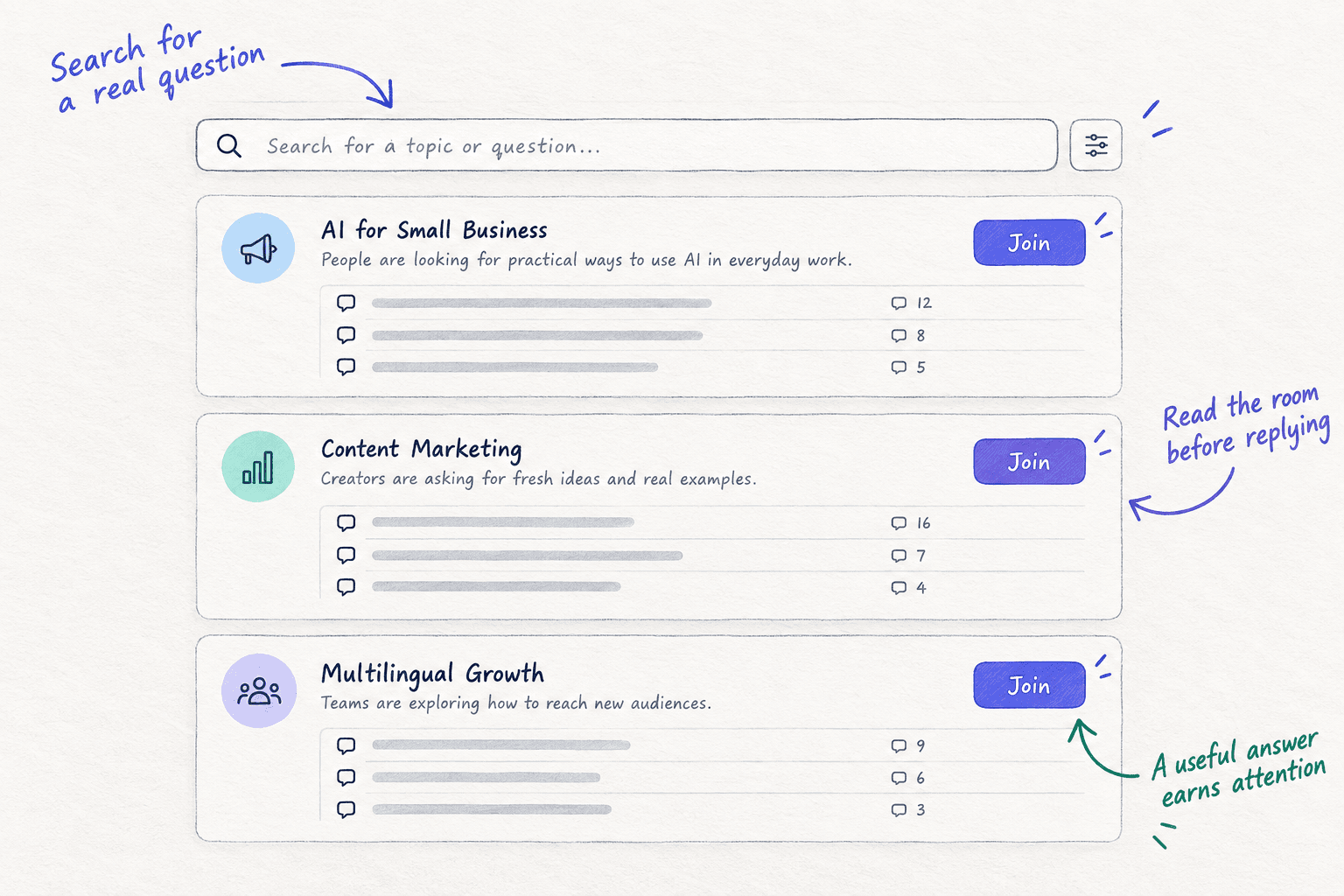
Step 5. Scout7 turns a page into image posts and LinkedIn carousels in your brand's voice and schedules them to LinkedIn, X, Instagram, Facebook, Threads and Reddit. You approve every post. It does not post to Pinterest or TikTok.
Your free website traffic checklist for the next 3 months
0 of 16 done
Work through this list with an AI assistant
It drafts the work and keeps track of what is done.
Frequently asked questions
- How long does it take a new website to get traffic?
Communities and social can bring visits in the first week, if you answer and post every day. Google says it can take a few weeks just to notice a new site, and search visits take monthssoon to add up. So start all of them on day 1, and judge search at month 3, not week 4.
- Why is my new website not showing up on Google?
Usually one of three things. It is too new: Google can take a few weeks. Something blocks it: a "Disallow: /" in robots.txt, a noindex tag, or a store still behind a password. Or nothing links to it. Open URL Inspection in Search Console; it says which one it is. The fixes are in getting your website indexedsoon.
- Can I get website traffic without social media?
Yes. Steps 1 to 4 need no followers: search pages, AI answers and answers in communities bring visits without posting about yourself. Social is step 5 because it adds visits sooner, but if you truly will not post, put those 50 minutes into more answers and a second page on some days.
- Should I pay for backlinks or a traffic bot to get started?
No. Google's spam policies treat bought links, link swaps and low-quality directory links as link spam. A traffic bot sends fake visits that never buy and hide your real numbers. Free, real links come from your own profiles, your launch, the listings your buyers use and pages worth linking tosoon.
- I get visitors but no sales. What now?
Check which visits did the main thing: viewed a product, started a trial or sent an enquiry. If over 500 visits did not, fix the page before you send more people, and find out why no one is buying. If a few did, keep the traffic going and add 100 personal messages a day to the people who fit.
Sources
- 1.Get your website on Google — Google Search Central, updated 10 December 2025, checked 28 September 2026
- 2.URL Inspection tool — Google Search Console Help, checked 28 September 2026
- 3.Page indexing report — Google Search Console Help, checked 28 September 2026
- 4.AI features and your website — Google Search Central, updated 10 December 2025, checked 28 September 2026
- 5.Creating helpful, reliable, people-first content — Google Search Central, updated 10 December 2025, checked 28 September 2026
- 6.Spam policies for Google web search — Google Search Central, updated 28 August 2026
- 7.Overview of OpenAI crawlers — OpenAI, checked 28 September 2026
- 8.Import sites from Search Console to Bing Webmaster Tools — Bing Webmaster Blog, checked 28 September 2026
- 9.Introducing AI Performance in Bing Webmaster Tools — Bing Webmaster Blog, 10 February 2026
- 10.Traffic acquisition report — Google Analytics Help, checked 28 September 2026
- 11.Free Keyword Generator — Ahrefs, checked 28 September 2026
- 12.Reddit Rules — Reddit, checked 28 September 2026
- 13.The most-cited domains in AI: a 3-month study — Semrush, 10 November 2025
- 14.AIO impact on Google CTR: 2026 update — Seer Interactive, 24 April 2026
- 15.ChatGPT referral traffic more than doubles in 2026 — BrightEdge, via GlobeNewswire, 24 September 2026
- 16.Show HN guidelines — Hacker News, checked 28 September 2026
- 17.How Product Hunt works — Product Hunt, checked 28 September 2026
- 18.Finding and submitting your sitemap — Shopify Help Center, checked 28 September 2026
- 19.Free listings for products — Google Merchant Center Help, checked 28 September 2026
- 20.Claim your website — Pinterest Business Help, checked 28 September 2026
- 21.Business eligibility and ownership guidelines — Google Business Profile Help, checked 28 September 2026
- 22.I spent $0 on marketing and got 1,200 website visitors — Indie Hackers, 14 October 2025
- 23.23 days of distributing a SaaS: here's exactly what happened — Indie Hackers, 7 August 2026
- 24.Ask HN: How do new blogs break the backlink–indexing loop? — Hacker News, 22 February 2026
Next article to read
Related guides
- How to get customers online for freeGet customers online for free: make one offer people can pay for or book, send 100 personal messages and answer 20 questions a day, post twice a day on one channel, add the free listings that fit, and count customers by source every Sunday.
- How to find keywords for SEOComing soon
- How to find online communities where your buyers talkComing soon
- How long does SEO take to work?Coming soon
Guides that link here
Cite this page
Dinesh Bypilla (2026). How to get traffic to a new website for free. Scout7 Academy. https://scout7.ai/academy/first-customers/how-to-get-traffic-to-a-new-website-for-free
Written by Dinesh Bypilla, Agentic systems engineer at Scout7. Reviewed by Murali Sid. Last checked 28 September 2026.
Quote any part of this guide with a link back to this page. © 2026 Scout7.
Markdown version of this page: https://scout7.ai/academy/first-customers/how-to-get-traffic-to-a-new-website-for-free.md