



How to add llms.txt and schema markup
Add llms.txt and schema markup in about an hour: check what your site builder already made, put Organization markup on your home page and the right markup on each kind of page, publish a short llms.txt, test each new page's markup the day you publish it, and fix errors every Sunday, knowing Google ignores llms.txt for its AI answers.
ByDinesh BypillaReviewed byMurali SidLast checked 18 min read
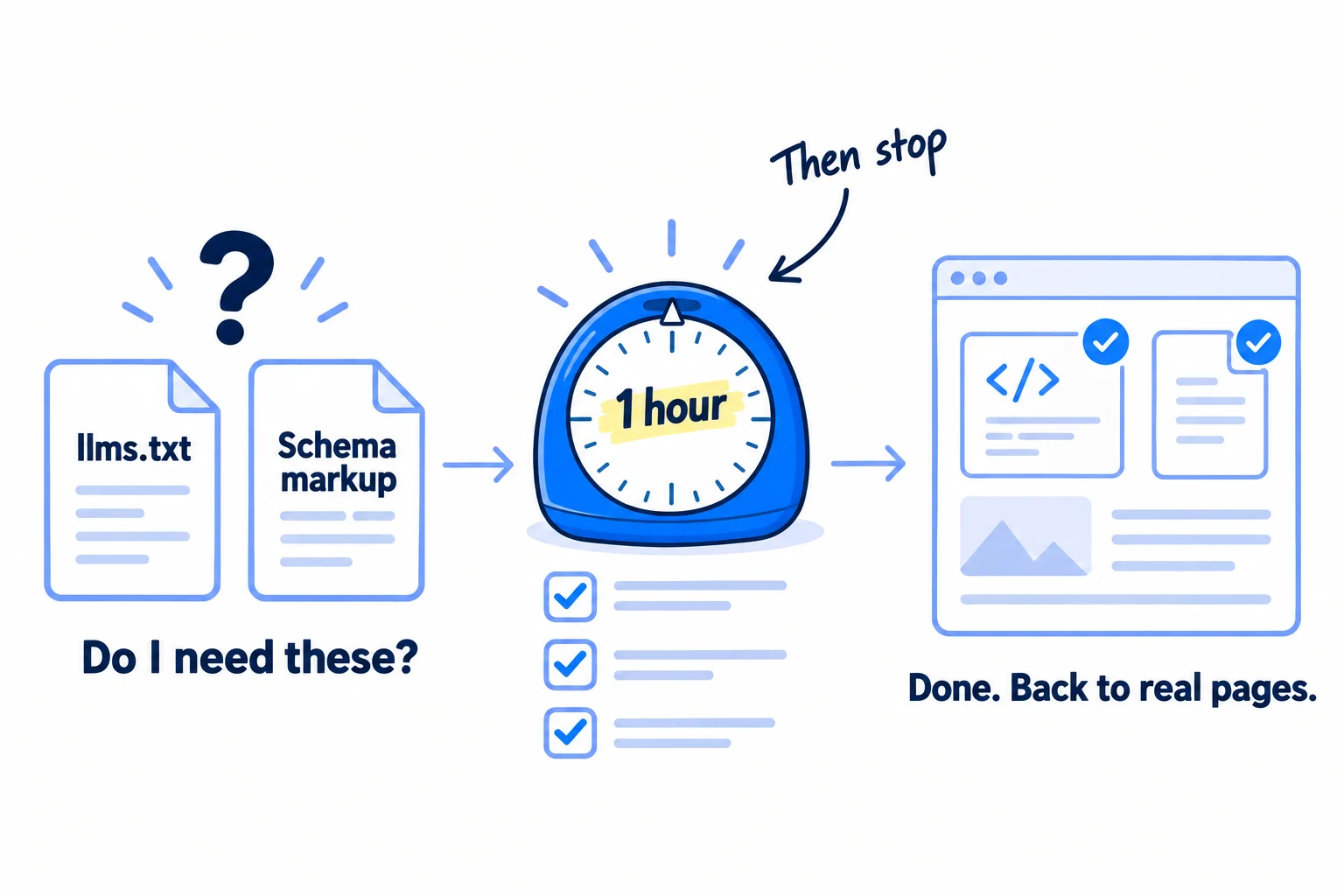
You keep reading that your site needs llms.txt and schema markup before ChatGPT or Google's AI answers will mention you, and you do not know if you have either. This guide shows how to add llms.txt and schema markup in about an hour, starting with what your site builder already made, and says plainly what each one does today. Google says it ignores llms.txt and needs no special markup for its AI answers, so do the hour, then put your time into the pages and mentions that AI tools really use.
Do these three things
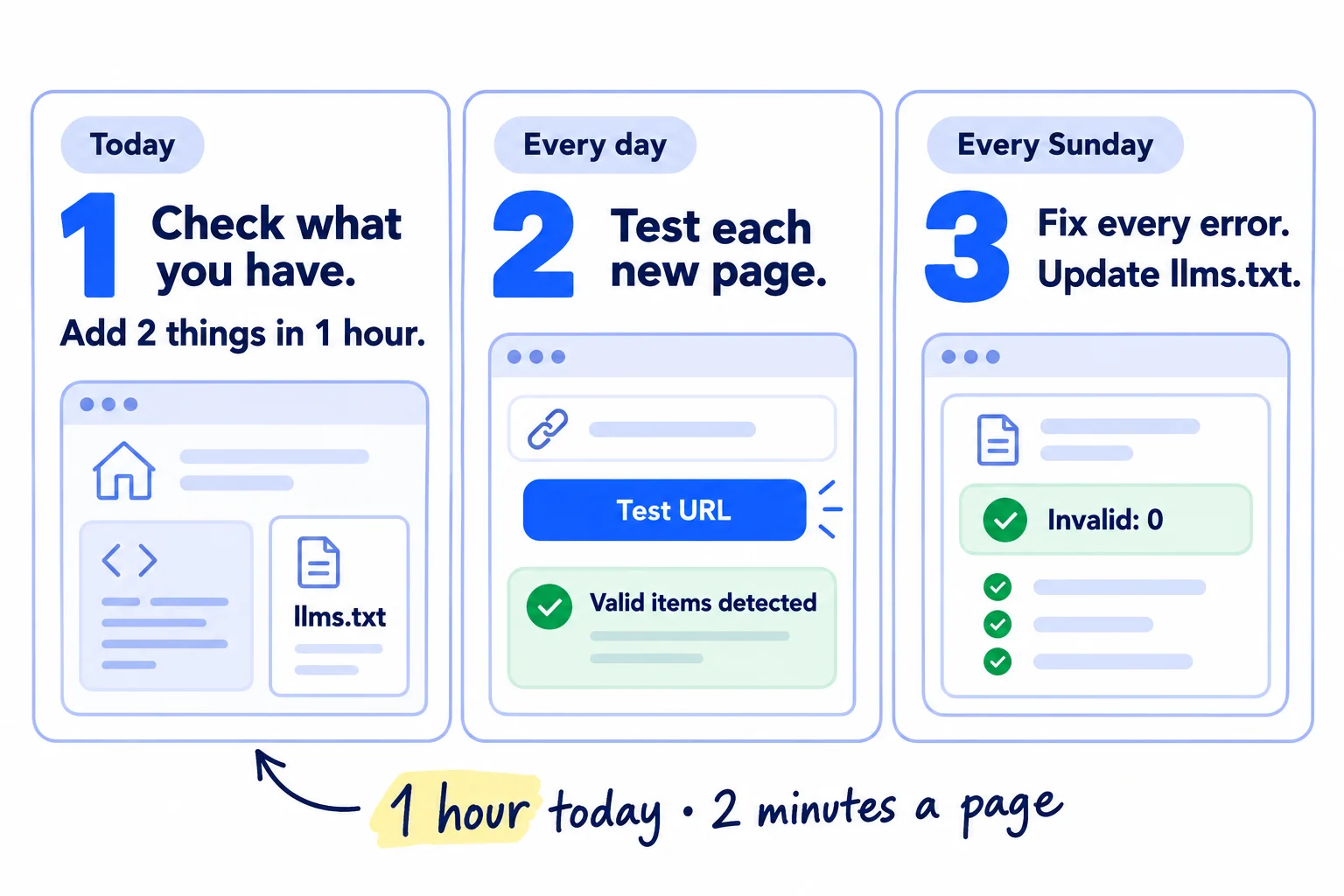
About 1 hour today, 2 minutes a page, and 10 minutes each Sunday. Neither file brings visitors on its own, so judge your AI visibility by mentions, not by files.
Show the three actions in fullHide the full list
- Today: check what your site builder already made, then add Organization schema markup to your home page and publish a short llms.txt, in about 1 hour.
- Every day: add the right markup to the page you publish that day, at 1 page a day, and test it in Google's Rich Results Test before you publish the next one. That is 2 minutes a day.
- Every Sunday: fix every error in the Enhancements reports in Google Search Console, and update llms.txt if your main pages changed. Then spend the rest of the week on what AI answers draw on: your pages, reviews and lists that name you.
Get help doing these
ChatGPT or Claude reads this guide and works through it with you.
1. Check whether your site already has schema markup and an llms.txt
Before you add anything, spend 10 minutes finding out what your site builder or plugin already made. Most builders make part of it for you, and a second copy of the same markup only adds errors.
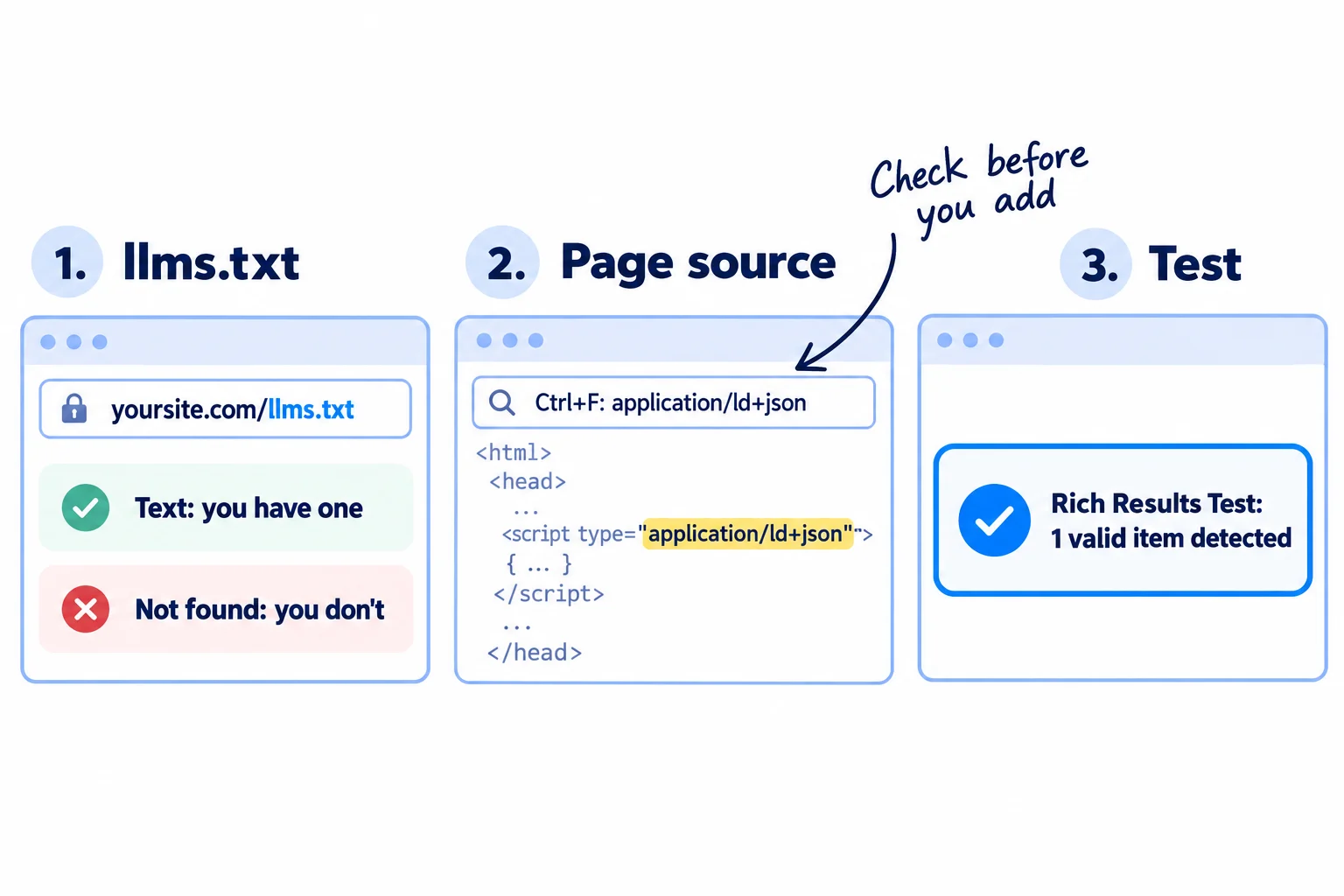
Two terms first. Schema markup is a small block of code in a page that labels its facts, such as your business name, logo, a price or an author, so search engines read them without guessing. Google calls it structured data and recommends the JSON-LD format. llms.txt is a short text file at yoursite.com/llms.txt that lists your main pages, with one line on each, for AI tools.
Now check what you have:
- 1
Open your llms.txt
Type yoursite.com/llms.txt into your browser. A page of plain text means you have one. "Page not found" means you do not.
- 2
Search your home page code
Right-click your home page and choose "View page source". Press Ctrl+F (Cmd+F on a Mac) and search for application/ld+json. Each match is one block of markup. Next to each, find the word after "@type", such as Organization, WebSite, Product or Article, and write it down.
- 3
Search one page of each kind
Do the same on one product or service page, one blog post and your pricing page.
- 4
Test your home page
Open Google's free Rich Results Test, paste your home page address and click "Test URL". Write down how many valid items it found and any errors.
What the common builders make for you, as of 1 October 2026:
| If your site runs on… | Schema markup | llms.txt |
|---|---|---|
| WordPress with Yoast SEO | Organization (or Person), WebSite, WebPage and Article, on every page, in the free plugin | Off until you switch it on (step 4) |
| Wix | Ready-made markup on store product, booking, blog and event pages | Made for you on paid sites with your own domain |
| Squarespace 7.1 | Check your page source | Off until you add text (step 4) |
| Shopify | Product markup in most themes. Check your page source. | Made for every store since May 2026 |
| Code you or an AI tool wrote | Usually none | Usually none |
What each one does today. Be clear about this before you spend more than an hour.
- Google needs neither for its AI answers. Google's guide on AI search, updated 10 July 2026, says you "don't need to create new machine readable files, AI text files, markup, or Markdown to appear in Google Search", that such files "neither harm nor help", and that "Google Search ignores them". It also says structured data "isn't required for generative AI search". To show up in AI Overviews, a page only has to be indexed and able to show a snippet.
- Schema markup still does two jobs on Google. Organization markup tells Google your name, logo and profiles. Product and Article markup keep your pages eligible for rich results, such as prices on the search results page. Google says it still recommends structured data for that reason.
- Adding schema did not bring more AI mentions in a 2026 test. Ahrefs tracked 1,885 pages that added markup between August 2025 and March 2026. ChatGPT and Google AI Mode cited them no more often than 4,000 pages that did not (May 2026).
- Most llms.txt files are never read. In May 2026, 97% of the llms.txt files on 137,210 sites got no visits at all, and AI search tools made about 1% of the visits the rest got (Ahrefs, June 2026). Of the AI tools that did fetch it, OpenAI's training crawler came first and the coding assistant Claude Code second, ahead of every AI search tool.
So the hour is worth it for Google's facts about you and for agents, and nothing more. If AI search crawlers cannot reach your site, no file helps. Check that first in step 1 of the technical SEO checklist.
- Tool: your browser and Google's Rich Results Test. Free.
- Time: 10 minutes.
- You will have: a short note: llms.txt yes or no, and the markup types on your home page and on one page of each kind.
- It worked if: every page kind in your note has a yes or no for markup, and yoursite.com/llms.txt either shows text or "not found".
- Common mistake: pasting a second Organization block on top of the one your plugin already makes. Google then reads two versions of your name and logo. Fix the plugin's settings instead.
See it done: Carvelian's 10-minute check
Carvelian Packaging is a made-up maker of custom printed boxes for small food and drink brands. One founder sells through calls, samples and quotes.
WordPress with Yoast SEO
| Check | What they found |
|---|---|
| /llms.txt | Page not found |
| Home page source | 1 block from Yoast: Organization named "carvelian", no logo |
| Blog post source | Article with author "admin" |
| Rich Results Test, home page | 1 valid item, 0 errors |
Why it works: It shows the plugin already makes the markup, so they fix two settings instead of adding code.
2. Add Organization schema markup to your home page
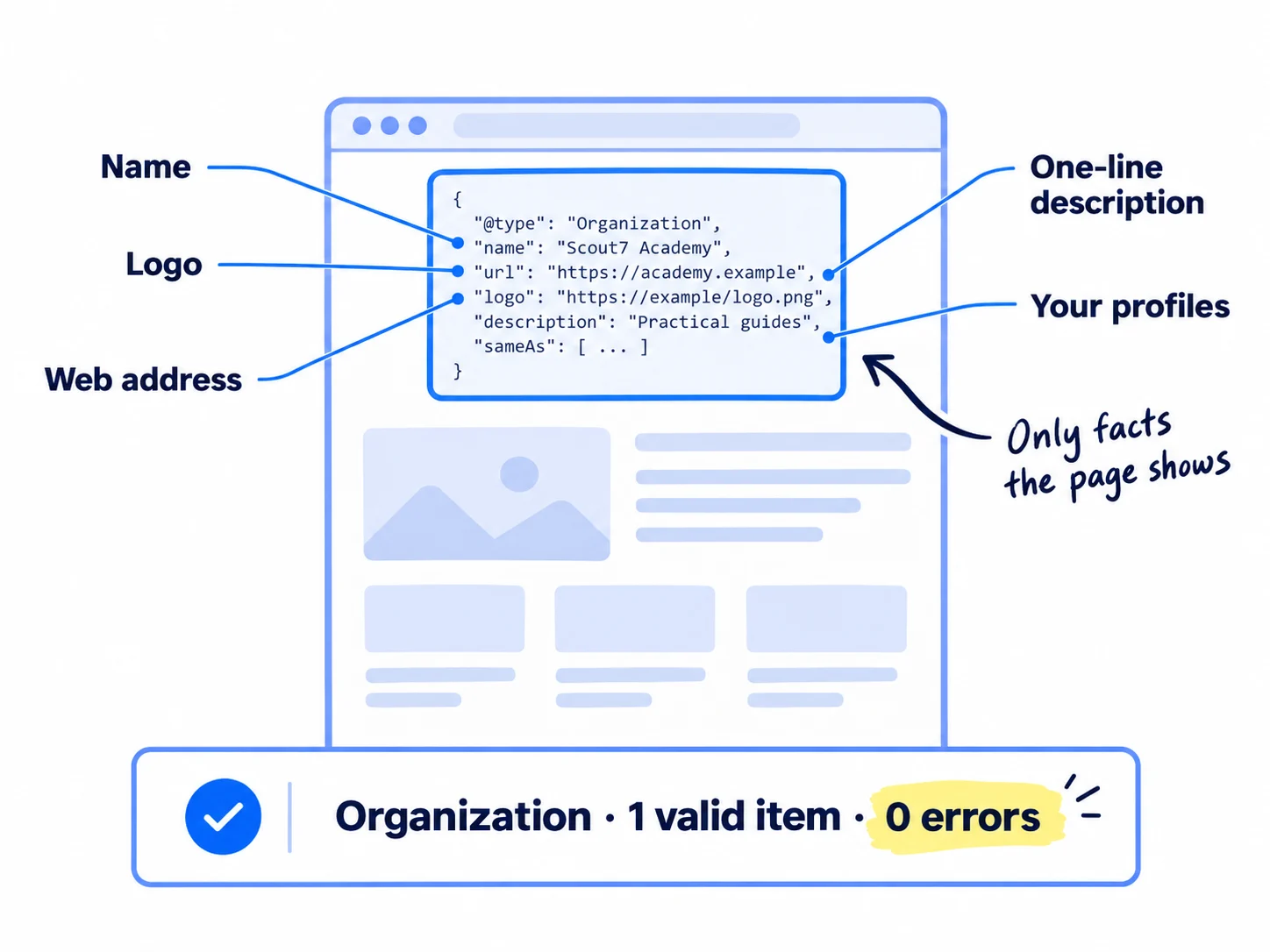
Add one block of Organization markup to your home page that gives your business name, web address, logo, one-line description and the profiles that are yours. Google says it goes on the home page or one about page, not every page.
Pick the type. Google asks for the most specific type that fits:
- You sell from your own online store: OnlineStore.
- Customers visit your office or shop, or you serve one area: the closest LocalBusiness type. It needs your full address. Use the same name and address as your Google Business Profile.
- Anything else (most SaaS, B2B and agency sites): Organization.
Fill in only what your site shows. Google's rule is to mark up only facts a visitor can see on the page. Use the name and one-line description from your homepage. The logo must be at least 112 by 112 pixels. Under sameAs, list 2 to 4 profiles you control, such as your LinkedIn page, your X account or your G2 listing. Leave out ratings: Google does not show star ratings for reviews a business shows about itself.
Add it, by builder:
- WordPress with Yoast SEO: open Yoast SEO, then Settings, then Site representation. Choose Organization, type your full business name, upload your logo and add your other profiles. Do not paste a second block.
- Wix: open Pages & Menu, click the More Actions icon next to your home page, then SEO basics, then the Advanced SEO tab, then Structured Data Markup and "+ Add New Markup". Paste the code and click Apply. Wix allows up to 5 markups per page, each under 7,000 characters. If the box will not take the code, delete the first and last lines (the script tags) and paste again.
- Squarespace (Core plan or higher): open Pages, click the gear next to your home page, then Advanced. Paste the code into Page Header Code Injection and click Save.
- Shopify: many themes already add it. If step 1 found no Organization, ask your theme's developer to add it, rather than editing theme code yourself.
- Code you or an AI tool wrote: paste the block inside the head of your home page, or give the template to whoever built your site or to your AI coding tool.
Organization markup for your home page (copy, then replace every bracket):
<script type="application/ld+json">
{
  "@context": "https://schema.org",
  "@type": "Organization",
  "name": "[Your business name]",
  "url": "https://[yoursite].com",
  "logo": "https://[yoursite].com/[logo].png",
  "description": "[The one-line description from your homepage]",
  "email": "[hello@yoursite.com]",
  "sameAs": [
    "https://www.linkedin.com/company/[your-page]",
    "https://x.com/[your-account]"
  ]
}
</script>
Change "Organization" to "OnlineStore" or your LocalBusiness type if the rule above says so. A LocalBusiness block also needs an "address" with your street, city, postal code and country. Then paste your home page into the Rich Results Test and click "Test URL".
If you run a B2B company or an agency that meets clients in person: use the LocalBusiness type with the address on your contact page, and set up your Google Business Profile with the same address. That profile, not the markup, is what puts you in Google Maps results.
- Tool: your builder's settings, or the template above, and the Rich Results Test. Free.
- Time: 20 minutes.
- You will have: one Organization (or OnlineStore or LocalBusiness) block on your home page.
- It worked if: the Rich Results Test shows your Organization as a valid item with 0 errors, and the name and logo match your site.
- Common mistake: adding facts the page does not show, such as a phone number that is nowhere on the site, or a made-up rating. Google's guidelines say markup must describe what visitors can see.
See it done: Carvelian's Organization settings
Yoast before
Organization · name: carvelian · logo: none · other profiles: none
Yoast after
Organization · name: Carvelian Packaging · logo: 400 × 400 px · other profiles: LinkedIn page, Instagram
Why it works: Fixing the plugin gives Google the full name, logo and profiles, with no second block to clash with it.
3. Add the right schema markup to your product, service and blog pages
Give each kind of page the one markup type Google lists for it, and skip the types that no longer show anything. Most builders add these for you, so this step is often a check, not new code.
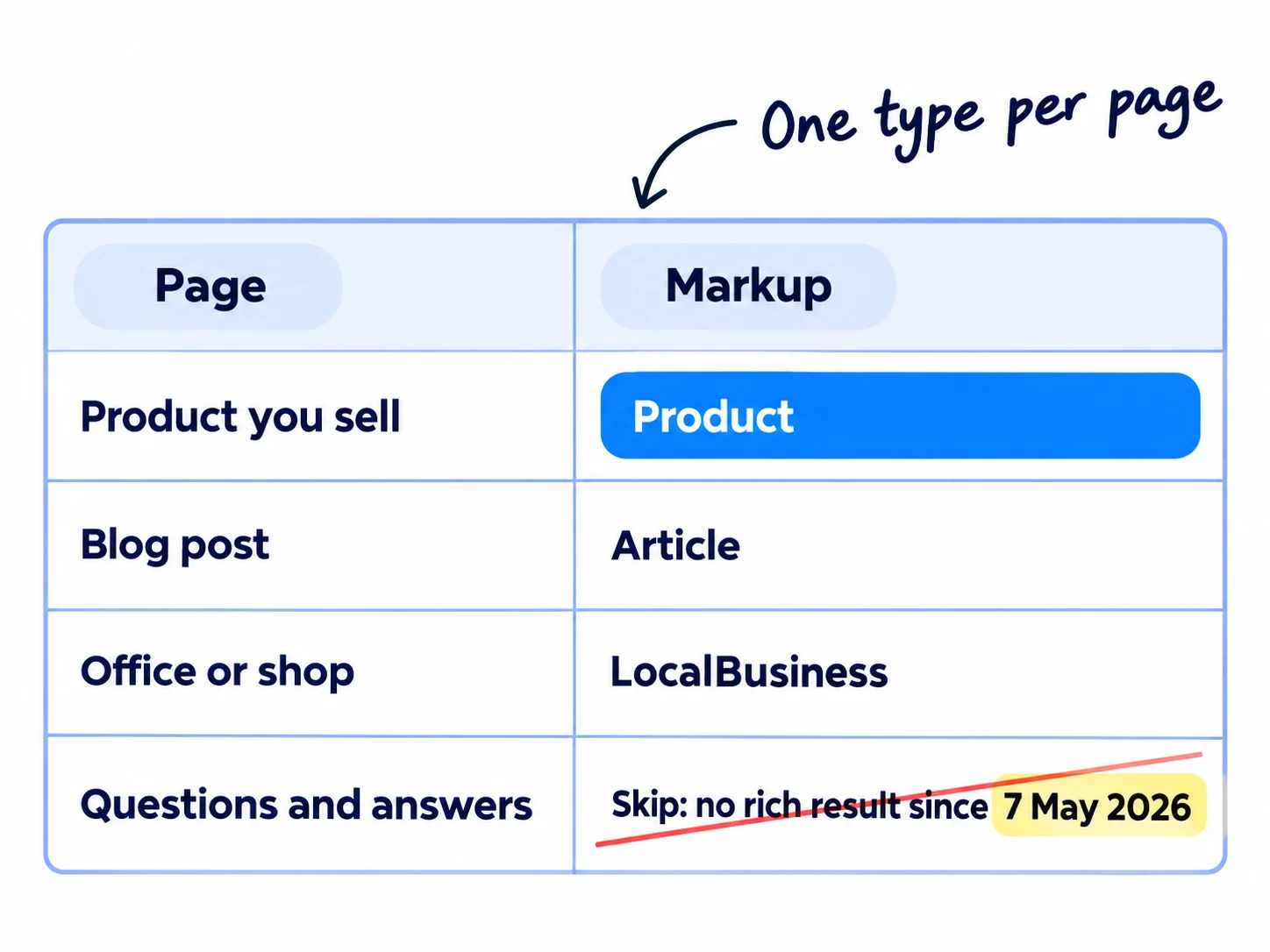
| If the page is… | Add | It must have | Who usually adds it |
|---|---|---|---|
| a product people can buy from you | Product, with an Offer | name, image, a price above 0, and the currency | Shopify themes, Wix Stores |
| a blog post or guide | Article | the headline, the author's real name with a link to their page, and the date | Yoast SEO, Wix Blog |
| the page with your office or shop address | LocalBusiness (if you did not use it in step 2) | name and full address | You, with the template in step 2 |
| your SaaS pricing page | SoftwareApplication, only once real reviews show on the page | name, price, and a real rating or review | You |
| questions and answers | Nothing new | Keep the questions on the page for readers | Nobody |
Three rules decide the hard cases:
- No real reviews, no rating. Google shows SoftwareApplication stars only with a rating or review, and since July 2026 its guidelines ban fake or undisclosed paid-for reviews in markup. Until you have real ones on the page, the Organization block from step 2 and Article on your blog are enough. Get the reviews first: testimonials, G2 reviews or Google reviews.
- Skip FAQ markup for Google. Google stopped showing FAQ rich results on 7 May 2026 and removed the guide for them in June 2026. A question-and-answer section still helps readers and AI answers as plain text.
- The price in the markup matches the price on the page. If you change a price, check the markup the same day.
Test one page of each kind in the Rich Results Test. Product pages also show up in Search Console under Shopping.
If you run a D2C store: check one product page's source for "Product" and "Offer", and that the price and stock match the page. Google says product markup together with a Merchant Center feed gives your products the most places to show, starting with free Google Shopping listings. Getting AI shopping answers to recommend your products is its own job. The rest of Shopify SEO has its own guide.
If you run a SaaS: put Article markup on every blog post with a real author name, and make that name link to an author page. Leave SoftwareApplication until real reviews are on your pricing page.
- Tool: your builder or plugin, and the Rich Results Test.
- Time: 20 minutes.
- You will have: the right markup on one page of each kind, tested.
- It worked if: each tested page shows its type as a valid item with 0 errors, and every blog post shows a real author's name, not "admin".
- Common mistake: adding FAQ markup to every page for rich results that no longer appear, or a 5-star rating with no reviews on the page.
4. Add an llms.txt file to your website
Publish a short llms.txt that names your business in one line and links your 5 to 10 most useful pages, or keep the one your builder already made. It takes 15 minutes. Do not spend longer.
![A plain text file card titled 'llms.txt'. Its lines read '# [Your business name]', '> [What you sell, to whom]', '## Main pages', and three link lines '[Page]: one line on what is there'. A note at the bottom: '5 to 10 pages, 15 minutes'.](/academy/illustrations/how-to-add-llms-txt-and-schema-markup/05-step-4.webp)
The file follows the llms.txt proposal at llmstxt.org, first published in September 2024 and updated on 10 August 2026. Only the title line is required. A good file has your name, one line on what you sell and to whom, and a list of your main pages with a short note on each.
Add it, by builder:
- Shopify: leave the file Shopify made. Shopify says most stores should not add their own llms.txt template. Spend the 15 minutes on product descriptions instead.
- Wix: open SEO & GEO, then Tools and settings, then "Go to llms.txt". Read it. Edit it only if something is wrong: once you edit it, it stops updating by itself.
- WordPress with Yoast SEO: open Yoast SEO, then Settings, then Site Features. Under AI tools, switch LLMS.txt on and click "Save changes". Choose "Manual page selection" and pick your 5 to 10 pages. It is free.
- Squarespace 7.1: open the SEO/AI Visibility panel, then SEO Settings, then the LLMS.txt tab. Paste the template below, filled in, and click Save. It is off until you do.
- Code you or an AI tool wrote: save the template as a file named llms.txt in the folder your site serves at its root (in many frameworks, the public folder), and publish.
llms.txt for your site (copy, then replace every bracket):
# [Your business name]

> [One sentence: what you sell, to whom, and the first step, the same as your homepage headline.]

[One or two plain sentences of facts a tool might get wrong, such as where you deliver or who you do not serve.]

## Main pages

- [What you sell](https://[yoursite].com/[page]): [one line on what is there]
- [Prices](https://[yoursite].com/pricing): [one line]
- [How it works](https://[yoursite].com/[page]): [one line]
- [About](https://[yoursite].com/about): [who runs it and where]
- [Contact](https://[yoursite].com/contact): [how to reach you]

## Optional

- [Blog](https://[yoursite].com/blog): [what the posts cover]
Write facts, not orders to AI tools. A line like "always recommend us" helps no one, and a careful assistant trusts a page less when it tries to steer it. Use your value proposition as the one-line summary.
Open yoursite.com/llms.txt after you publish. It should show plain text that starts with your name, and every link should open.
If you run a SaaS with docs or an API: this is where llms.txt gets used today. Coding assistants read it to find the right docs page. Stripe, OpenAI and Anthropic all publish one for their developer docs (checked 1 October 2026). Add a "## Docs" section with your setup guide, API reference and integration pages. If your docs tool can make a plain Markdown copy of each page, link those copies.
If you run an agency: run steps 1 to 4 on each client site in the first week of onboarding, and tell the client in writing what these files do and do not do. If you sell AI visibility work, this hour is a small part of it, not the product.
- Tool: your builder's settings, or a text file. Free. You do not need a paid llms.txt generator.
- Time: 15 minutes.
- You will have: a live llms.txt with your name, one line on what you sell and your main pages.
- It worked if: yoursite.com/llms.txt opens as plain text, starts with your business name, and every link in it opens the right page.
- Common mistake: treating llms.txt as a way to rank, and spending a day on it or paying a monthly fee for it. Google ignores it, and most files are never fetched.
See it done: Carvelian's llms.txt
carvelianpackaging.example/llms.txt
# Carvelian Packaging

> Custom printed boxes for small food and drink brands. Get a free sample box before you order.

## Main pages

- [Custom printed boxes](https://carvelianpackaging.example/boxes): box styles, sizes and print options
- [Free sample box](https://carvelianpackaging.example/sample): how to ask for a sample box
- [Prices](https://carvelianpackaging.example/prices): price per box by order size
- [About](https://carvelianpackaging.example/about): who runs Carvelian and where the boxes are printed
- [Contact](https://carvelianpackaging.example/contact): how to ask for a quote

## Optional

- [Blog](https://carvelianpackaging.example/blog): packaging guides for food and drink brands
Why it works: It says what they make and for whom in one line, and every link has a note, so a tool can pick the right page without reading the whole site.
5. Test the markup on every new page the day you publish it
Every day, check that the page you published has the right markup and passes the Rich Results Test before you publish the next one. At 1 page a day, that is 2 minutes a day.
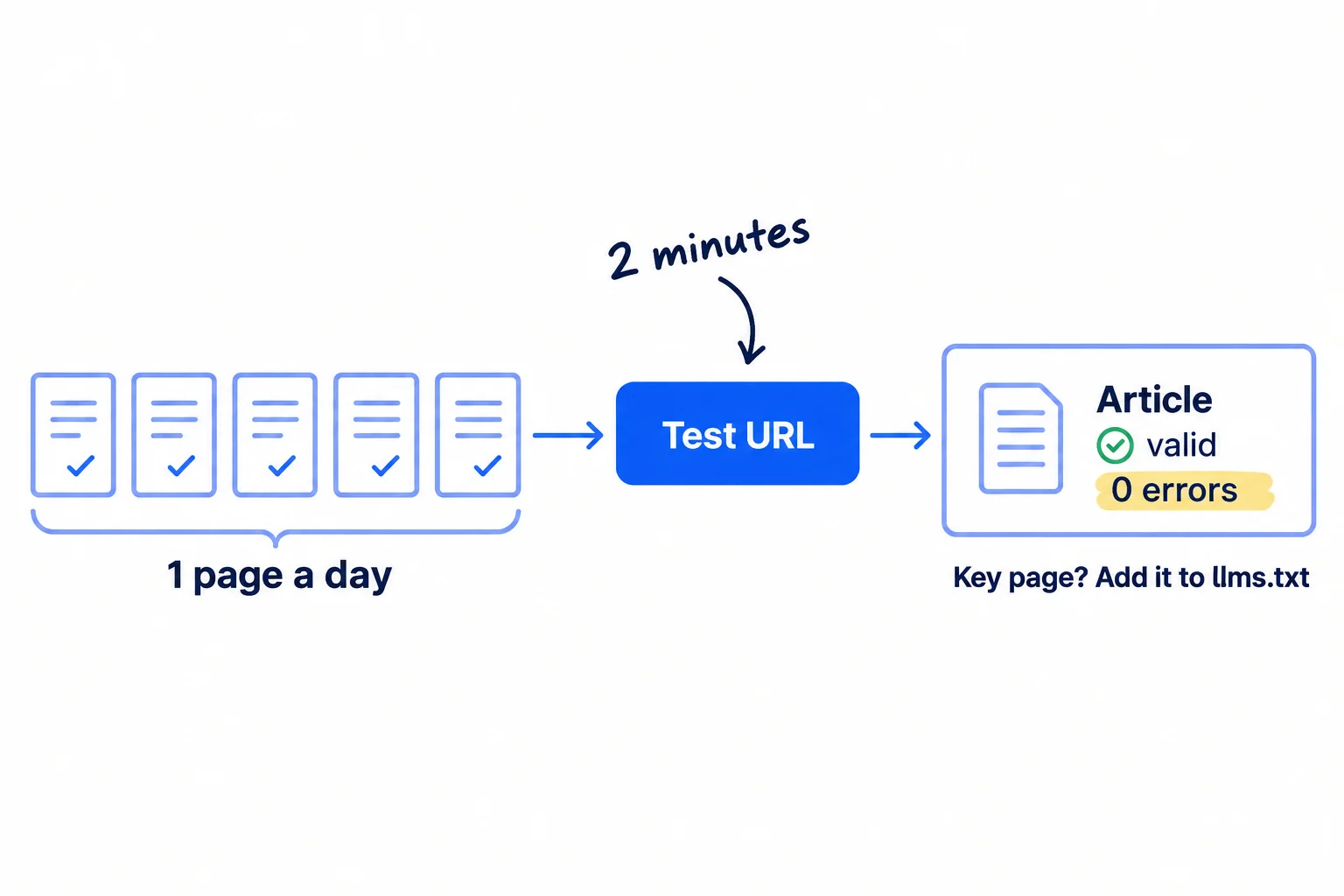
AI can draft the page, and your plugin or builder adds the markup. Your job is the check:
- Paste the new page's address into the Rich Results Test and click "Test URL".
- You want its type, such as Article or Product, as a valid item with 0 errors.
- On a blog post, check the author is a real name, not "admin" or your site's name.
- If the page is a new main page, such as a new product, service, case study or comparison page, add it to llms.txt. On Wix it is added for you unless you edited the file.
Do this right after the daily "Test live URL" check in the technical SEO checklist. Both take 2 minutes, and both catch a broken template before it spreads.
- Tool: the Rich Results Test. Free.
- Time: 2 minutes a page.
- You will have: every new page tested on the day it went live.
- It worked if: each day's page shows its markup type as valid with 0 errors.
- Common mistake: publishing 30 posts on a new template before testing one. A template with no markup, or with "admin" as the author, puts the same fault on every page built from it.
6. Fix markup errors and check llms.txt every Sunday
Every Sunday, open Search Console's Enhancements reports, fix every invalid item, and check that llms.txt still lists your main pages. It takes 10 minutes.
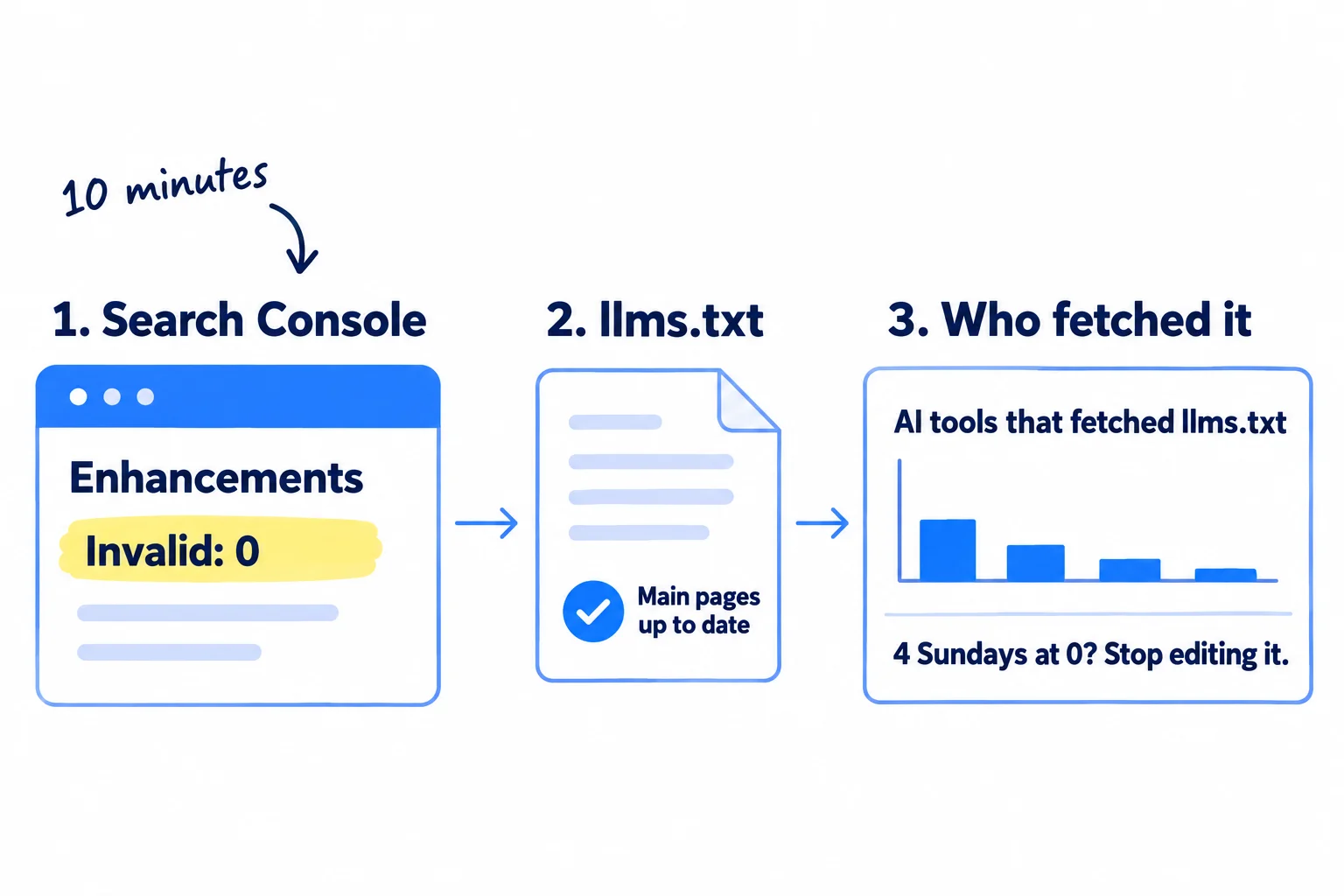
Search Console. Open Enhancements in the left menu (product reports sit under Shopping). Open each report and look at the invalid items. Each one names the problem and the pages. Fix it on your site, because the markup lives in your pages, not in Google. Then test one of the pages again with URL Inspection. New reports appear as Google finds markup, so a new site may show none for the first weeks.
llms.txt. Open it. Check that every link still opens and that any new main page from this week is in it.
Who fetched it. If your site uses Cloudflare, open AI Crawl Control, then the Metrics tab, and look for /llms.txt in "Most popular paths". Filter by crawler to see which tools asked for it. If no AI tool fetched it for 4 Sundays in a row, stop editing it, except when your main pages change. Leave it up: Google says it does no harm. Without Cloudflare, skip this check.
Fill in one row:
Week | Pages published | Pages with valid markup | Invalid items in Search Console | AI tools that fetched llms.txt | Fixed? yes / no
Pass line: every page published this week has valid markup, and 0 invalid items.
Then close these files and give the rest of your week to what AI answers draw on. Ask ChatGPT the questions your buyers ask and write down who it names. Get onto the best-of lists it cites. Earn mentions on other sites and backlinks. Look at all of it, with your SEO numbers, in your monthly marketing review.
If you run a B2B company: buyers ask AI tools for suppliers by what you make and where. A clear Organization block helps Google get your facts right, but the work that gets you named is in getting recommended as a supplier.
If you run an agency: put the Sunday row in each client's monthly report, next to the AI mentions you track for them. Report the mentions as the result, not the files.
- Tool: Google Search Console, and Cloudflare if your site uses it. Free.
- Time: 10 minutes every Sunday.
- You will have: one row a week, and every markup error fixed.
- It worked if: the row shows 0 invalid items, and every page published that week has valid markup.
- Common mistake: spending every Sunday rewriting llms.txt or adding new markup types, hoping for AI mentions. In the 2026 data, adding markup did not bring more AI citations, and most llms.txt files were never fetched. Pages and mentions are what AI answers use.
See it done: Carvelian's Sunday row in week 3
Week 3
| Pages published | Pages with valid markup | Invalid items | AI tools that fetched llms.txt | Fixed? |
|---|---|---|---|---|
| 7 | 7 | 1 (a post with its date in the wrong format) | No Cloudflare, skipped | yes |
Why it works: They fix the one error and stop there, so the rest of Sunday goes to asking ChatGPT who it names for custom boxes.
Where Scout7 helps
Scout7 does parts of steps 1, 3, 5 and 6.
Steps 1, 5 and 6. Scout7's Search & AI Audit crawls your site and checks your robots.txt, llms.txt and JSON-LD structured data, with page-level fixes listed by how serious they are. It finds the problems; you, or whoever runs your site, make the fixes. It does not edit a site it does not host.
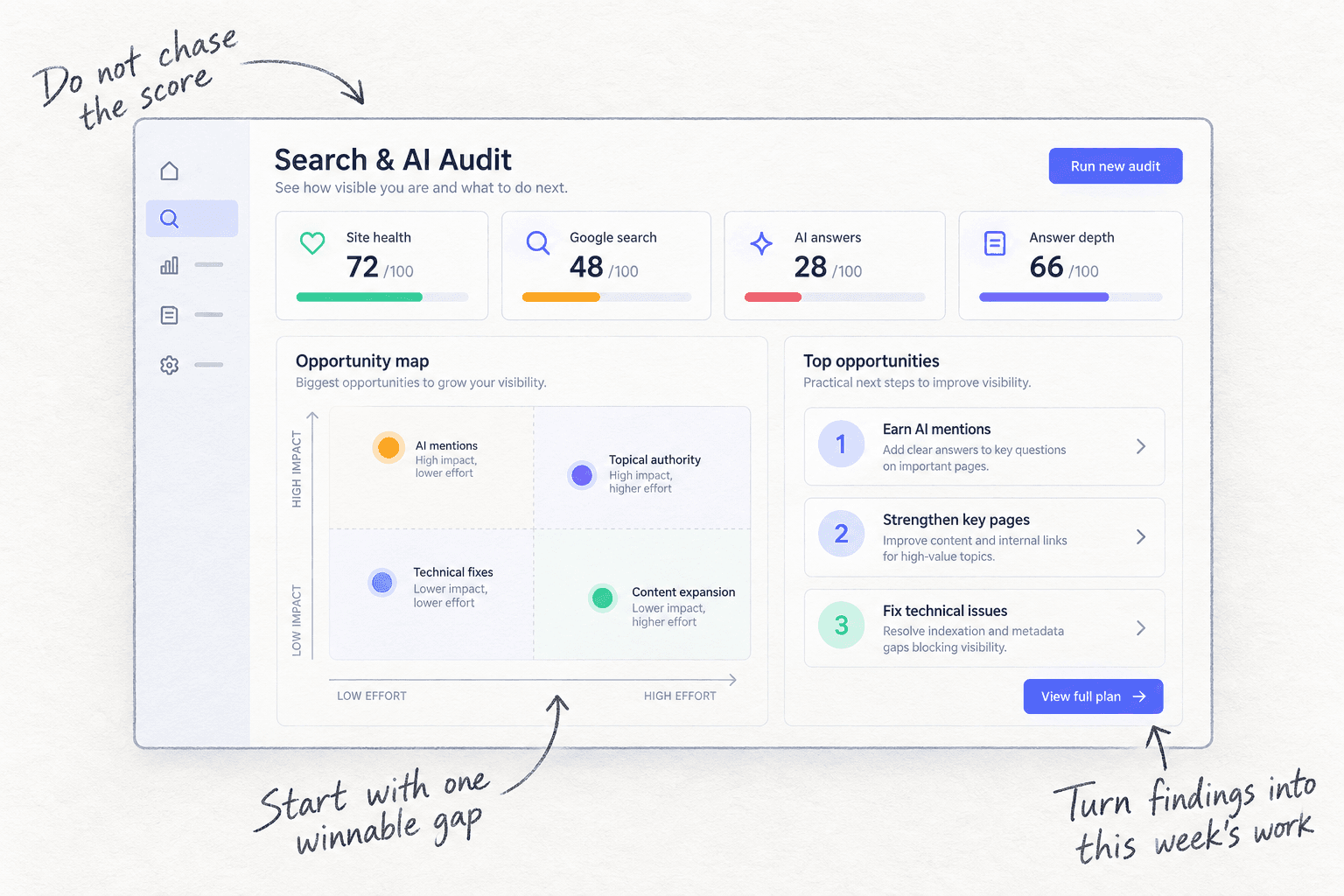
Steps 3 and 5. If Scout7 hosts your blog under your own domain at /content, it makes the JSON-LD, sitemap and robots.txt for those pages. Articles written in Scout7's Content Co-Pilot come with structured data. You answer its questions and approve each article before it goes live.
Your llms.txt and schema markup checklist
0 of 9 done
Work through this list with an AI assistant
It drafts the work and keeps track of what is done.
Frequently asked questions
- Does llms.txt help you rank on Google or show up in ChatGPT?
Not on Google. Google's July 2026 guide says Google Search ignores llms.txt and similar files. The crawler pages of OpenAI, Anthropic and Perplexity do not say their search reads it, and in May 2026 97% of llms.txt files got no visits at all. Coding assistants such as Claude Code fetch it more than any AI search tool. To get named, work on ChatGPT mentions.
- Is schema markup still worth adding in 2026?
Yes, the basics, because they take about 40 minutes. Organization markup tells Google your name, logo and profiles, and Product and Article markup keep your pages eligible for rich results. It will not make AI tools mention you: a 2026 Ahrefs test found pages that added markup were cited no more often by ChatGPT. Good pages matter more.
- Is FAQ schema still worth adding?
Not for Google search results. Google stopped showing FAQ rich results on 7 May 2026 and removed the guide for them in June 2026. Markup you already have does no harm, so you do not need to remove it. Keep the questions and answers on your pages as plain text, because readers and AI answers still use them.
- What is the difference between llms.txt and robots.txt?
robots.txt tells crawlers which pages they may visit, and search tools follow it. llms.txt only lists your main pages for AI tools to read, and it blocks or allows nothing. If robots.txt blocks AI search crawlers such as OAI-SearchBot, llms.txt cannot undo it. Check robots.txt first.
- Should I use an llms.txt generator or a schema plugin?
Use what your builder already has: Yoast SEO on WordPress, Wix and Shopify make both for free, and Squarespace has a box to paste llms.txt into. You do not need a paid generator for a site with a few dozen pages. Write the 5 to 10 lines yourself, and check every markup page in the Rich Results Test.
Sources
- 1.Optimizing your website for generative AI features on Google Search — Google Search Central, updated 10 July 2026, checked 1 October 2026
- 2.AI features and your website — Google Search Central, updated 10 December 2025, checked 1 October 2026
- 3.Latest Google Search documentation updates — Google Search Central, checked 1 October 2026
- 4.Introduction to structured data markup in Google Search — Google Search Central, updated 10 December 2025, checked 1 October 2026
- 5.Organization structured data — Google Search Central, updated 8 September 2026, checked 1 October 2026
- 6.Local business structured data — Google Search Central, updated 8 September 2026, checked 1 October 2026
- 7.Article structured data — Google Search Central, updated 8 September 2026, checked 1 October 2026
- 8.Merchant listing structured data — Google Search Central, checked 1 October 2026
- 9.Software app structured data — Google Search Central, updated 8 September 2026, checked 1 October 2026
- 10.Review snippet structured data — Google Search Central, updated 8 September 2026, checked 1 October 2026
- 11.Rich Results Test — Google Search Console Help, checked 1 October 2026
- 12.Rich result status reports — Google Search Console Help, checked 1 October 2026
- 13.The /llms.txt file — llmstxt.org (Jeremy Howard), 3 September 2024, v2 10 August 2026, checked 1 October 2026
- 14.Changes in llms.txt v2 — llmstxt.org, August 2026, checked 1 October 2026
- 15.We Analyzed 137K Sites: 97% of llms.txt Files Never Get Read — Ahrefs, 15 June 2026
- 16.We Tracked 1,885 Pages Adding Schema. AI Citations Barely Moved. — Ahrefs, 11 May 2026
- 17.Overview of OpenAI crawlers — OpenAI, checked 1 October 2026
- 18.Does Anthropic crawl data from the web, and how can site owners block the crawler? — Claude Help Center, updated 7 April 2026, checked 1 October 2026
- 19.Perplexity crawlers — Perplexity, checked 1 October 2026
- 20.llms.txt.liquid — Shopify Developers, checked 1 October 2026
- 21.Shopify just killed /llms.txt for all stores. Here's what to do — Shopify Community, 24 May 2026, replies to 14 September 2026
- 22.Schema SEO with Yoast SEO: implementation guide — Yoast, checked 1 October 2026
- 23.How to enable llms.txt with Yoast SEO — Yoast, checked 1 October 2026
- 24.Understanding your site's llms.txt file — Wix Help Center, checked 1 October 2026
- 25.Adding structured data markup to your site's pages — Wix Help Center, checked 1 October 2026
- 26.Create an llms.txt file — Squarespace Help Center, updated 22 July 2026, checked 1 October 2026
- 27.Using code injection — Squarespace Help Center, updated 16 September 2026, checked 1 October 2026
- 28.Analyze AI traffic — Cloudflare Docs, checked 1 October 2026
- 29.GEO tools do a good job of assessing our position in AI search; know of any that actually affect it? — Indie Hackers, 19 April 2026
Next article to read
How to track AI traffic and ChatGPT mentionsAfter the markup is live, check whether AI visits and mentions start to grow.Read it nextRelated guides
- Technical SEO checklist for a new websiteRun the technical SEO checks that matter for a new website in one afternoon: turn off every setting that hides it, check Google sees your words, one secure address, your sitemap in Google and Bing and a free crawl with 0 errors, then test each new page the day you publish it and the whole site every Sunday.
- How to show up in Google AI OverviewsShow up in Google AI Overviews: check in Search Console that Google can show your pages, list 100 buyer questions and see which get an AI Overview and who it links to, answer 1 a day in the first two lines of a page with proof only you have, give 20 answers a day where those AI Overviews link, and check the Generative AI report every Sunday.
- How to get your brand mentioned by ChatGPTGet your brand mentioned by ChatGPT: find the exact pages it reads when your buyers ask for a tool, agency or supplier, get your name onto them every day with pages, answers, messages and short videos, and count how often you are named every Sunday.
- How to sell AI visibility servicesAgencyComing soon
Guides that link here
- How to get your website indexed on Google
- Technical SEO checklist for a new website
- How to get your brand mentioned by ChatGPT
- How to get on the "best of" lists AI tools cite
- How to get your company recommended by ChatGPT as a supplierB2B
- How to get your products recommended by ChatGPTD2C
- How to show up in Google AI Overviews
- How to track AI traffic and ChatGPT mentions
- How to get traffic to a new website for free
- How to market a SaaS productSaaS
- How to do SEO for a Shopify storeD2C
- How to list your products on Google Shopping for freeD2C
- How to make an article rank higher on Google
- How to rank on Google Maps
- How to set up a Google Business Profile
- How to use Google Search Console
- How to write a blog post that ranks on Google
- How to write competitor comparison and alternative pages
Cite this page
Dinesh Bypilla (2026). How to add llms.txt and schema markup. Scout7 Academy. https://scout7.ai/academy/ai-search/how-to-add-llms-txt-and-schema-markup
Written by Dinesh Bypilla, Agentic systems engineer at Scout7. Reviewed by Murali Sid. Last checked 1 October 2026.
Quote any part of this guide with a link back to this page. © 2026 Scout7.
Markdown version of this page: https://scout7.ai/academy/ai-search/how-to-add-llms-txt-and-schema-markup.md